3.7 Parts Placement and Setting
3-76
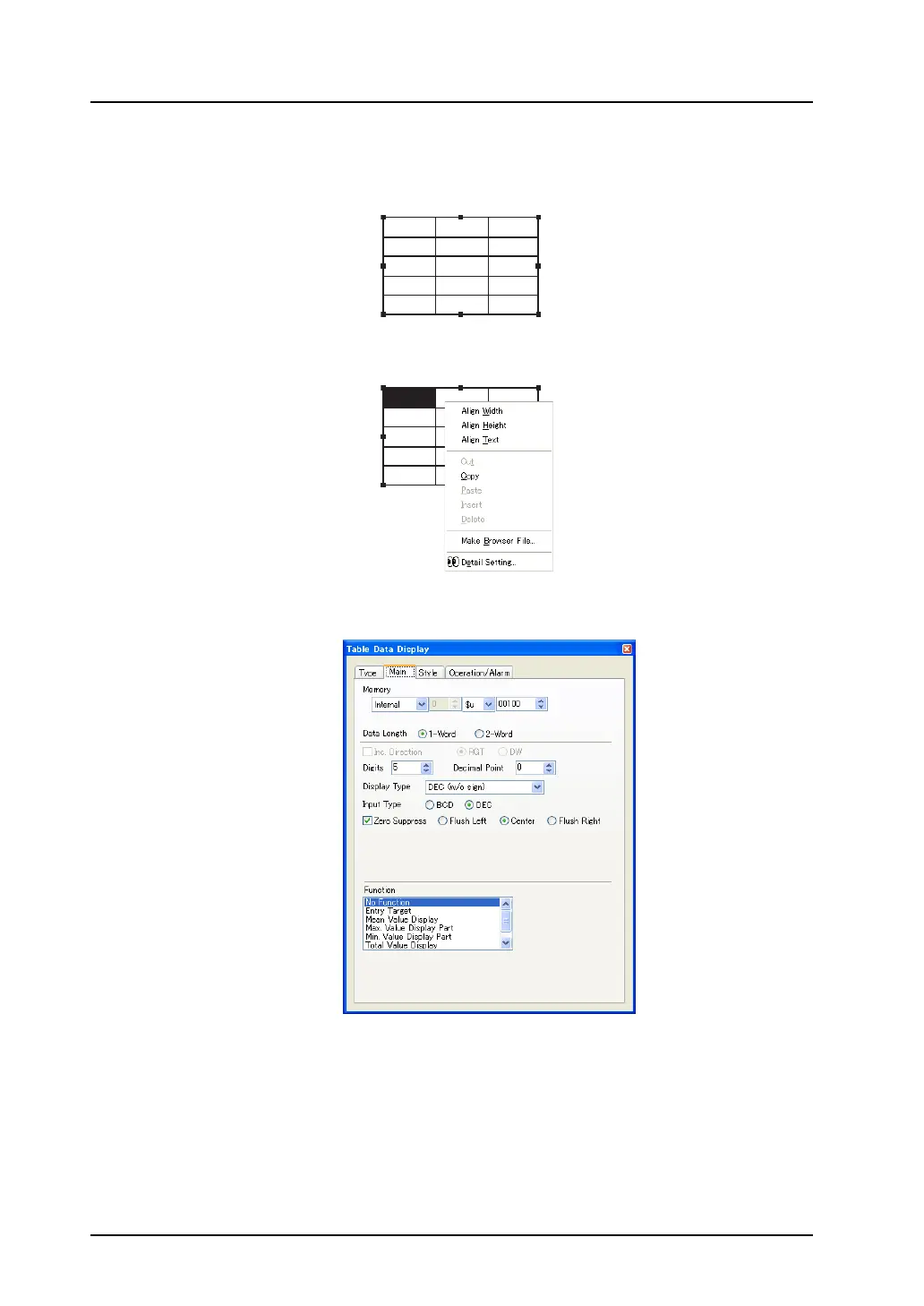
Data setting or modifying procedure
1. Click the table data display part. The item dialog is brought up and handles are shown all around
the part.
2. Right-click the mouse on a cell whose setting is to be changed. The cell is highlighted and the
right-click menu is displayed.
3. Select [Detail Setting] from the menu. The [Table Data Display (Num. Display)] item dialog is
displayed.
4. Set the options in the dialog.
Select a necessary data display type from numerical display, character display, message display,
or text in drawing.
12345 12345 12345
12345 12345 12345
12345 12345 12345
12345 12345 12345
12345 12345 12345
12345 12345 12345
12345 12345 12345
12345 12345 12345
12345 12345 12345
12345 12345 12345



 To Next Page