3.7 Parts Placement and Setting
3-78
Change of cell height and cell width
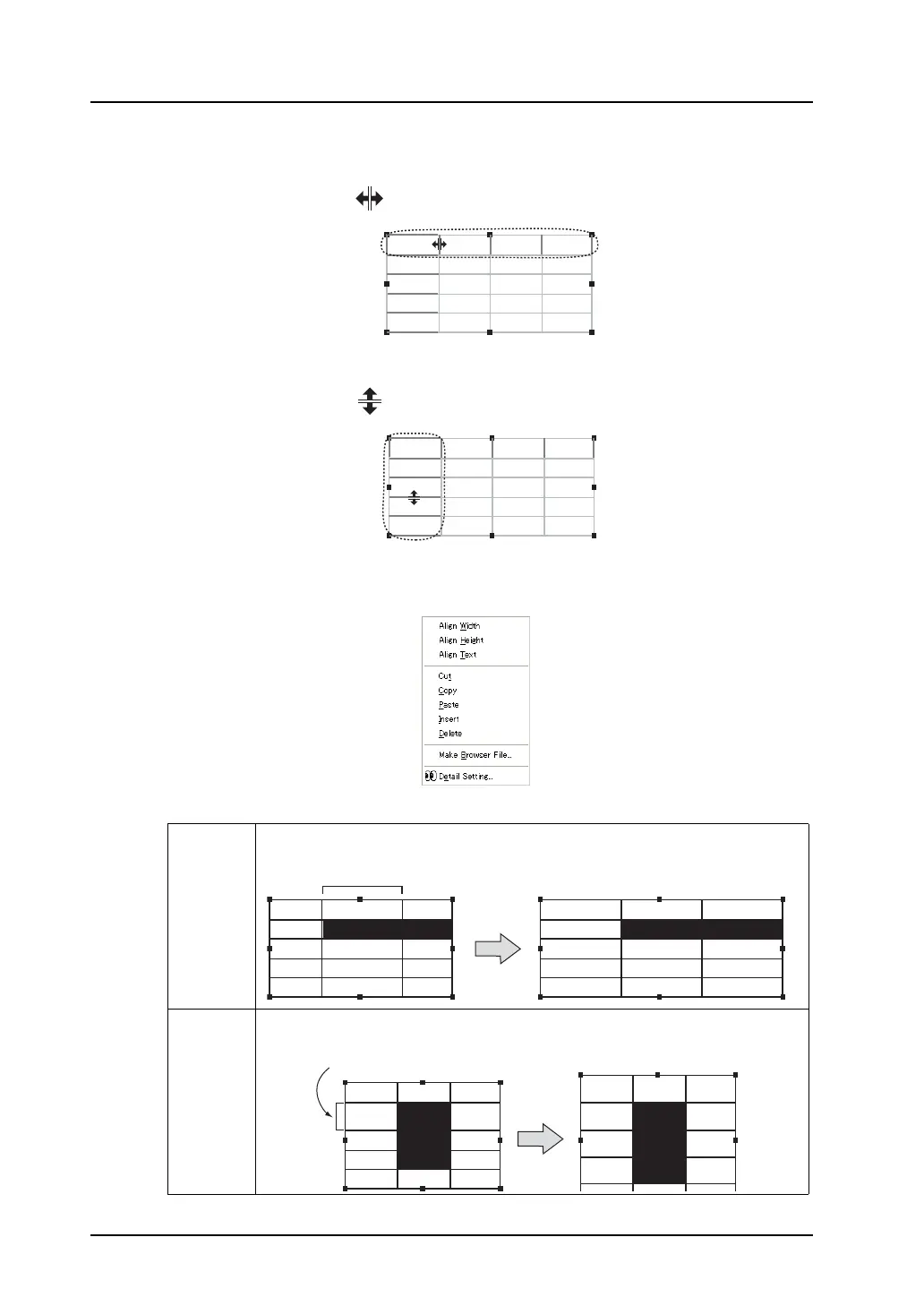
• When changing the width of the cell, specify a demarcation line in the top line as shown below.
The cursor changes into “ .” Drag it until the cell is adjusted to the desired width.
• When changing the height of the cell, specify a demarcation line in the first column as shown
below.
The cursor changes into “ .” Drag it until the cell is adjusted to the desired height.
Right-click menu
When cells are selected by right-clicking or right-dragging, a pop-up menu is displayed.
Align Width All cells are adjusted to the width of the top left cell in the selected cells.
Align
Height
All cells are adjusted to the height of the top left cell in the selected cells.
12345 12345 12345
12345 12345 12345
12345 12345 12345
12345 12345 12345
12345 12345 12345
12345
12345
12345
12345
12345
12345 12345 12345
12345 12345 12345
12345 12345 12345
12345 12345 12345
12345 12345 12345
12345
12345
12345
12345
12345
12345 12345 12345
12345 12345 12345
12345 12345 12345
12345 12345 12345
12345 12345 12345
12345 12345 12345
12345 12345 12345
12345 12345 12345
12345 12345 12345
12345 12345 12345
This width is applied to all cells.
12345 12345 12345
12345 12345 12345
12345 12345 12345
12345 12345 12345
12345 12345 12345
12345 12345 12345
12345 12345 12345
12345 12345 12345
12345 12345 12345
This height is applied to all cells.



 To Next Page