4.3 Drawing Methods
4-34
5 Enlarge
(1 - 8)
Specify enlargement factor for text.
“1” to “8” can be specified for [Enlarge X] or [Enlarge Y].
Correspondence between character sizes and values for [Enlarge] is
shown below:
* If you select [System Setting] → [Font Setting] and select
[Gothic] (or Gothic (IBM Extended Character)), [English/Western
Europe HK Gothic] or [English/Western Europe HK Times], and
check the box for [ Windows Font], this setting is disabled.
6Point
(8 - 72)
Specify the number of points for character.
* If you select [System Setting] → [Font Setting] and select a font
other than [Gothic] (or Gothic (IBM Extended Character)),
[English/Western Europe HK Gothic] or [English/Western
Europe HK Times], and uncheck the box for [ Windows Font],
this setting is disabled.
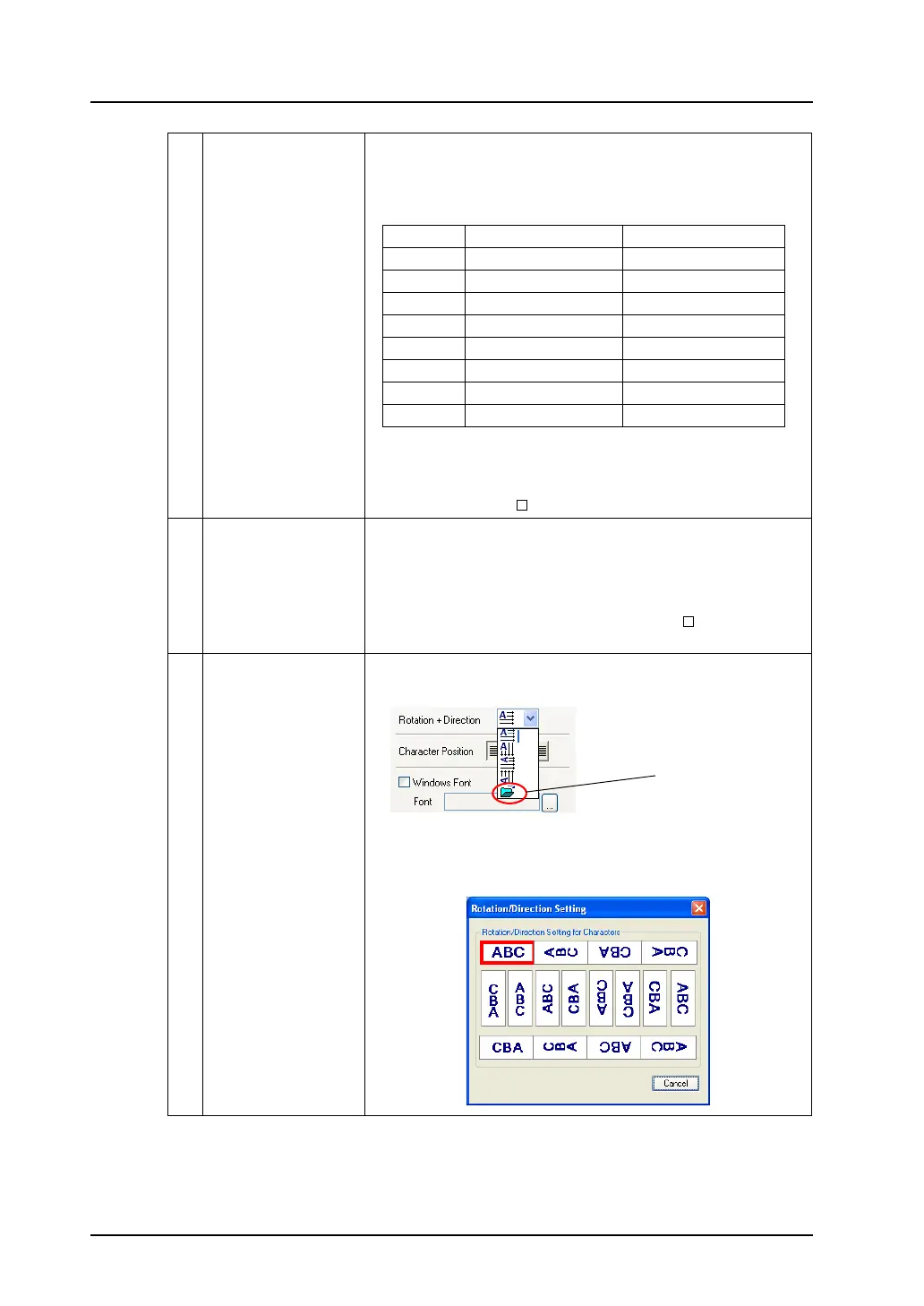
7 Rotation + Direction Set the combination of text rotation or direction.
Four combinations are displayed in the drop-down menu.
When selecting an option other than the above, click the icon at the
bottom. The dialog that allows selection from all options is
displayed:
Enlarge One-byte (W × H dots) Two-byte (W × H dots)
18 × 16 16 × 16
2 16 × 32 32 × 32
3 24 × 48 48 × 48
4 32 × 64 64 × 64
5 40 × 80 80 × 80
6 48 × 96 96 × 96
7 56 × 112 112 × 112
864 × 128 128 × 128
Click this icon when you
want to see other options.



 To Next Page