5.6 Graphic Library
5-18
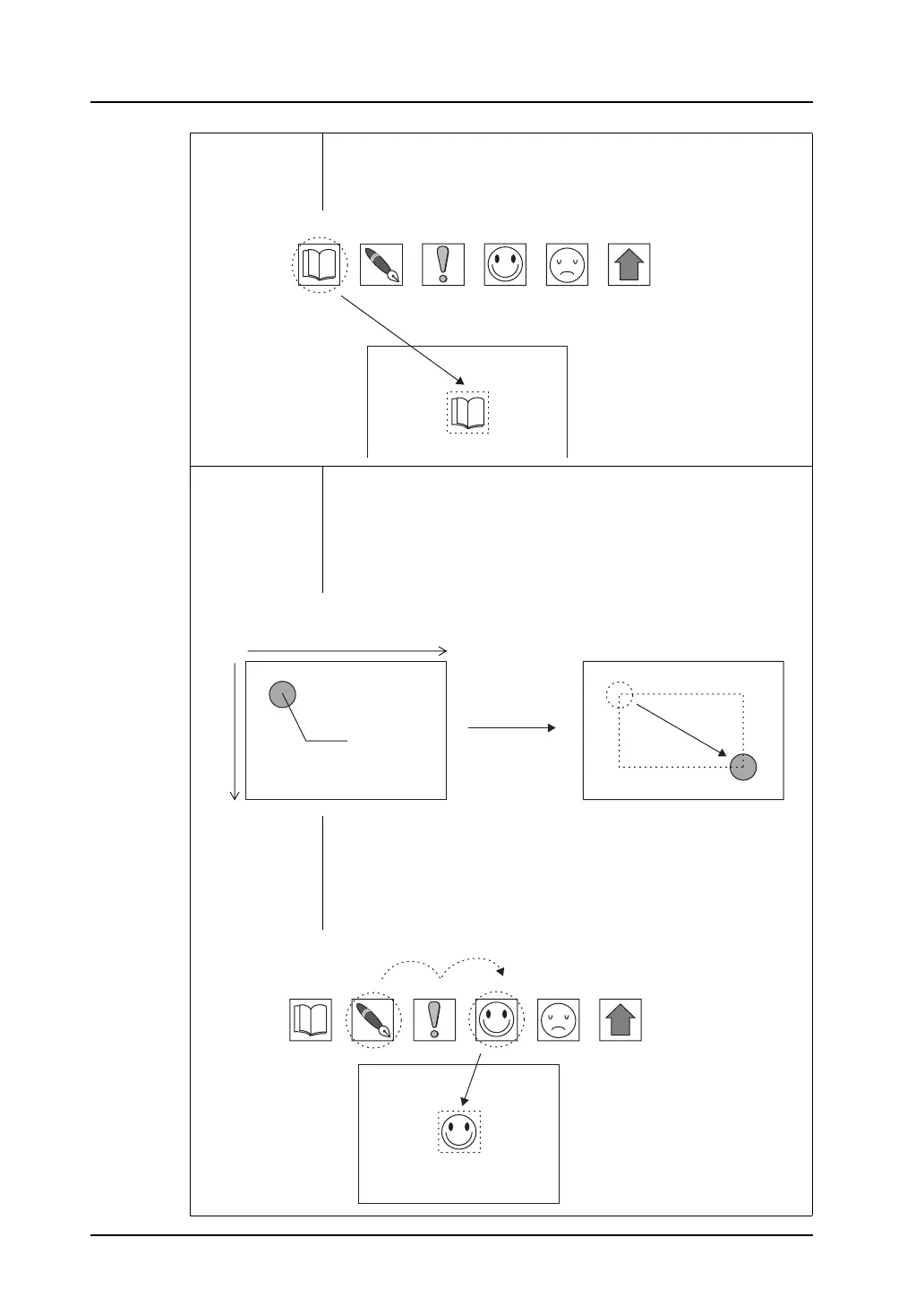
Specifying a number:
(Valid for patterns and graphic call)
Specify a registered pattern number or a graphic number (from 0 to 1023)
in the graphic library directly.
Incremental +
Input
Allows you to specify parameter values in incremental coordinates in the
plus direction.
Specifying coordinates:
Based on a graphic position regarded as (0, 0), specifying a positive
coordinate value in memory moves it in the plus direction and specifying a
negative coordinate value moves it in the minus direction.
Specifying a number:
(Valid for patterns and graphic call)
Based on a placed pattern or graphic number regarded as “0,” specifying
a positive value in memory calls a pattern or a graphic of a greater
number, and specifying a negative value calls a pattern or a graphic of a
smaller number.
No. 3 No. 4 No. 5 No. 6 No. 7 No. 8
When “3” is specified under [Absolute
Input], pattern No. 3 is displayed.
Pattern
300
200
When (300, 200) is specified in parameter
memory, the graphic is moved from the initial
position to the position below.
Initial position
(0, 0)
+ direction
+ direction
No. 3 No. 4 No. 5 No. 6 No. 7 No. 8
+2
Pattern
When “2” is specified in the parameter
memory with pattern No. 4 placed on
the screen, pattern No. 6 is called.
Initial pattern



 To Next Page