5.6 Graphic Library
5-20
Parameter setting items
The following table indicates parameter items valid for each graphic.
*1 [Paint] is not depicted normally when [Action: Animation] is selected in the [Parameter Setting]
dialog.
*2 For information on data display parameters, refer to page 5-23.
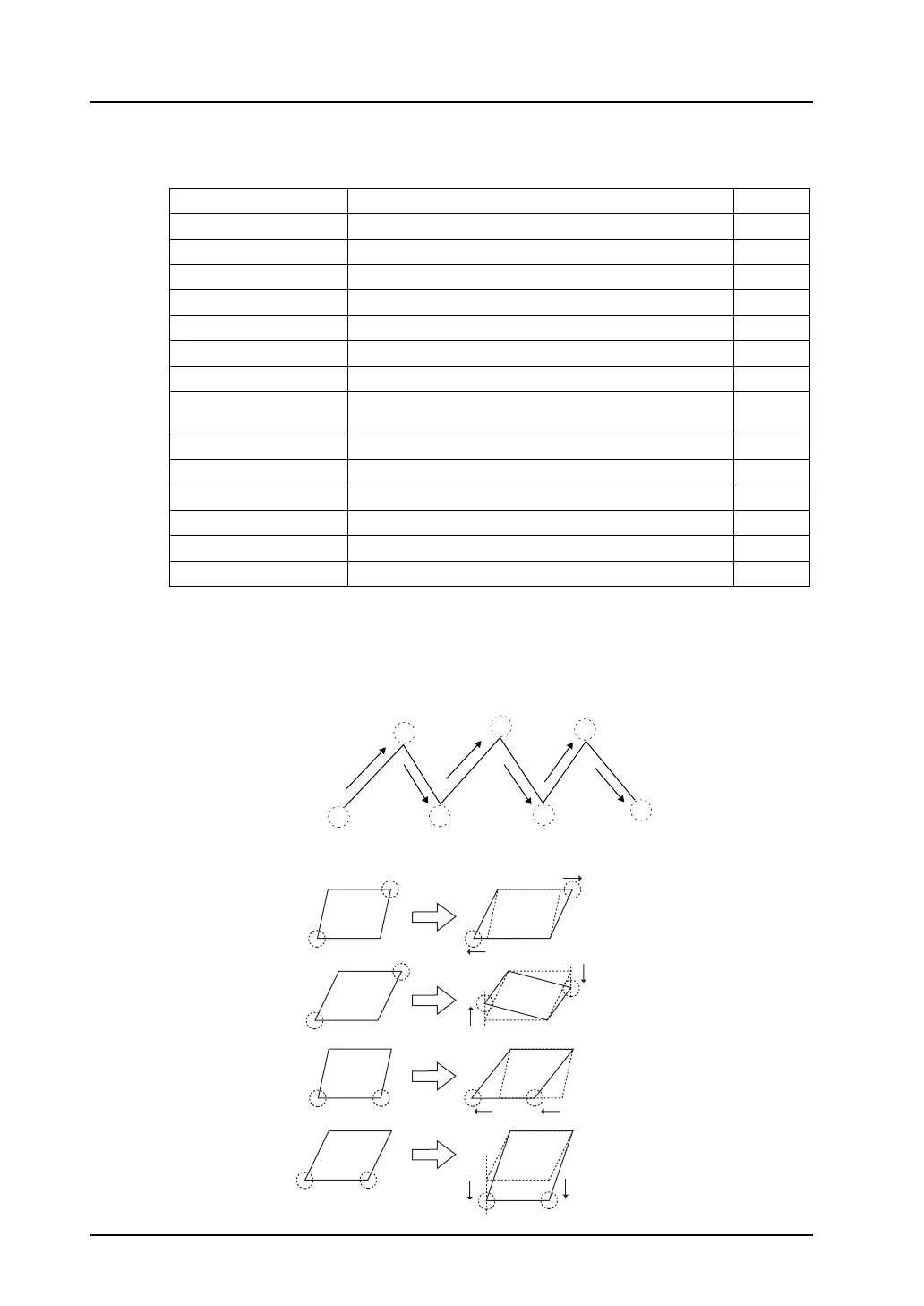
1. Continuous line (points 0 - n coordinates)
When continuous lines are drawn like this, parameters can be set for seven points.
2. Parallelogram
Graphic Parameters Refer to:
Line Start point, end point
Continuous line Point 0 (- n) coordinates 1
Box Start point, end point
Parallelogram Start point, PX2, PY2, PX3, PY3 2
Polygon Center coordinates, radius, start angle, number of angles
Circle Center coordinates, radius
Arc/sector Center coordinates, radius, start angle, end angle
Ellipse, elliptical arc,
elliptical sector
Center coordinates, X radius, Y radius
Text Start point (coordinates of the first character: bottom left)
Pattern Start point (top left coordinates), pattern number 3
Paint
*1
Start point 4
Graphic call Start point, library number
Dot Start point
Data display Start point (bottom left coordinates of the first numeral)
*2
0
1
2
3
4
5
6
• PX2
• PY2
• PX3
• PY3



 To Next Page