Texts Instruction manual GLM-I
168 38.019.129.001 en
15
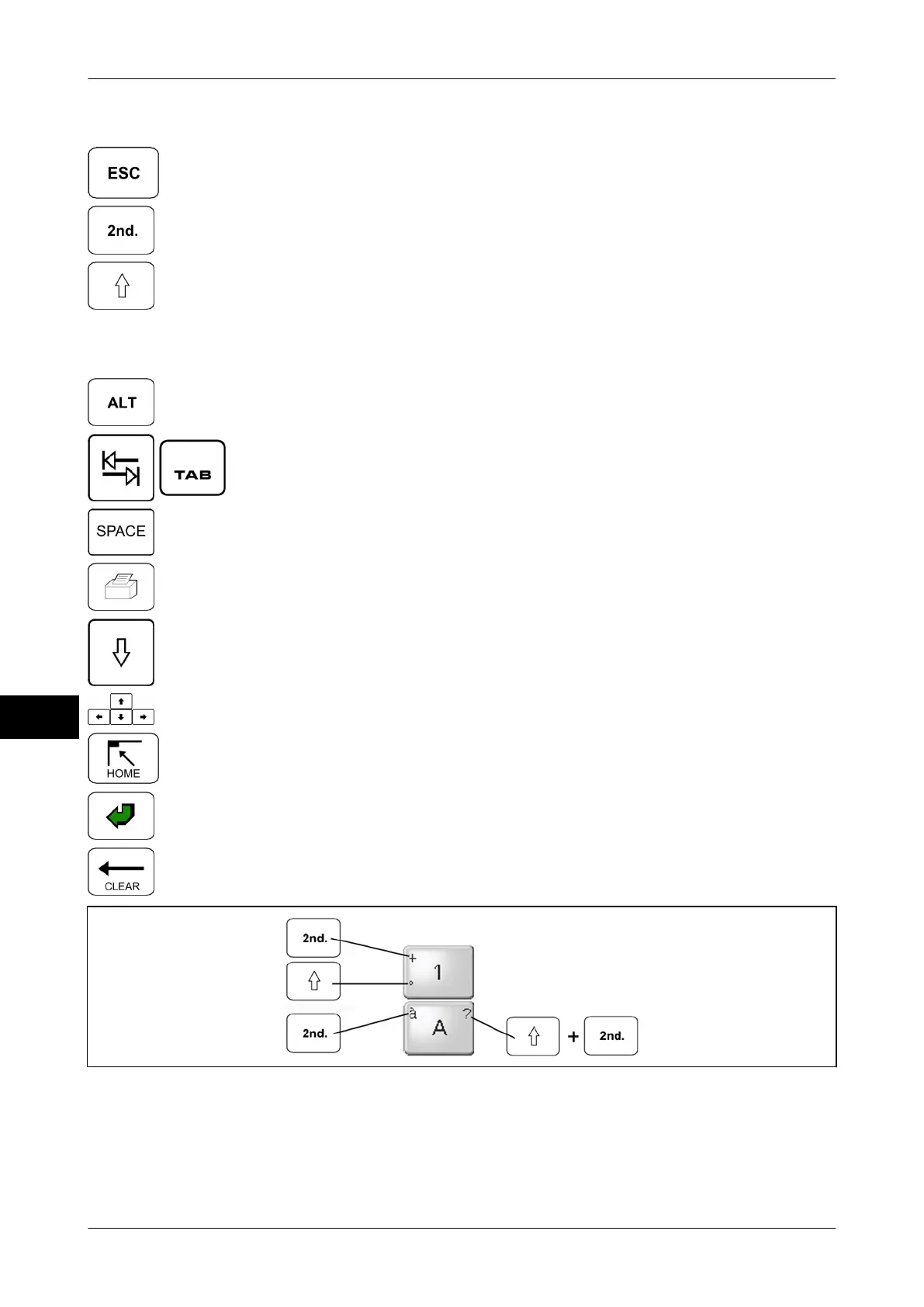
Key functions
<Esc>: Quit editor.
<2nd.>: Activate to enter a character indicated on top left on a
letter key.
<Shift>: Activate to enter capital letter or the characters indica-
ted on numeric keys at left bottom. The characters at left bottom
do only appear by entering the following character in the editor
.
Activate in combination with key <2nd.> to enter character indi-
cated on top right on a letter key.
<Alt>: Enter special characters. And enter three-digit ASCII
number with pressed key
<Alt>.
<Tab>: Insert tabulator.
<Space>: Insert space.
<Print>: Start printing.
<Caps>: Activate Caps permanently. The key is deactivated by
re-touching it.
Cursor keys: Move cursor through text.
<Home>: Return to start page.
<Enter>: Insert line break.
<Clear>: Delete the characters in front of the cursor.
Illustration 53: Key combinations


 To Next Page
 Loading...

