Instruction manual GLM-I Display and operating unit
38.019.129.001 en 71
7
7.4.1 Display total temporarily
Each total can be displayed in a separate window for a short time.
Mode level: 2
<Release total>
<Press Shift> and softkey for the required total.
7.5 Softkeys
The screen shows up to eight softkeys simultaneously. Selection and number of softkeys
depend on the called
-up menu and the mode level.
– Softkeys which are not authorized to be used, are not displayed.
– Softkeys for which an authorization exists, but which cannot be used as the prerequi-
sites do not exist, are grayed-out.
In mode level T softkeys can be placed as requested by the customers.
The other mode levels permit renaming certain softkeys
.
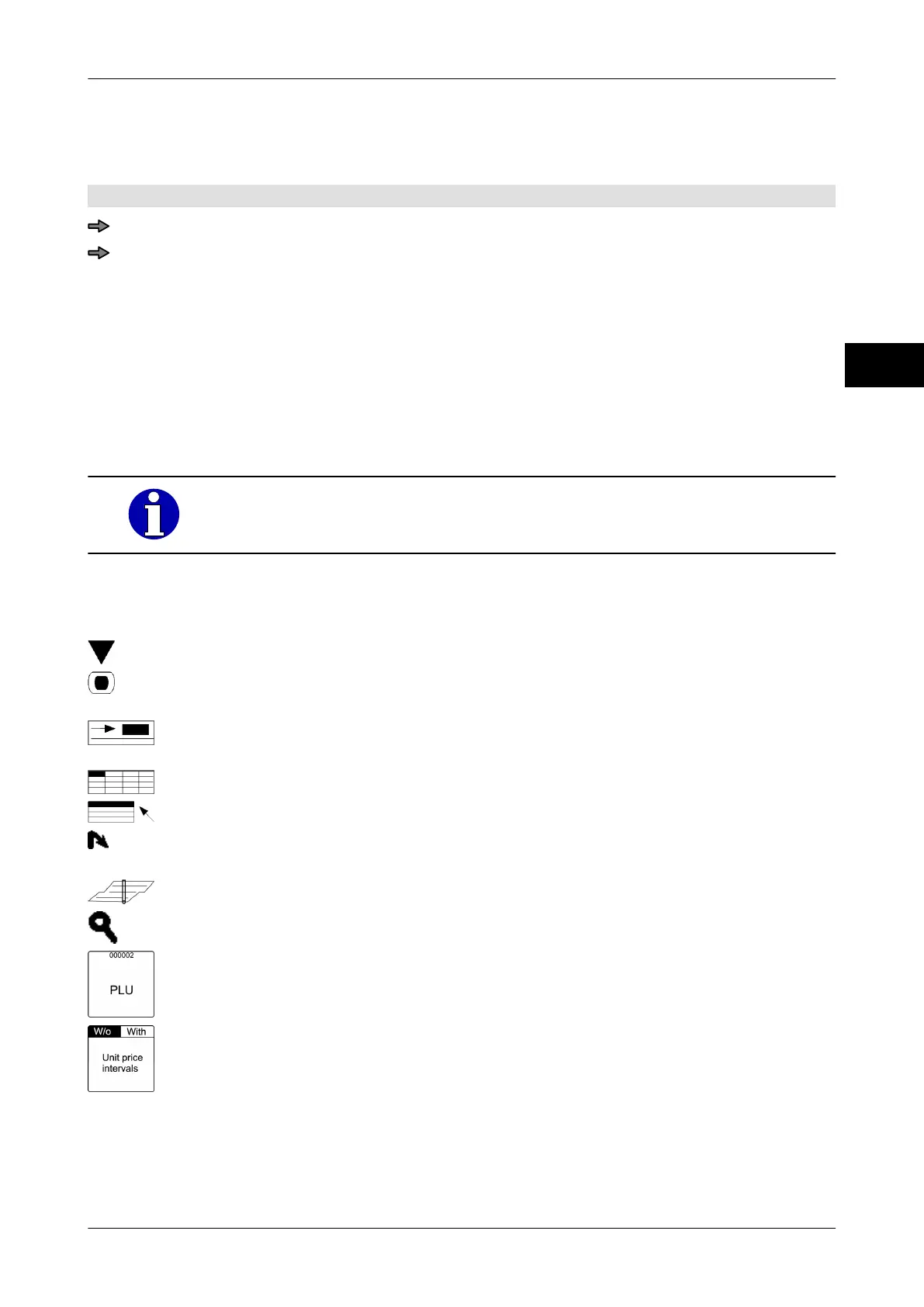
Symbols on the softkeys
The softkeys do have different functions depending on the type
:
Call up menu.
Execute function immediately: e. g. Release total with
<Total 1>.
Call up function that requires an input value and that is execu-
ted as soon as input has been made
.
Call up table.
Call up selection list.
Reference to a function in another branch of the menu tree
(link).
Call up text editor.
Call up search.
An indication of value above the softkey names shows the ac-
tive setting.
A field separated into two above the softkey name shows that
two settings are possible
. The black field identifies the active
setting.



 To Next Page