16-53
Cisco ONS 15454 DWDM Installation and Operations Guide, R6.0
April 2006
Chapter 16 Card Reference
16.6.3 32DMX Card
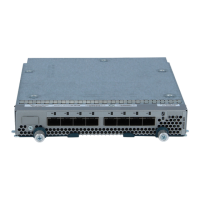
Figure 16-30 32DMX Faceplate and Ports
The 32DMX front panel has connectors for 32 DROP TX ports. These ports are connected using four
8-fiber multifiber push-on (MPO) ribbon connectors. The incoming optical signal to the demultiplexer
comes into the COM RX. This input port is connected using a single LC duplex optical connector.
A block diagram of the 32DMX card is shown in Figure 16-31.
115290
32DMX
FAIL
ACT
SF
54.1-60.6 46.1-52.5 38.1-44.5 30.3-36.6
COM
RX
TX
32 Drop Ports32 Drop Port Outputs
Logical View
Drop 1-8
Drop 9-16
Drop 17-24
Drop 25-32
COM RX
(Receives Drop-TX from
32WSS on COM RX)
COM-RX
Drop-1
Drop-2
Drop-32


 To Next Page
 Loading...