Operating InstructionsFacsimile Reference (option) <Advanced Features>
80
E
EE
E
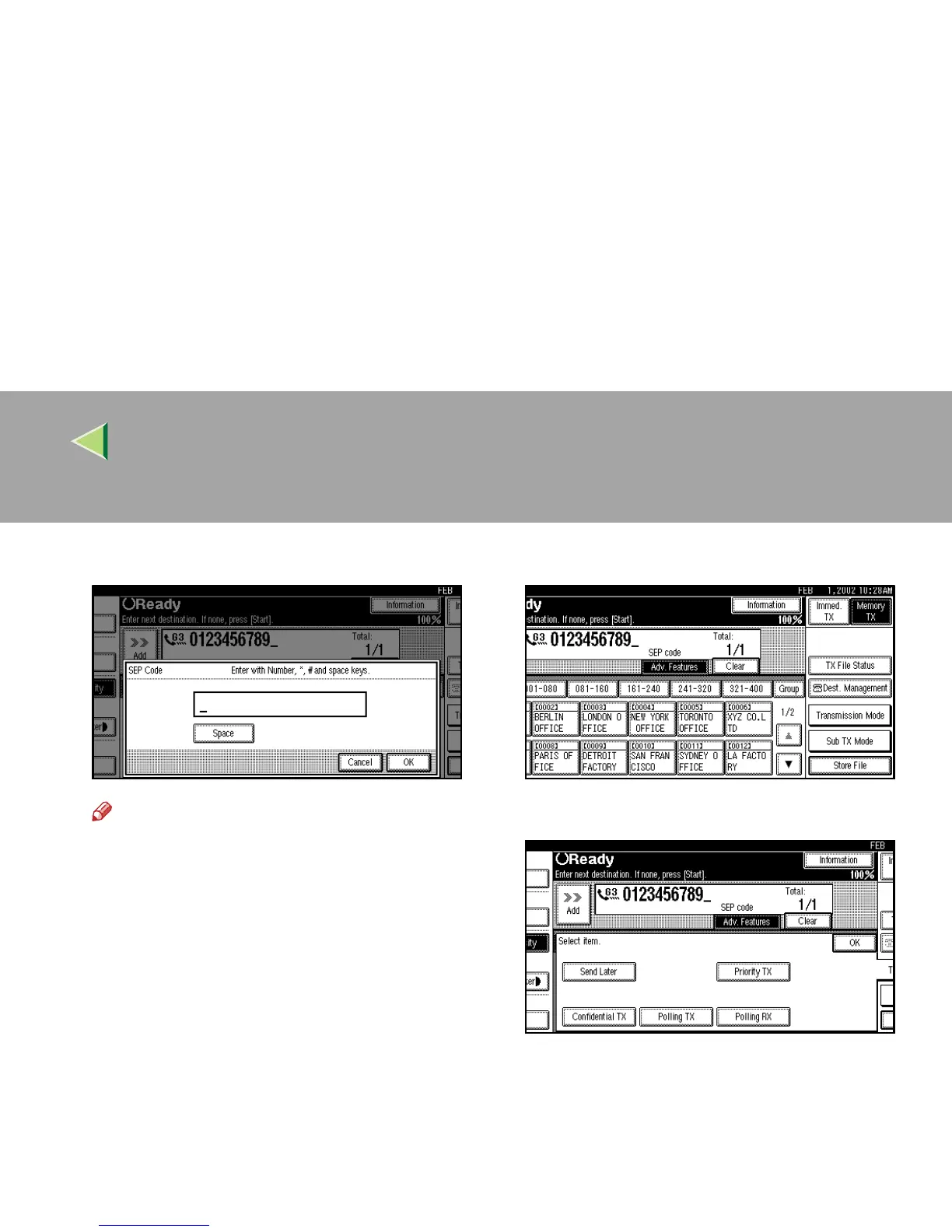
Enter a SEP Code with the number keys.
Note
❒ If you make a mistake, press [
Clear
] or the
{
{{
{Clear/Stop}
}}
} key and try again.
F
FF
F
Press [OK].
A “SEP Code” appears one line above [Adv.
Features] on the display.
G
GG
G
To enter a password, press [Password
(PWD)].
H
HH
H
Enter the password with number keys.
I
II
I
Press [OK].
J
JJ
J
Press [Exit].
K
KK
K
Press [Transmission Mode].
L
LL
L
Select [Polling RX].



 To Next Page