Guide to the Machine
4
1
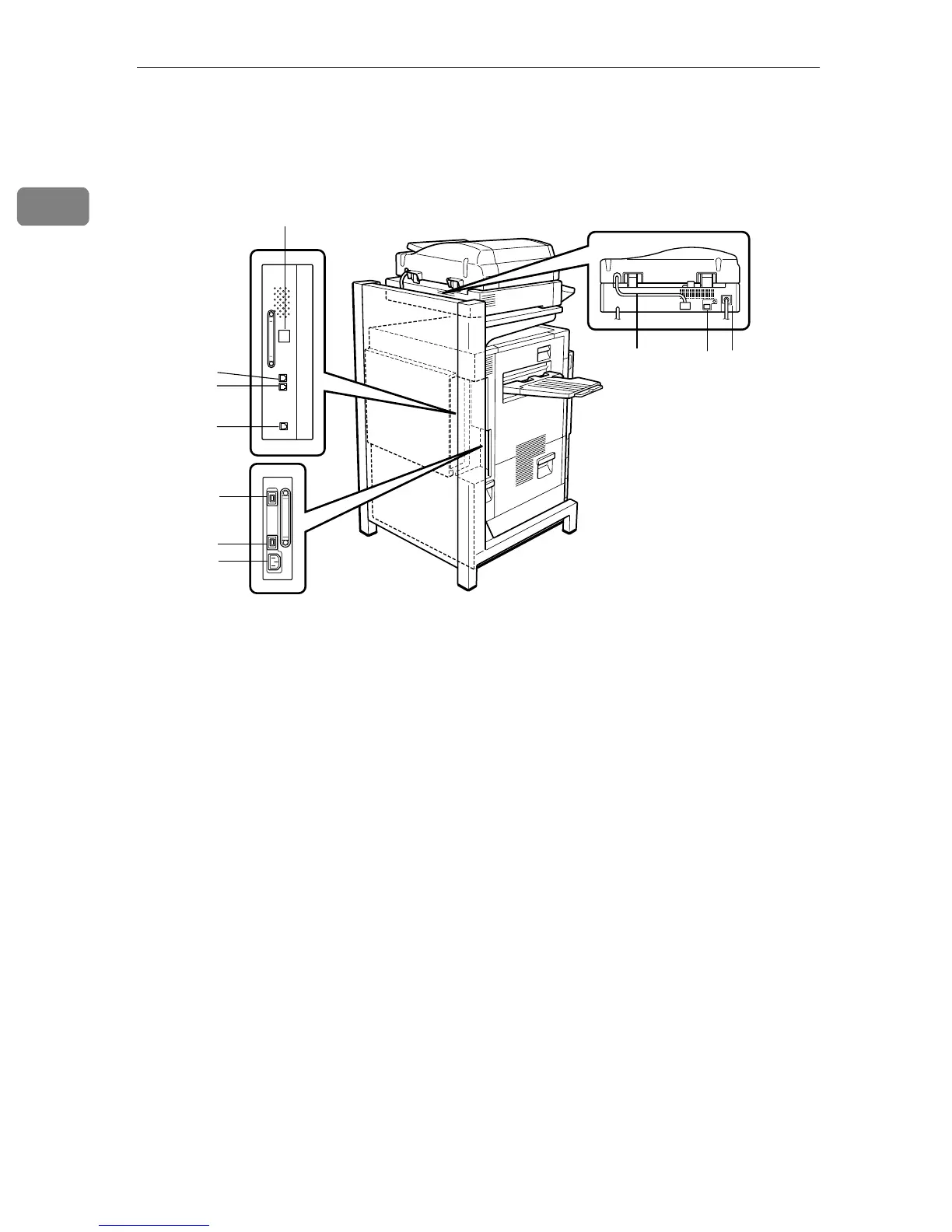
Outside: Rear
1. ISDN Line Connector (option)
⇒Appendix, "Connecting the Machine to
the ISDN" in the Facsimile Reference
<Advanced Features>
2. External Telephone Connector
(option)
⇒Appendix, "Connecting the Machine to
a Telephone Line and Telephone" in the
Facsimile Reference <Advanced Fea-
tures>
3. Analog Line Connector (option)
⇒Appendix, "Connecting the Machine to
a Telephone Line and Telephone" in the
Facsimile Reference <Advanced Fea-
tures>
4. Extra G3 Interface Unit Connector
(option)
⇒Appendix, "Connecting the Machine to
a Telephone Line and Telephone" in the
Facsimile Reference <Advanced Fea-
tures>
5. Duplex Unit Port
Connect the cable for the Duplex Rever-
sal Unit to this port.
6. 2 Tray Finisher Port
Connect the cable for the 2 Tray Finisher
to this port.
7. Power Port
Connect the power cable to this port and
the other cable end to the Printer Power
Port.
8. Scanner Unit Connecting Cable
This cable connects the Scanner Unit and
the Fax Unit.
9. Printer Power Port
This cable connects the printer and the
Scanner Unit.
10. Scanner Unit Power Cable
Connect the power cable to the Scanner
Unit and then plug it into a wall outlet.
ZFQH040N
1
2
5
6
7
8
9
10
3
4



 To Next Page