Guide to the Machine
10
1
Offline
When the machine is offline, it cannot receive data from the computer and you
can make settings.
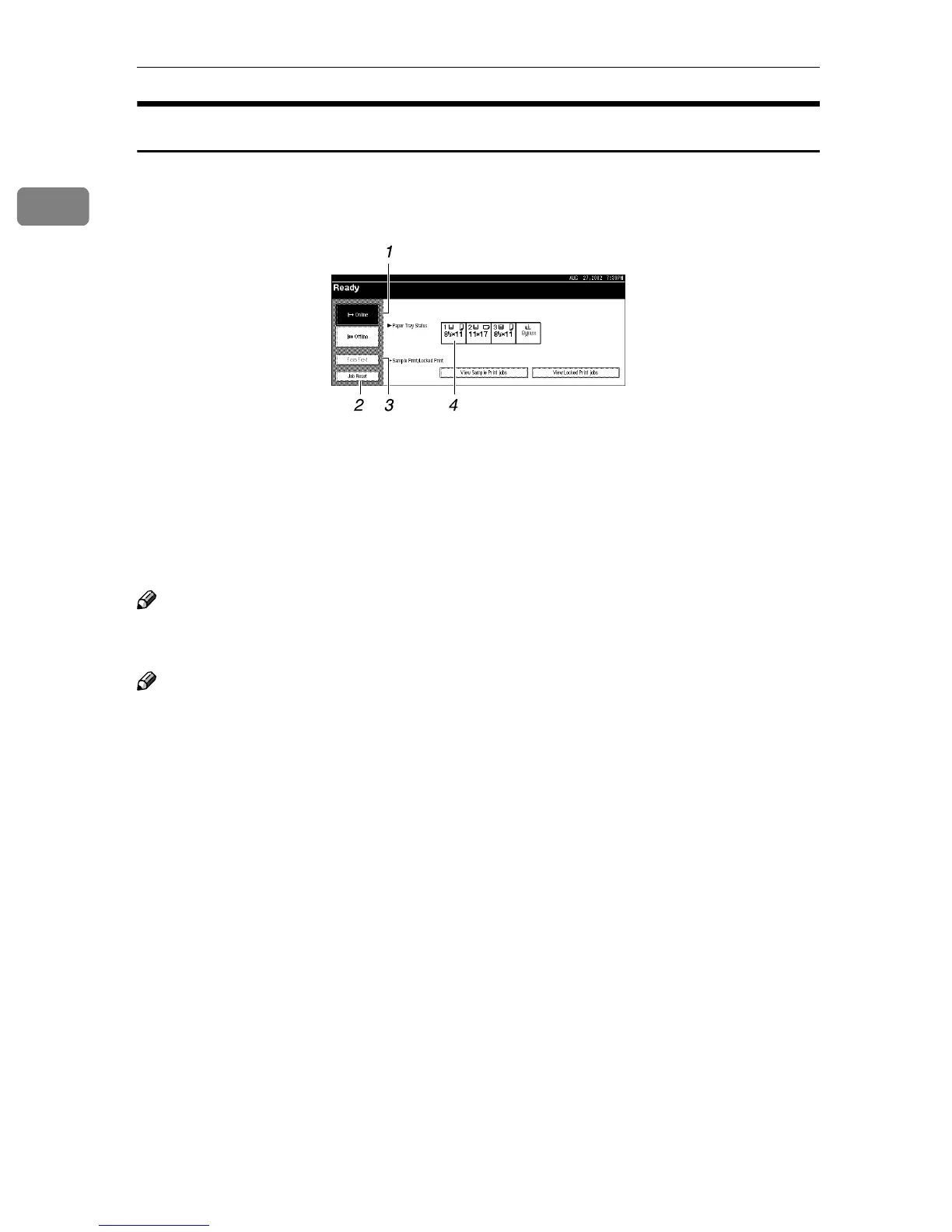
1.
[Online] key
Press this key to switch the printer on-
line.
2.
[Job Reset] key
Press this key while in the Hex Dump
Mode to cancel Hex Dump Mode.
Note
❒ When the machine is offline, the key is
lightly shaded.
3.
[Form Feed] key
Press this key to print all the data left in
the printer's input buffer.
4. Paper Tray Status
Shows the input tray and paper sizes,
which is selected on the panel display.
Note
❒ If you cannot turn the machine offline, set [Signal Control] to [Printer priority] in
[Interface Settings/Parallel Interface] of System Settings. For more information,
see "User Tools (System Settings)" in Administrator Reference 2 Copier Sys-
tem Edition.
❒ If [Signal Control] is set to [Job acceptance priority] in [Interface Settings/Parallel In-
terface] of System Settings, the machine can receive print jobs and facsimiles
from a computer even when offline.



 To Next Page