Placing Originals
21
1
E
EE
E
Once the “Place the next original”
appears, place the next original.
Note
❒ The original will be automati-
cally fed without having to
press the {
{{
{Start}
}}
} key.
❒ You can also change the time
when the message is displayed.
⇒ “SADF Auto Reset”, Ad-
vanced Features manual
❒ After all the originals have been
read, press the {
{{
{#}
}}
} key in Sort,
Combine, 1 Sided→2 Sided
mode.
Mixed Size Mode
The optional document feeder (ADF) is
required.
When originals of different sizes are
placed on the optional document
feeder (ADF) at a time, the machine
automatically checks the size of the
originals and makes copies.
Limitation
❒ When placing originals of different
sizes in the optional document
feeder (ADF) and making copies
without using the Mixed Size
mode, parts of the original image
might not be copied or paper
might become jammed.
❒ The weight range for originals
placed with this function is 60 –
81g/m
2
, 16 – 20 lb.
❒ The sizes of the original that can be
placed together with this function
are as follows:
❒ For smaller originals, the copy im-
age might be slanted since the orig-
inals might not be correctly
aligned with the document guide.
❒ Copying speed and scanning
speed will be reduced.
A
AA
A
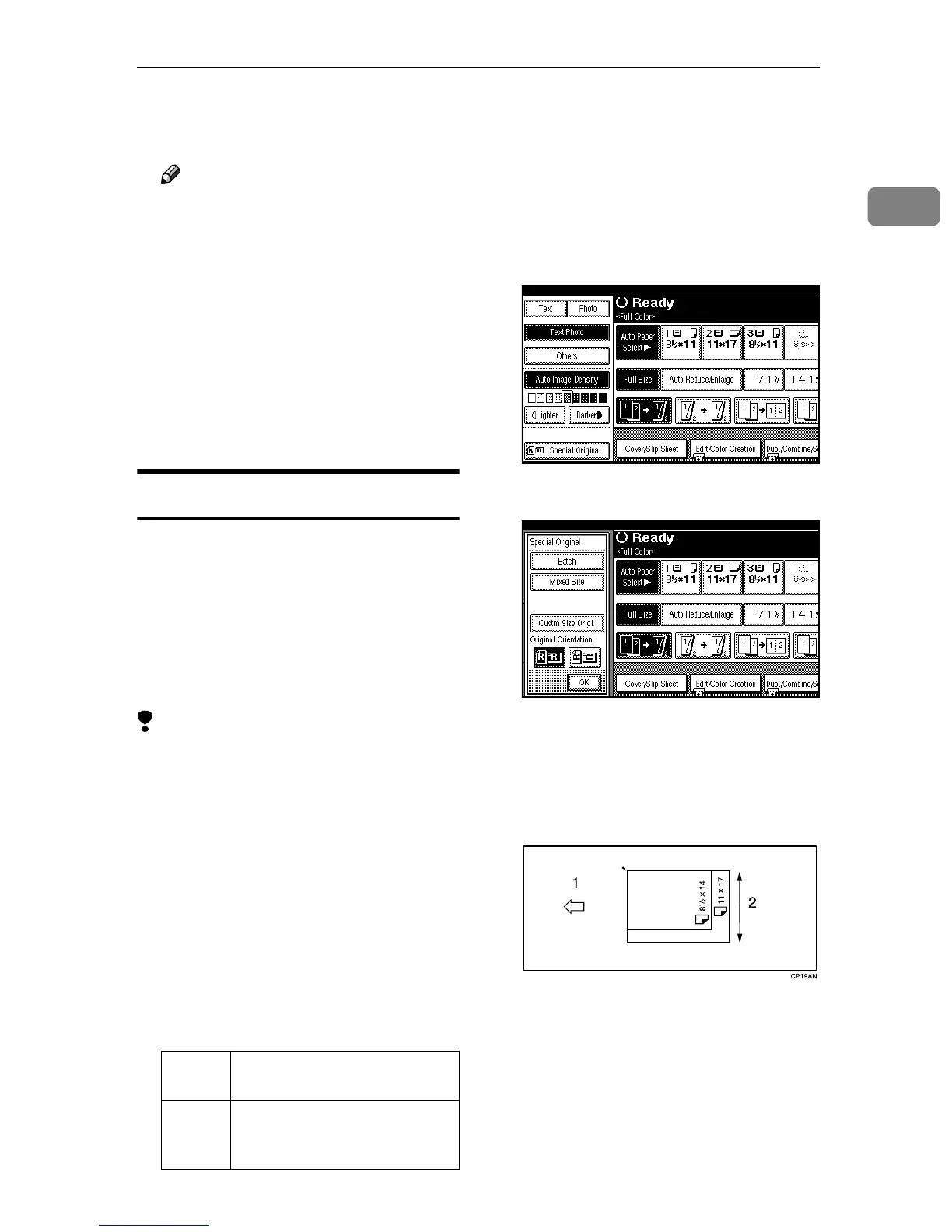
Press [Special Original].
B
BB
B
Press [Mixed Size].
C
CC
C
Press [OK].
D
DD
D
Align the rear and left edges of
the originals as shown in the il-
lustration.
1: Place in the optional document
feeder (ADF).
2: Vertical size
E
EE
E
Adjust the guide to the widest
original size.
Metric
version
A3L, B4L, A4KL, B5KL
Inch
version
11" × 17"L, 8
1
/
2
" × 14"L,
8
1
/
2
" × 11"L, 5
1
/
2
" ×
8
1
/
2
"KL



 To Next Page