13
2. Getting Started
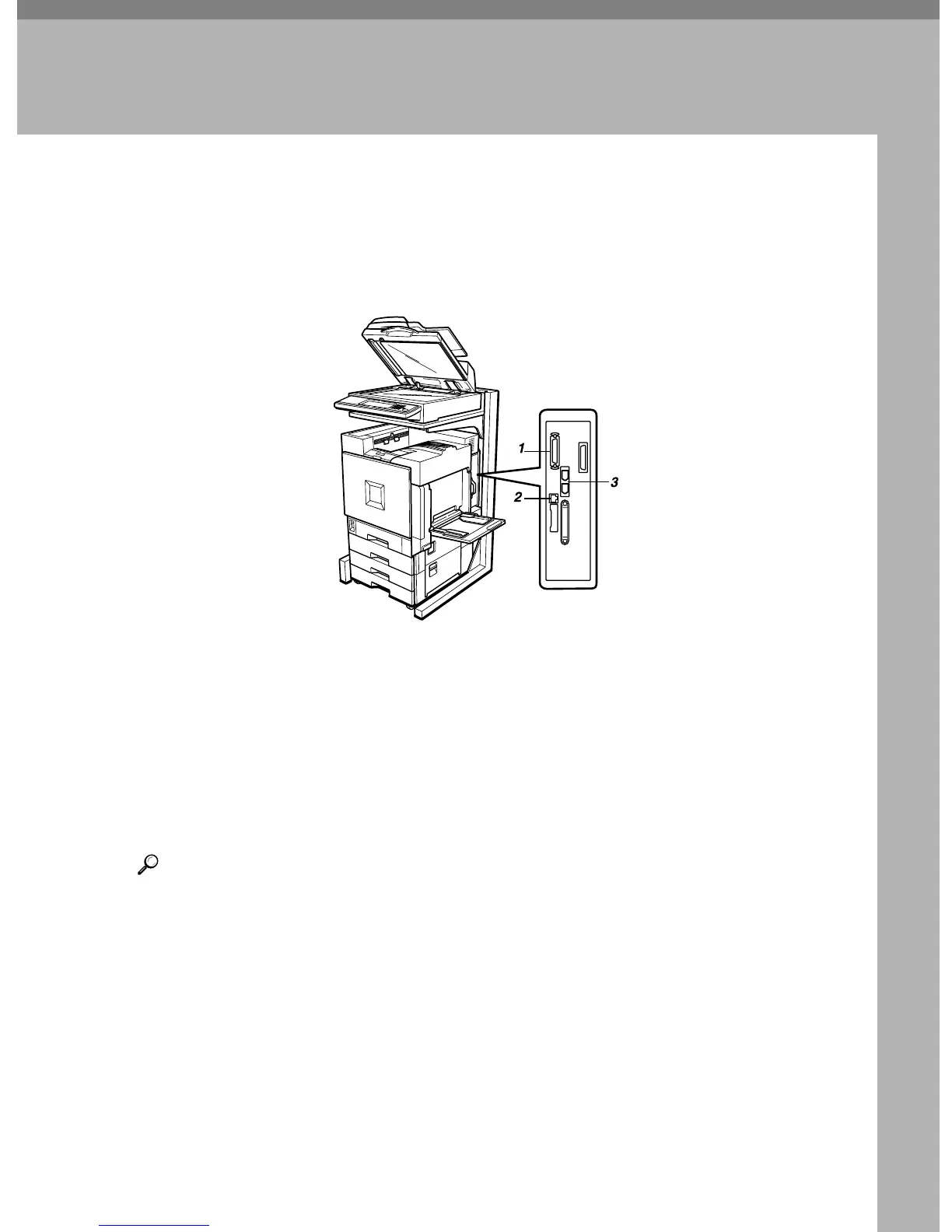
Connecting the Machine
Make sure that the shape and the position of the connector are as shown in the
illustration.
1. Parallel Port
This is a connector inserting the parallel
interface cable connecting to your com-
puter.
2. 10BASE-T/100BASE-TX
This is the connector inserting a 10BASE-
T/100BASE-TX cable. Use this to connect
to a network.
3. IEEE 1394 Ports (option)
This is the connector inserting an IEEE
1394 interface cable. Use this to connect
the optional 1394 Interface Unit Type
1045 and machine via the IEEE 1394 inter-
face.
Reference
For more information about the parallel port and IEEE 1394 interface connec-
tions, see "Connecting the Machine" in the Setup Guide.
ZFQH021J



 To Next Page