CAUTION:
A
AA
A
If the 2 Tray Finisher is installed, detach it
from the printer.
Reference
⇒ p.69 “Detaching the 2 Tray Finisher”
B
BB
B
If the Duplex Unit is installed, open the Du-
plex Reversal Unit.
Reference
⇒ p.71 “Opening and Closing the Duplex
Reversal Unit”
C
CC
C
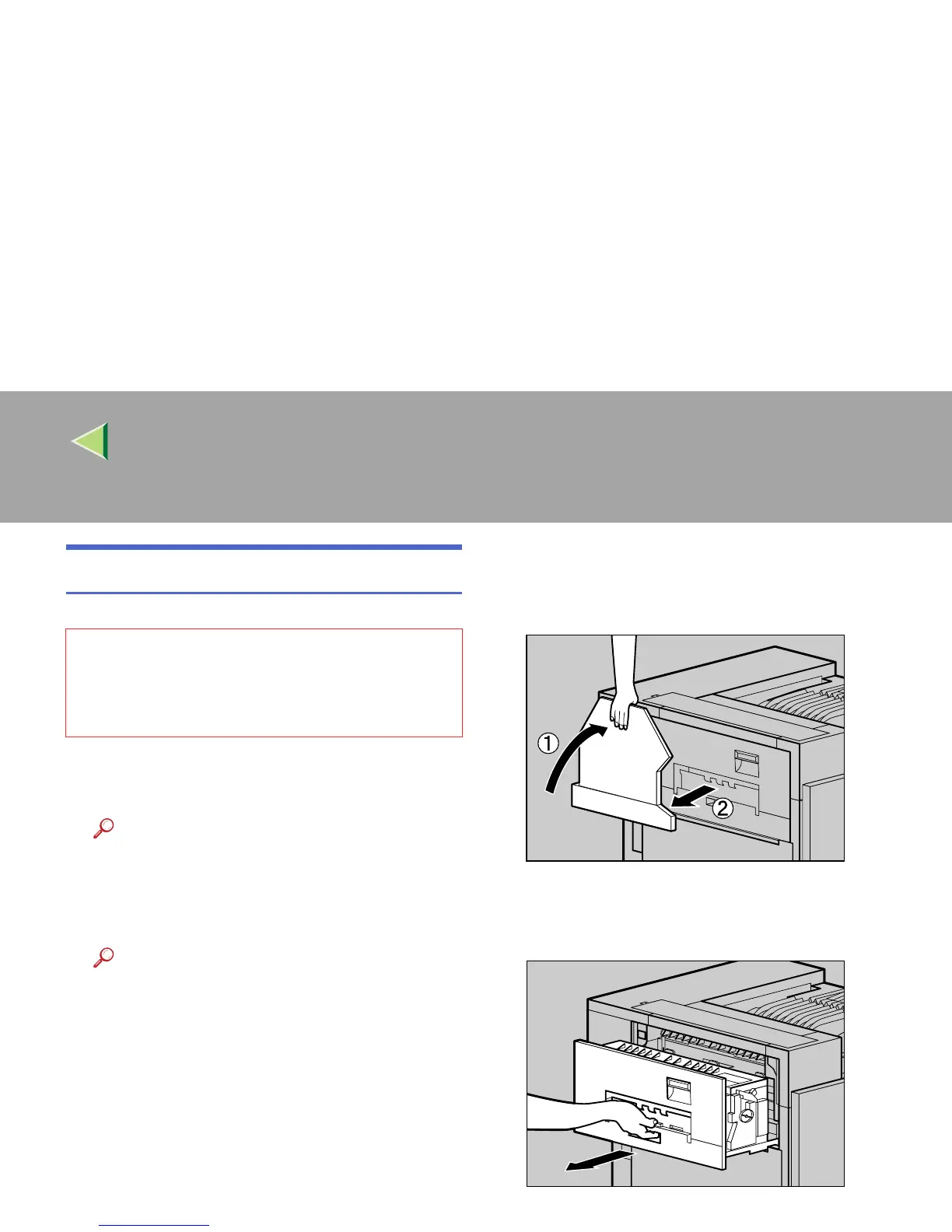
If the output tray is attached to the printer,
raise it in the direction of the arrow (A
AA
A),
and remove it (B
BB
B).
D
DD
D
Pull out the upper left cover for the printer
slowly.
• The inside of the machine becomes very
hot. Do not touch the parts with a label indi-
cating a "hot surface". Touching a "hot sur-
face" could result in a burn.
ZDJP038J
ZDJH047J



 To Next Page