Operating Instructions Maintenance Guide 2 Copier System Edition
75
E
EE
E
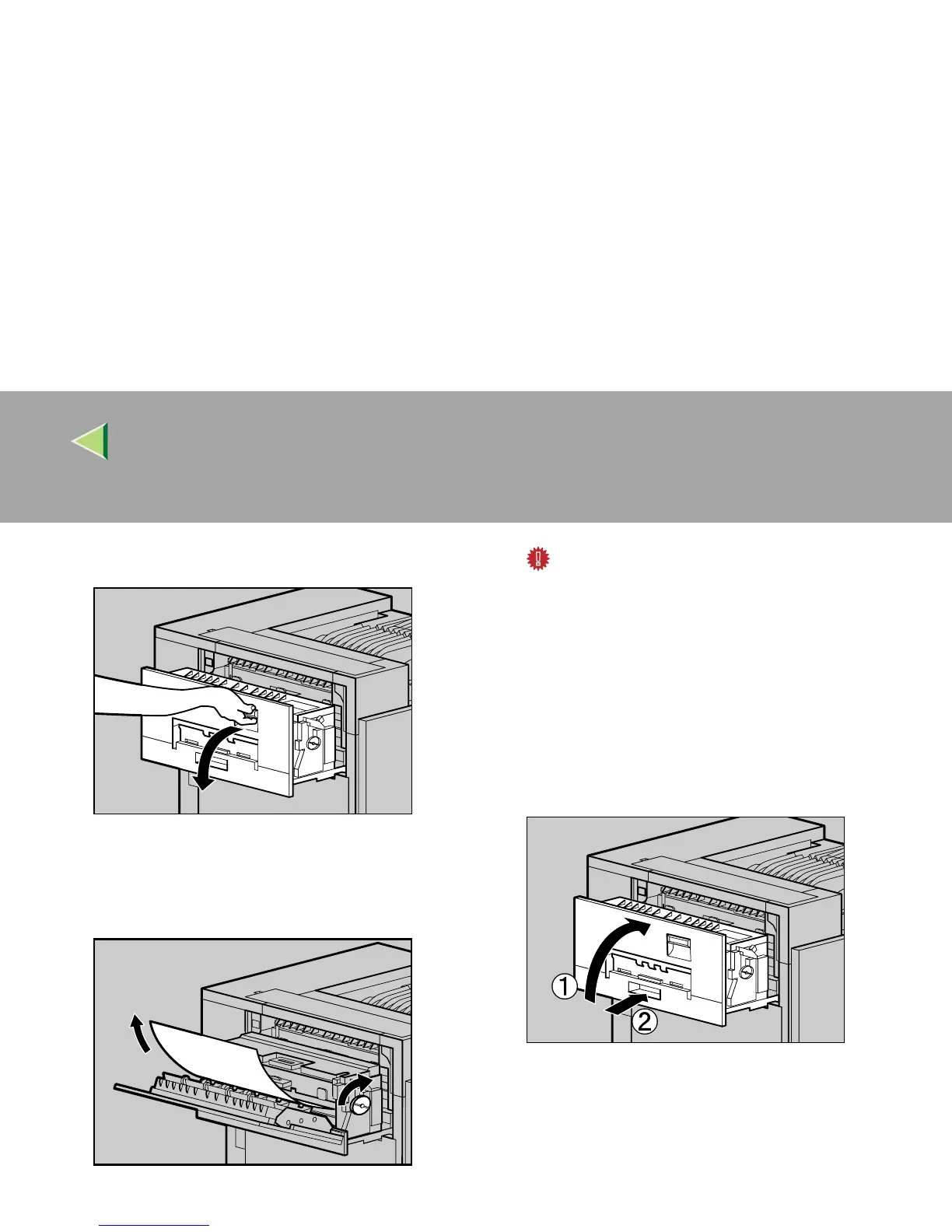
Open the upper left cover.
F
FF
F
Turn the blue dial in the direction of the ar-
row to feed the misfed paper, and pull out
the paper slowly.
Important
❒ Always turn the blue dial in the direction of
the arrow. If you turn it in the reverse direc-
tion, the paper feeds into the printer, mak-
ing it difficult for you to take out the paper.
❒ Do not pull out the misfed paper. Use the
blue dial to feed misfed paper.
G
GG
G
Close the upper left cover (A
AA
A) and push the
handle slowly to the back until it clicks into
place (B
BB
B).
ZDJH048J
ZDJY206J
ZDJH051J



 To Next Page