Operating InstructionsFacsimile Reference (option) <Advanced Features>
192
E
EE
E
Make any function settings you require.
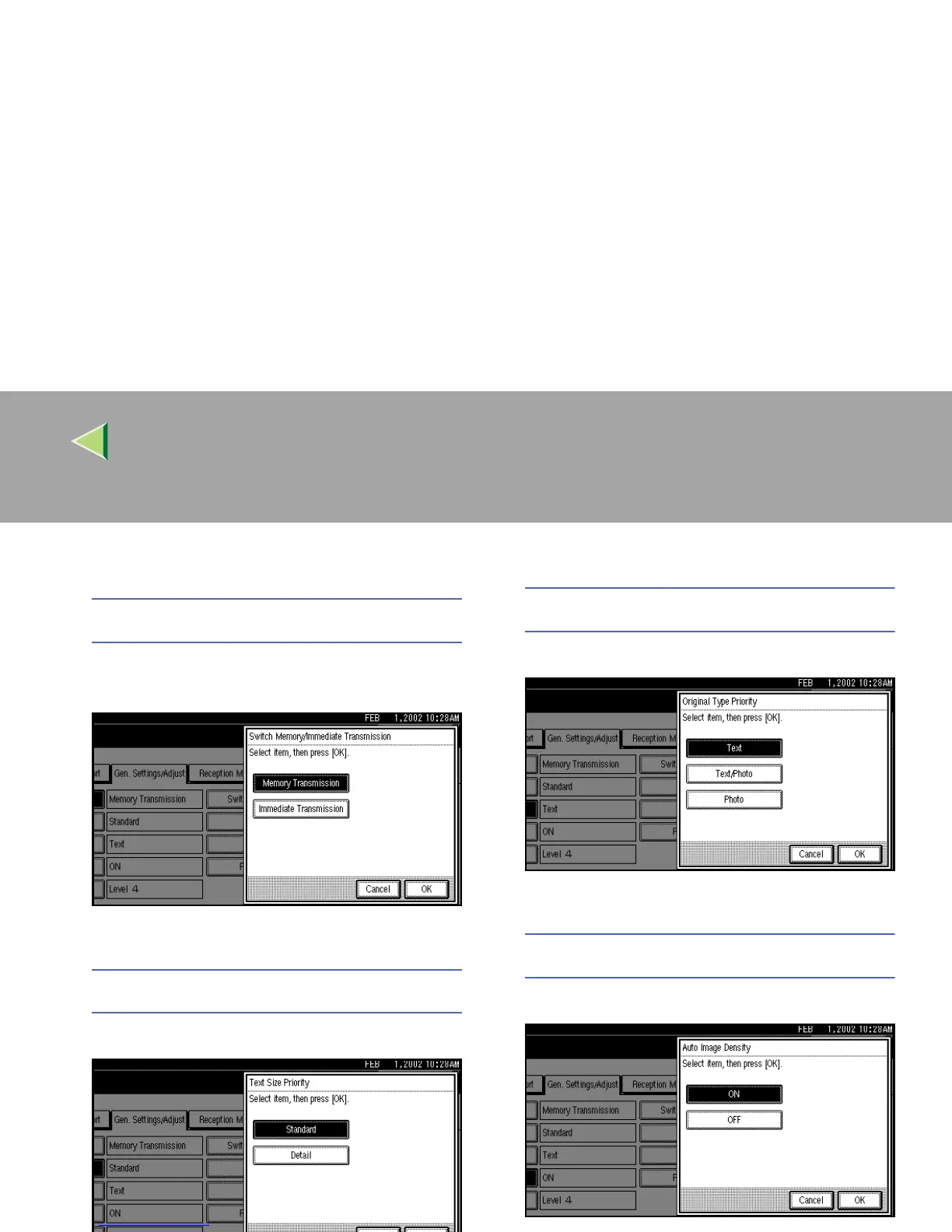
Memory/Immed. Transmission Switch
A
AA
A Select [Memory Transmission] or [Immedi-
ate Transmission].
B
BB
B Press [OK].
Text Size Priority
A
AA
A Select [Standard] or [Detail].
B
BB
B Press [OK].
Original Type Priority
A
AA
A Select an [Text], [Text/Photo] or [Photo].
B
BB
B Press [OK].
Auto Image Density
A
AA
A Select [ON] or [OFF].
B
BB
B Press [OK].



 To Next Page