Operating Instructions Administrator Reference 2
83
Print First Page
You can print the first page of the document se-
lected in the “Select Files to Print” display to
check the contents.
If more than one document is selected, the first
page of each document is printed.
A
AA
A
Press the {
{{
{Document Server}
}}
} key.
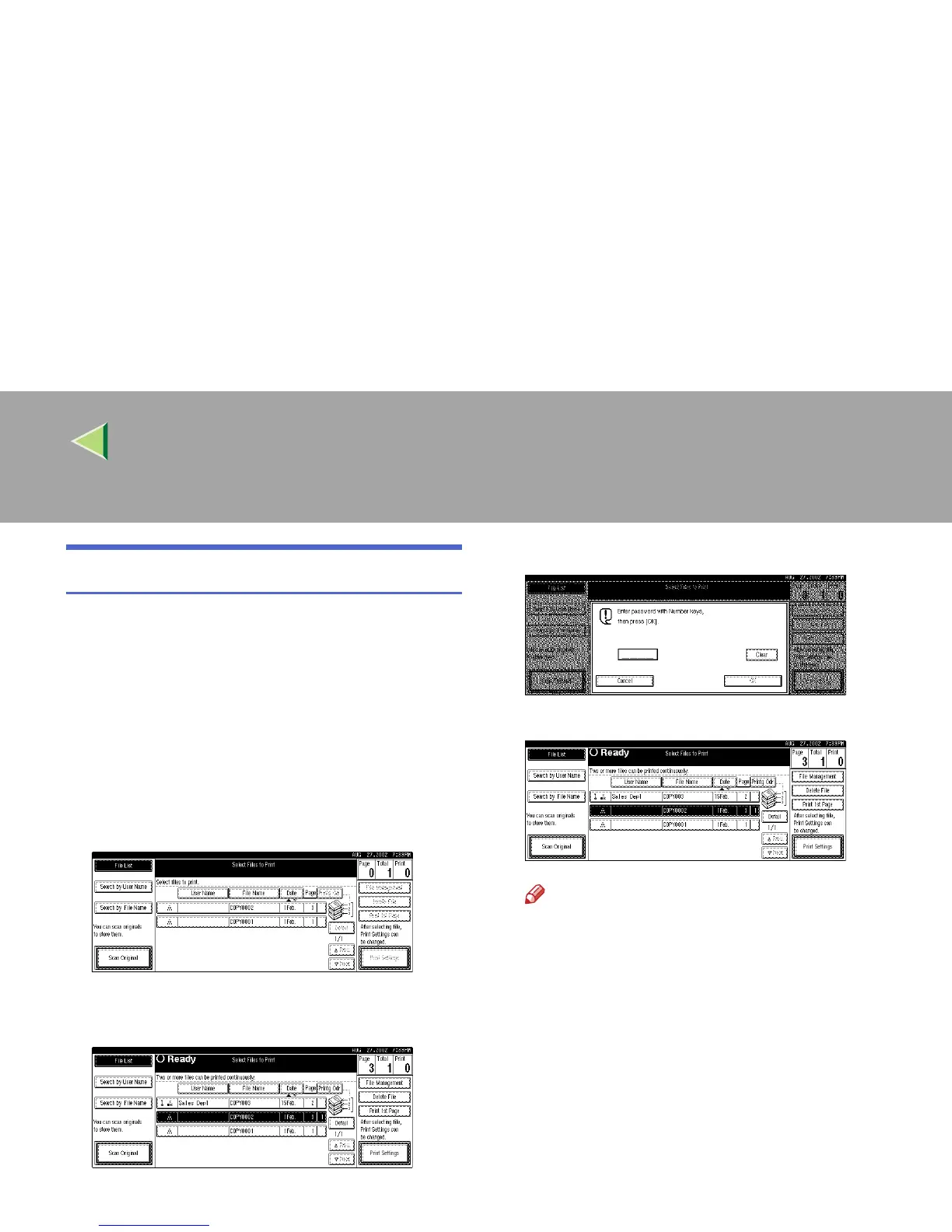
The "Select File to Print" display appears.
B
BB
B
Select the document to be printed.
• If no password is set for the document, the
line for the selected document is highlighted.
• If a password has been set for the document,
the password entry dialog box appears.
Enter the password, and then press [OK].
The selected line is highlighted.
Note
❒ You can search for a desired document by
the user or file name, using [Search by User
Name] or [Search by File Name], respectively.
⇒ p.122 “User Code Management”
[You can sort document names in the list by
the user names, file names, or dates. To
sort the documents, press [User Name],
[File Name], or [Date].]
❒ You can scroll up or down the file names
listed by using [
Prev.
] or [
Next
], respective-
ly.
❒ To cancel a document selection, press the
highlighted line for the selected document.



 To Next Page