Getting Started
2
1
❒ The On indicator blinks when:
• The optional exposure glass cover
or optional Document Feeder
(ADF) is open.
• The machine is communicating
with other destination machines.
• The hard disk is running.
6. External Tray
The External Tray allows you to distin-
guish fax messages from copied or print-
ed paper that are delivered to other trays.
⇒ “General Features
1
/
2
-- Output:Fac-
simile” in Administrator Reference 2
Copier System Edition
7. Handset/External Telephone (Op-
tion)
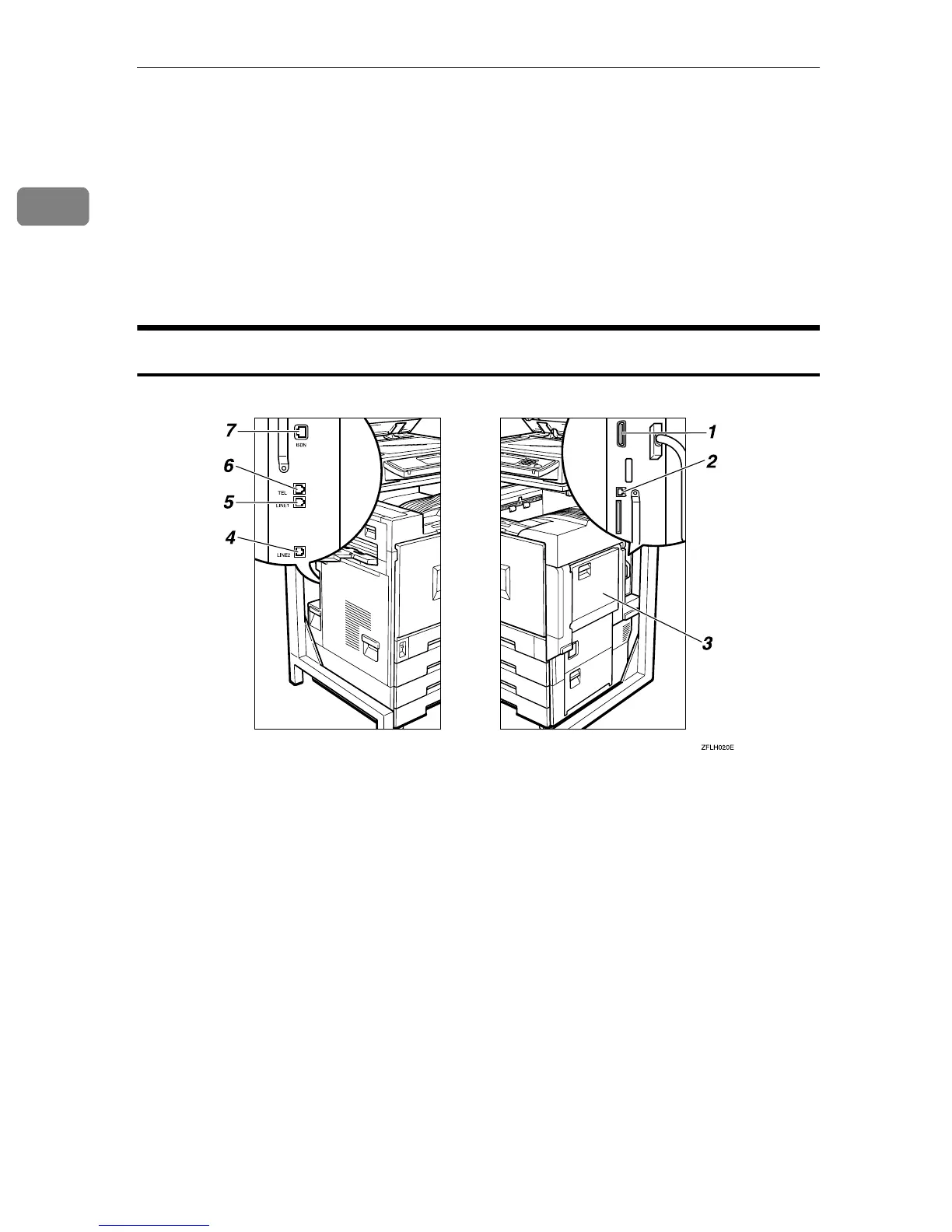
Side View
1. Parallel Interface Port
Plug the parallel cable into this port.
2. Network Interface Unit
Plug the network cable into this port.
3. Bypass Tray
Use this tray for non-standard size paper.
⇒ Chapter 5, “Having Incoming Messag-
es Printed on Paper From the Bypass
Tray” in the Advanced Features manual
4. Extra G3 Interface Unit Connector
(Option)
⇒ Appendix, “Connecting the Machine
to a Telephone Line and Telephone” in
the Advanced Features manual
5. Analog Line Connector
⇒ Appendix, “Connecting the Machine
to a Telephone Line and Telephone” in
the Advanced Features manual
6. Handset (Option)/External Tele-
phone Connector
⇒ Appendix, “Connecting the Machine
to a Telephone Line and Telephone” in
the Advanced Features manual
7. ISDN Line Connector (Option)
⇒ Appendix, “Connecting the Machine
to the ISDN” in the Advanced Features
manual



 To Next Page