Basic Functions
23
1
Basic Functions
The following basic functions are ex-
plained in this section.
❖
❖❖
❖ Selecting a Color Mode
Full Color, Black & White, Single
Color and Two Color
❖
❖❖
❖ Adjusting Copy Image Density
Auto and Manual Image Density
❖
❖❖
❖ Selecting Original Type Setting
Text, Text/Photo, Photo, Map,
Pale and Generation Copy
❖
❖❖
❖ Selecting Copy Paper
Auto Paper Select and Manual Pa-
per Select
Note
❒ You can select the functions to be
activated when System Reset is
turned on, when Energy Saver is
turned off, or after the machine is
turned on.
❒ You can change the default set-
tings for basic functions.
Reference
⇒ “User Tools”, Advanced Fea-
tures manual
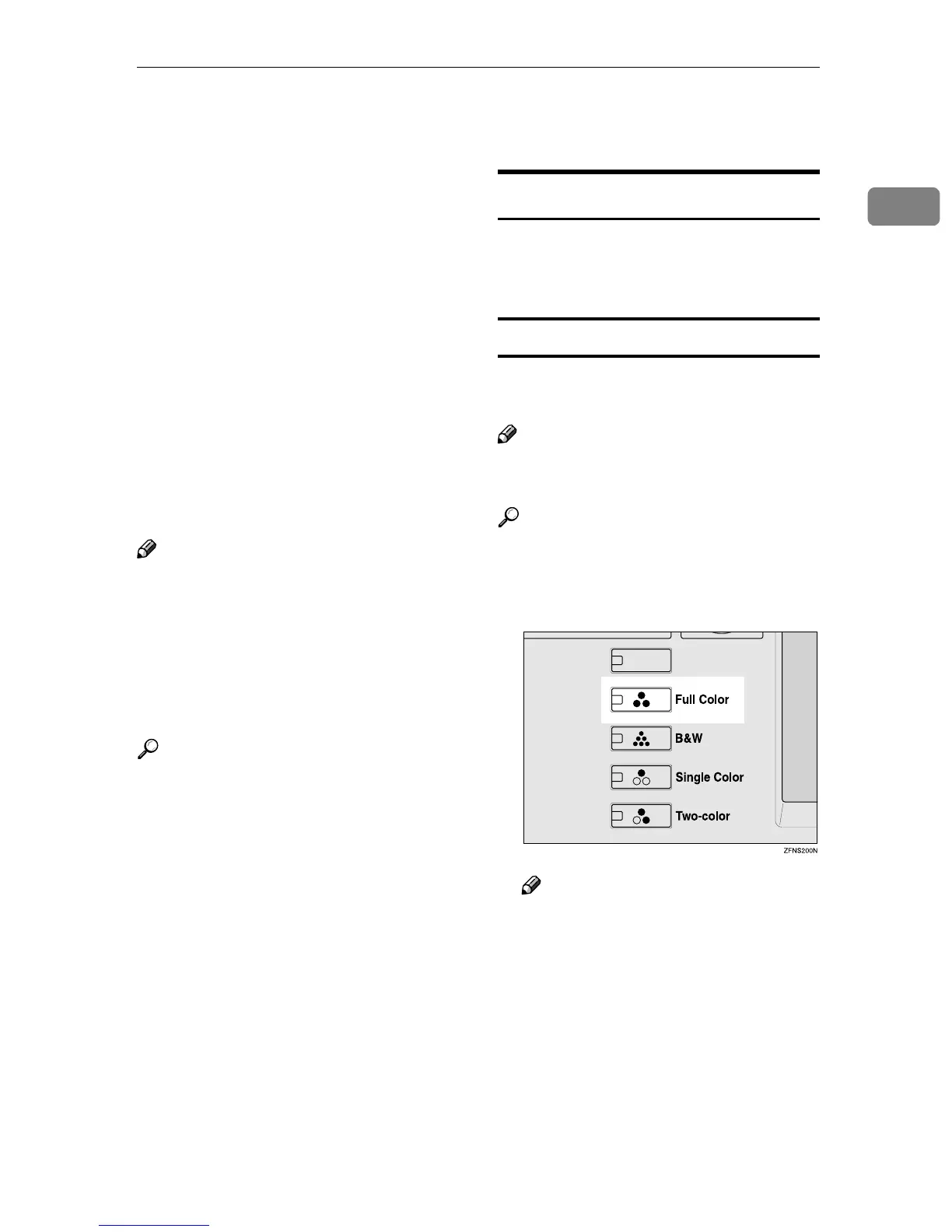
Selecting a Color Mode
Select a color mode that best suits
your originals and copying require-
ments.
Full Color Mode
Copies can be made using 4 colors:
yellow, magenta, cyan, and black.
Note
❒ Color preferences and specific col-
ors on the copy can be adjusted.
Reference
⇒ “Adjust Color”, “Color Bal-
ance”, Advanced Features manual
A
AA
A
Press the {
{{
{Full Color}
}}
} key.
Note
❒ If you do not wish to set any
other functions, press the
{
{{
{Start}
}}
} key to start copying.



 To Next Page