Replacing the Fusing Unit
19
1
Replacing the Fusing Unit
CAUTION:
If "Fusing Unit Replacement" appears
on the panel display, replace the Fus-
ing Unit.
A
AA
A
Turn off the power switch, and
then unplug the power cable.
Important
❒ Be sure to wait about an hour to
prevent a burn.
B
BB
B
If the 2 Tray Finisher is installed,
detach it from the printer.
Reference
See p.1 “Detaching the SR770 (2
Tray Finisher)”.
C
CC
C
If the Duplex Unit is installed,
open the Duplex Reversal Unit.
Note
❒ If the PT460 (Multi-bin) is at-
tached to the Duplex Reversal
Unit, detach it before opening
the Duplex Reversal Unit.
Reference
See p.3 “Opening and Closing
the Duplex Reversal Unit”.
D
DD
D
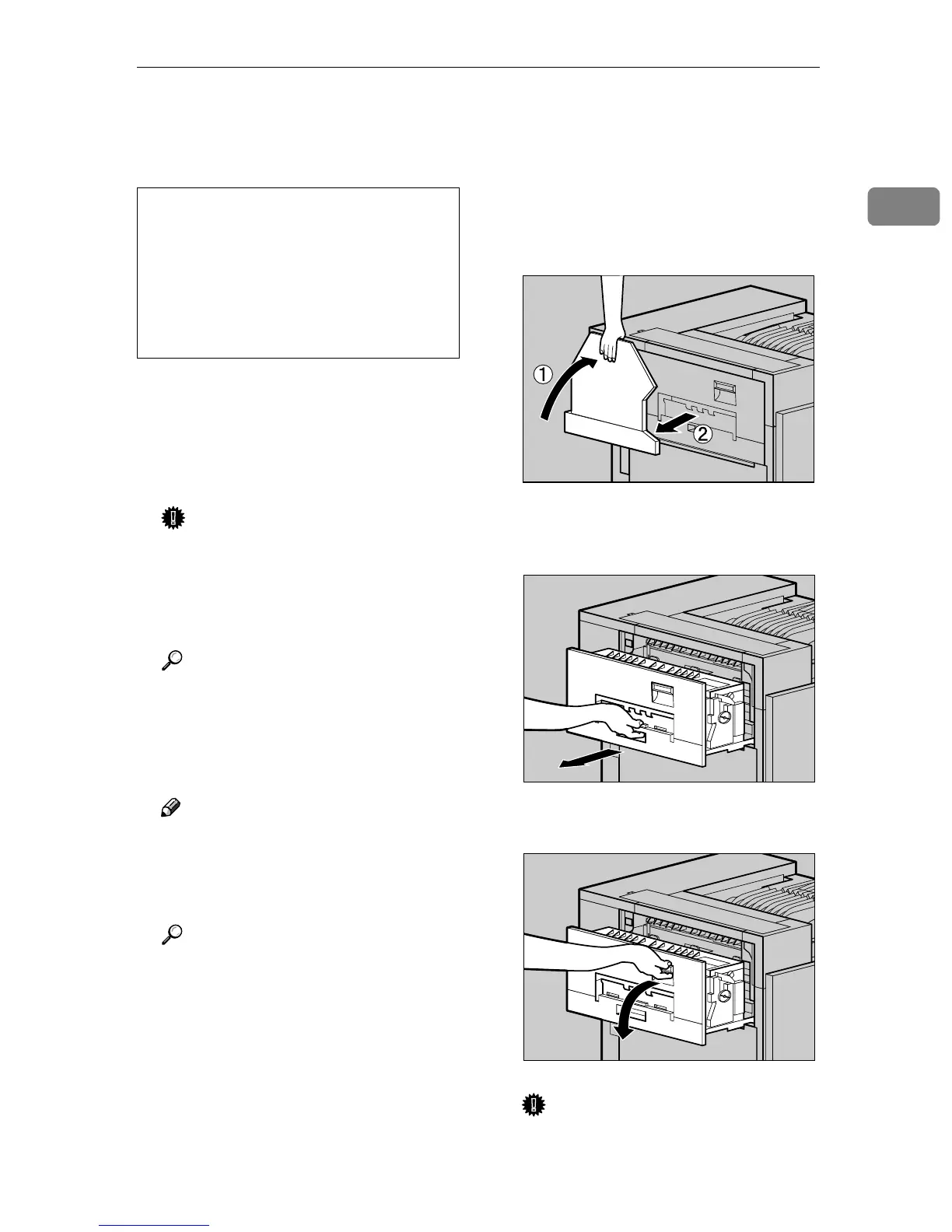
If the External Tray is attached to
the printer, raise it in the direc-
tion of the arrow (A
AA
A), and remove
it (B
BB
B).
E
EE
E
Pull out the left cover of the print-
er.
F
FF
F
Open the upper left cover.
Important
❒ Do not touch any areas other
than the handle.
• The Fusing Unit becomes very
hot. When installing the new
Fusing Unit, turn off the printer
and wait about an hour. After
that, install the new Fusing Unit.
Not waiting for the unit to cool
down can result in a burn.
ZDJP038J
ZDJH047J
ZDJH048J



 To Next Page