Replacing Consumables and Maintenance Kit
2
1
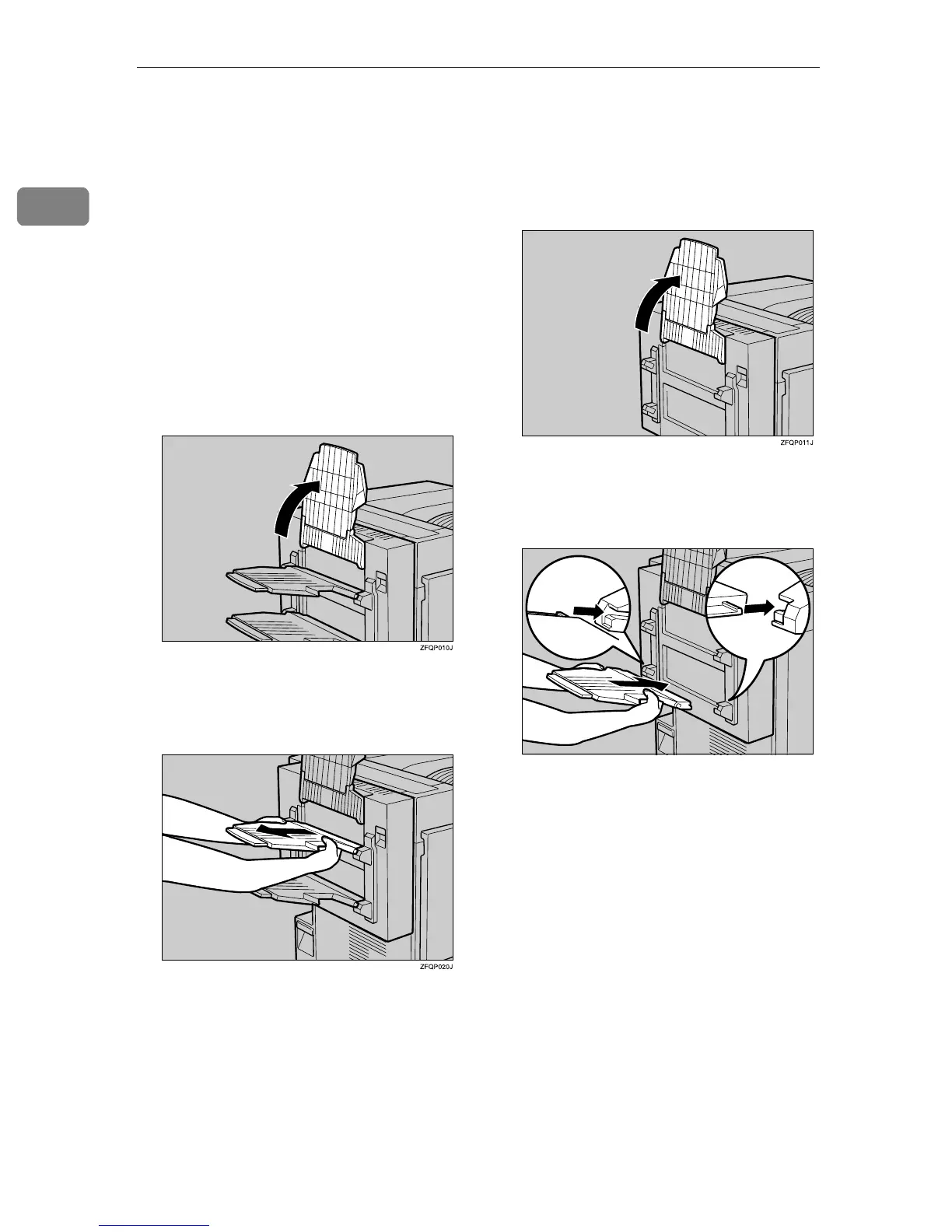
Detaching the PT460 (Multi-bin)
When replacing various units or re-
moving misfed paper, the Duplex Re-
versal Unit is opened. If the optional
PT460 (Multi-bin) is attached to the
Duplex Reversal Unit, detach it be-
fore opening the Duplex Reversal
Unit. After closing the Duplex Rever-
sal Unit, reattach the optional PT460
(Multi-bin).
A
AA
A
Raise the External Tray attached
to the Duplex Reversal Unit.
B
BB
B
Pull the upper tray of the PT460
(Multi-bin) out and up to detach
it.
C
CC
C
Pull the lower tray of the PT460
(Multi-bin) out and up to detach it
as in step
B
BB
B
.
This completes the detachment of
the PT460 (Multi-bin).
D
DD
D
Raise the External Tray attached
to the Duplex Reversal Unit.
E
EE
E
Insert the hooks on both sides of
the lower tray of the PT460
(Multi-bin) into the slots.
F
FF
F
Insert the hooks on both sides of
the upper tray of the PT460
(Multi-bin) into the slots as in
step
E
EE
E
.
This completes the reattachment of
the PT460 (Multi-bin) to the Du-
plex Unit.
ZFQP040J



 To Next Page