Connecting the Machine
15
2
Note
❒ Consult your network administrator before connecting the machine to a net-
work.
❒ Make sure to use a properly shielded and grounded cable (UTP, STP, Catego-
ry/Type5) for the connection to the host computer (and/or HUB) in order to
meet FCC and EMC Directive 89/336/EEC emission guidelines.
Connection to a Network
A
AA
A
Turn off the main power switch.
B
BB
B
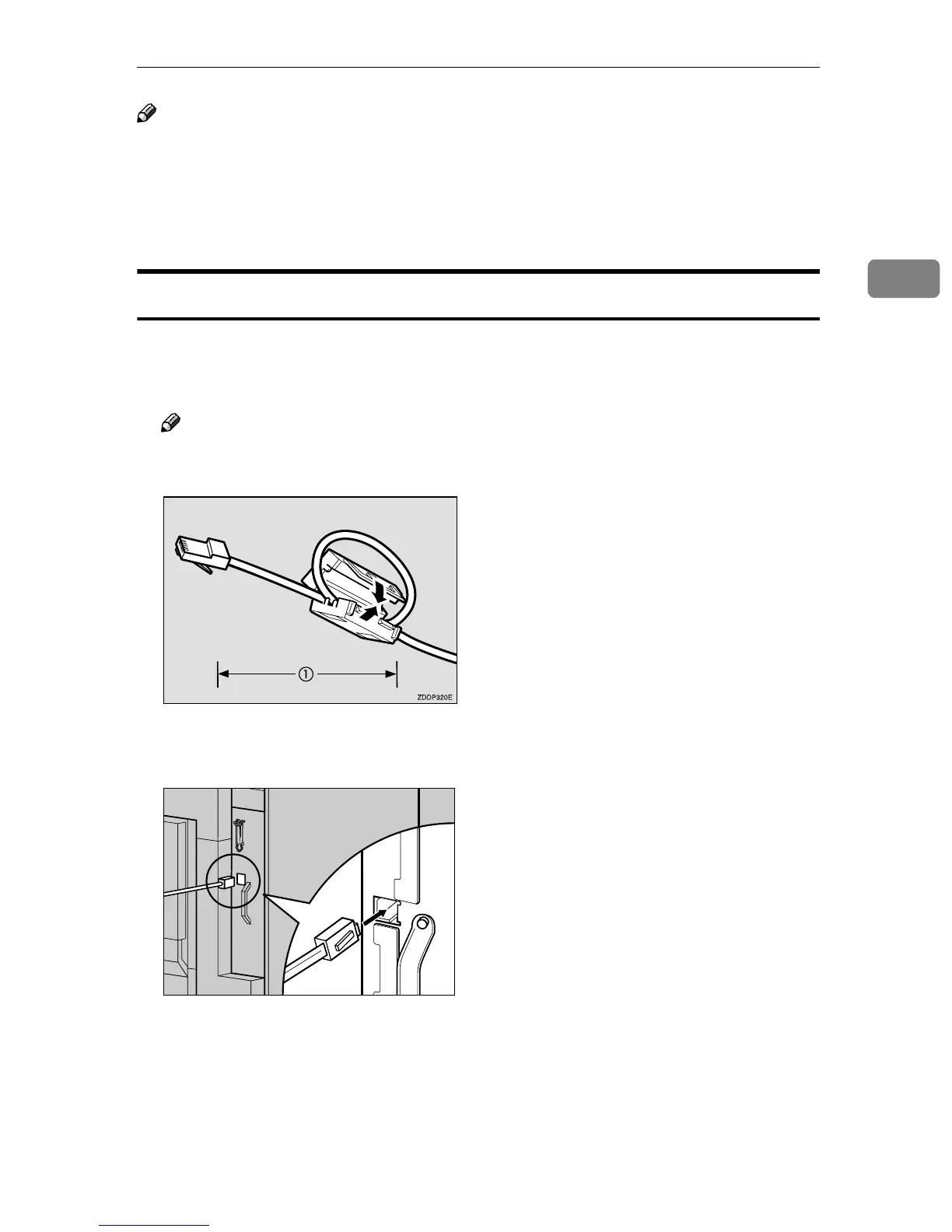
Loop the network interface cable and attach the ferrite core.
Note
❒ The network interface cable loop should be about 15 cm (6") (A) from the
end of the cable (on the end closest to the machine).
C
CC
C
Connect the network interface cable to the port on the right side of the
printer.
D
DD
D
Connect the other end of the network interface cable to network equip-
ment, such as a hub.
ZDJP103J



 To Next Page