Basic Copying
32
1
Copying from the Bypass Tray
Use the Bypass Tray to copy onto
OHP transparencies, adhesive labels,
translucent paper, postcards, and
copied paper that cannot be placed in
the paper tray.
Preparation
When copying from the Bypass
Tray, select [1 Sided] for copying in
[Dup./Combine/Series] (for example
[1 Sided]→ [1 Sided] or [2 Sided]→ [1
Sided]).
Note
❒ The machine can automatically de-
tect the following sizes as standard
size copy paper:
❒ If you do not use standard size
copy paper, you should input ver-
tical and horizontal dimensions.
The sizes that you can input are as
follows:
❒ When using paper larger than
433mm (17”) in size, load it so that
it is fed straight into the machine.
❒ When paper larger than 433mm
(17”) in size is used, the paper may
become wrinkled, may not be fed
into the machine, or may cause pa-
per jams.
❒ To make copies onto OHP trans-
parencies or thick paper exceeding
128g/m
2
, 35 lb., specify the paper
type in. ⇒ p.34 “When Copying
onto OHP Transparencies or Thick
Paper”
❒ The maximum number of sheets
you can load at a time depends on
the paper type.
❒ It is not possible to output to the
Finisher when using the Bypass
Tray.
A
AA
A
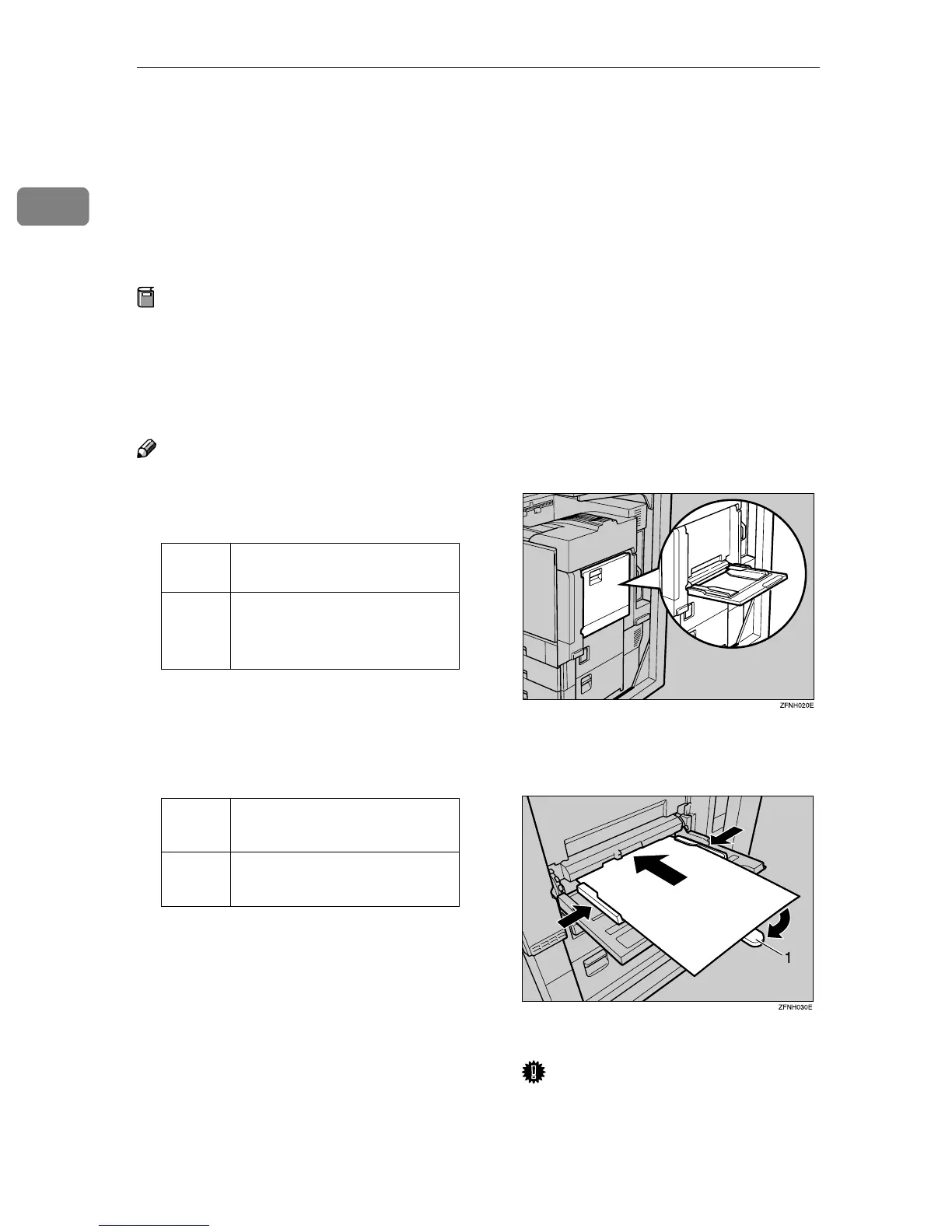
Open the Bypass Tray.
B
BB
B
Adjust the guides to copy paper
size.
1. Extender
Important
❒ If the guides are not flushed
with the copy paper, a skewed
image or paper misfeed might
occur.
Metric
version
A3L, A4L, A5L, FolioL
Inch
version
A3L, 11" × 17"L, 8
1
/
2
" ×
14"L, 8
1
/
2
" × 11"L, 8
1
/
2
"
×5
1
/
2
"L
Metric
version
• Vertical: 90 – 305mm
• Horizontal: 148 – 458mm
Inch
version
• Vertical: 3.6" – 12"
• Horizontal: 5.9" – 18"



 To Next Page