Operating InstructionsFacsimile Reference (option) <Advanced Features>
160
Storing a Document
You can send and store a document at the same
time. You can also just store a document.
❖
❖❖
❖ File names
Files which have been read automatically get
names like “Fax0001” or “Fax0002”.⇒ p.163
“Setting a File Name”
❖
❖❖
❖ User Names
You can set this function if necessary to know
whom and what departments are stored in the
machine.⇒ p.161 “Programming a User
Name”
❖
❖❖
❖ Password
You can set this function so as not to send to
unspecified people.⇒ p.163 “Setting a Pass-
word”
Note
❒ The stored documents are given “file names”,
such as “FAX0001” and “FAX0002”, automat-
ically. However, you can change the file
names. ⇒ p.164 “File Manage”
❒ You can attach “User Names” to the stored
documents. ⇒ p.164 “File Manage”
A
AA
A
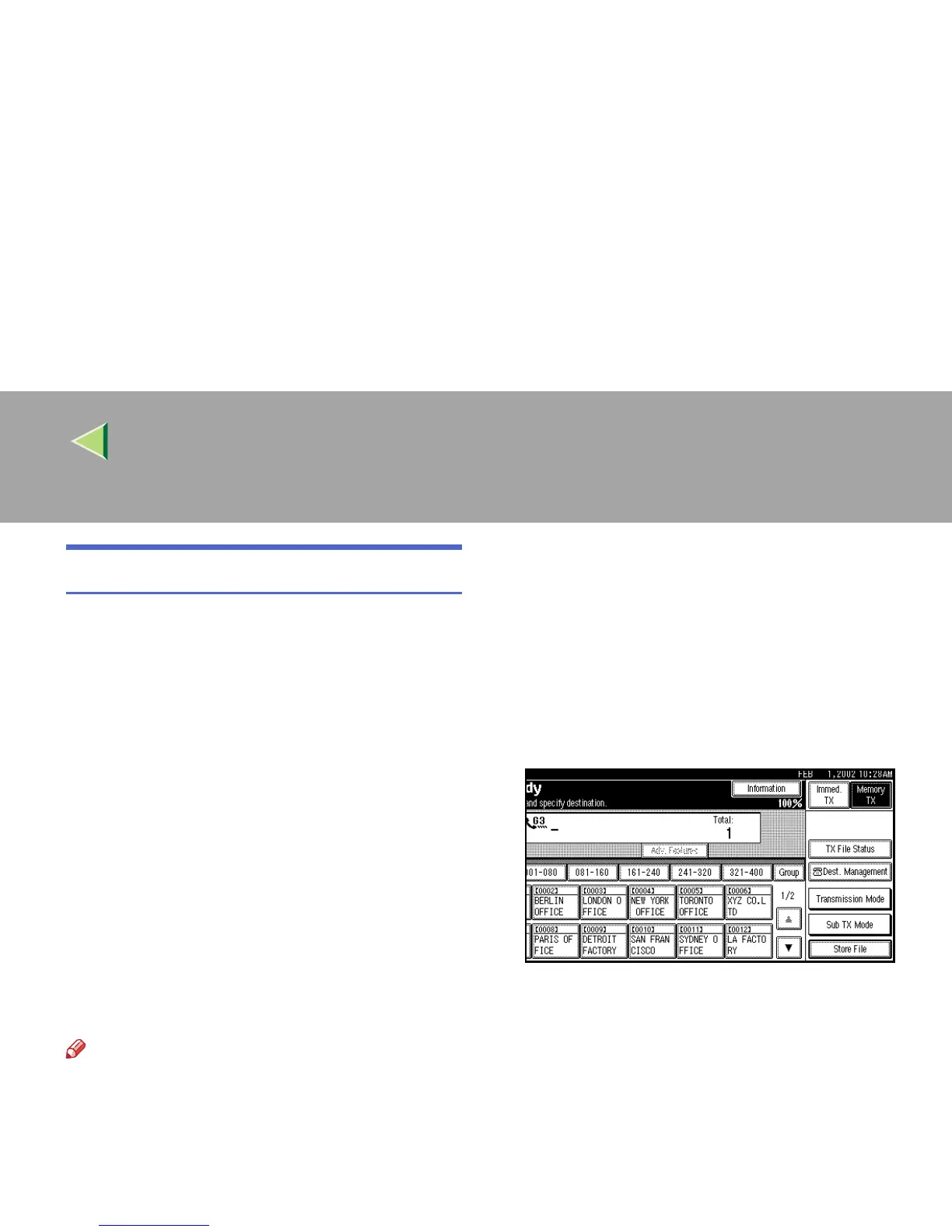
Make sure that the machine is in Facsimile
mode and the standby display is shown.
If the standby display is not shown, press the
{
{{
{Facsimile}
}}
} key.
B
BB
B
Place your original, and then select any
scan settings you require.
C
CC
C
Press [Store File].



 To Next Page