Operating Instructions Maintenance Guide 2 Copier System Edition
34
Loading paper in Paper Bank PS470
(2000-sheet Large Capacity Tray)
Important
❒ 2000-sheet Large Capacity Tray uses 11 × 8
1
/
2
K paper exclusively. Load only 11 × 8
1
/
2
paper at all times.
❒ If you want to load A4 K paper in the 2000-
sheet Large Capacity Tray, contact your sales
or service representative.
A
AA
A
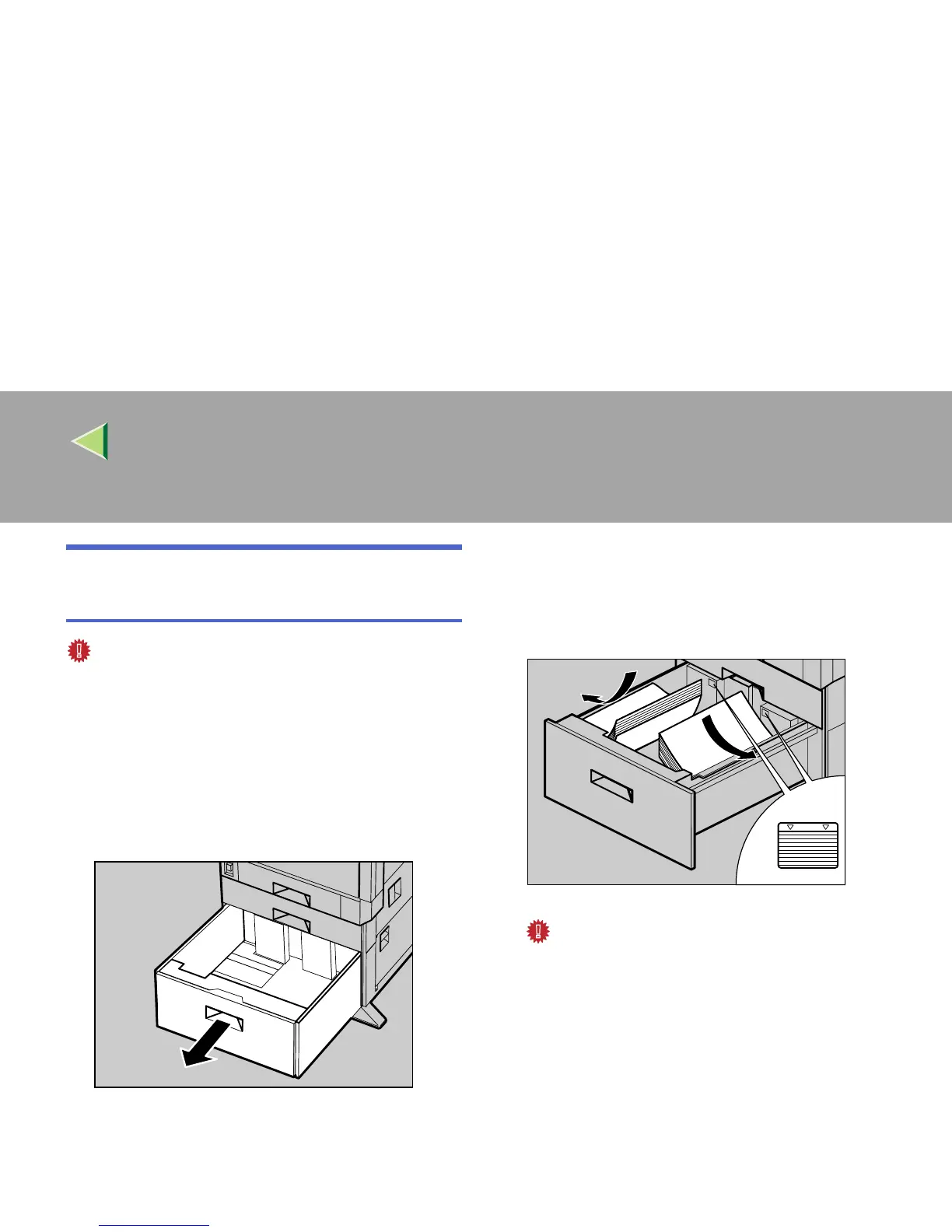
Pull out the paper tray slowly until it stops.
B
BB
B
With the print side down, align all four
sides of two paper stacks, and then load
them next to each other in the tray. Each
side has a limit of 1,000 sheets.
Important
❒ Align the paper stacks and load them
against the left and right walls, or a paper
misfeed might occur.
❒ Confirm that the top of the stack is not
higher than the limit mark inside the tray.
C
CC
C
Push in the paper tray slowly until it stops.
ZDJY008J
ZDJY009J



 To Next Page