Operating InstructionsFacsimile Reference (option) <Advanced Features>
55
Printing a Confidential Message
This feature is designed to prevent unauthorized
users from reading your messages. If someone
sends you a message using Confidential Trans-
mission, it is stored in memory and not automat-
ically printed. To print the message you have to
enter the Confidential ID Code. When your ma-
chine has received a Confidential Message, the
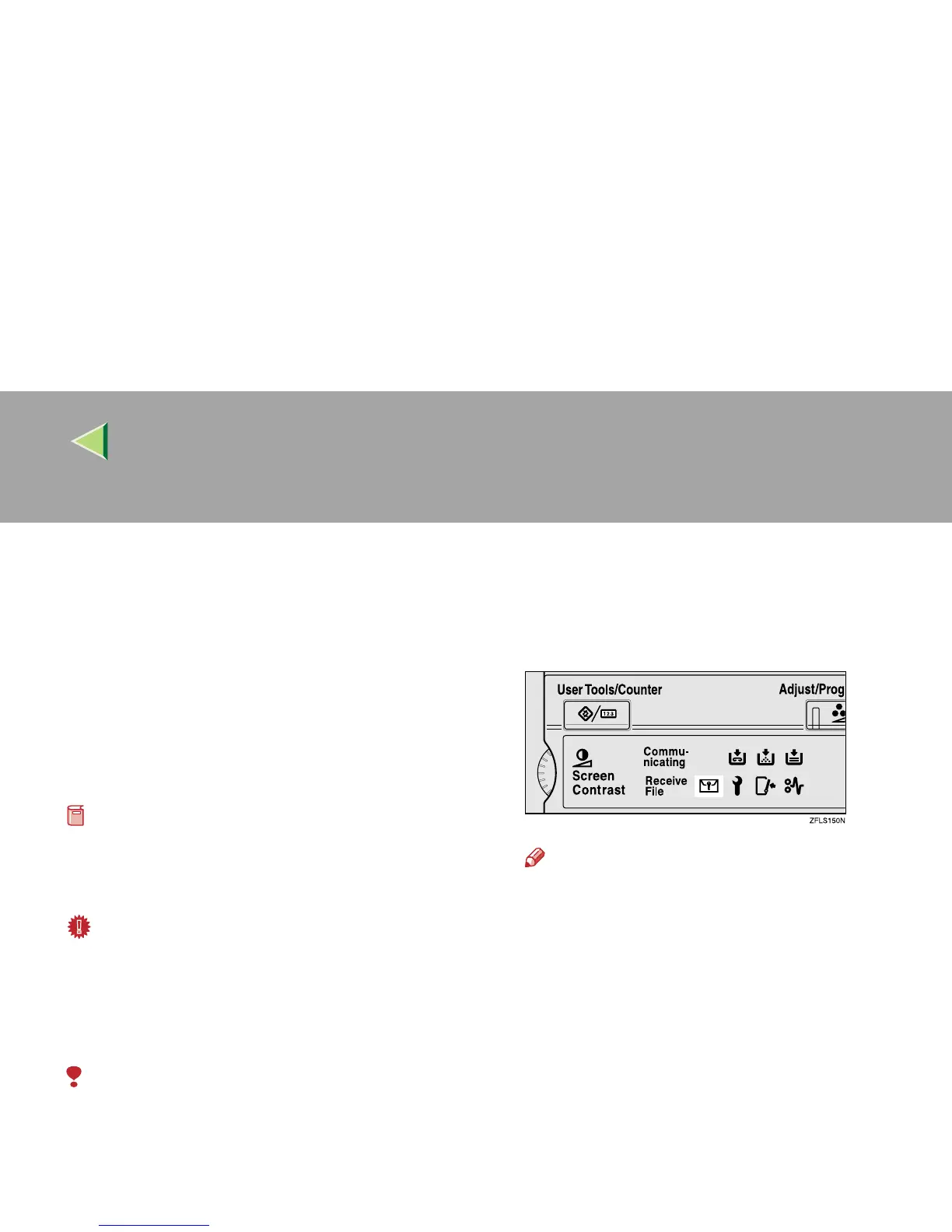
Confidential File (i) indicator lights.
Preparation
❒ Before using this function, program your Con-
fidential ID. ⇒ p.257 “Programming a Confi-
dential ID”
Important
❒ If the main power switch is off more than 1
hour, all Confidential Messages are deleted.
In that case, use the Power Failure Report to
identify which messages have been deleted.
⇒ p.278 “Power Failure Report”
Limitation
❒ You must program the Confidential ID for
Confidential Reception to work.
A
AA
A
Confirm that the Confidential File indica-
tor is lit.
Note
❒ If the machine received a message with
SUB Code, the Confidential File indicator
also lights.
❒ Print a message with SUB Code using the
[Print Personal Box File] function. ⇒ p.61
“Printing Personal Box Messages”



 To Next Page