Clearing and Adjusting the Machine
40
2
Manual Adjustment
Important
❒ Normally, do not carry out manual
color adjustment.
A
AA
A
Press the {
{{
{User Tools/Counter}
}}
}key.
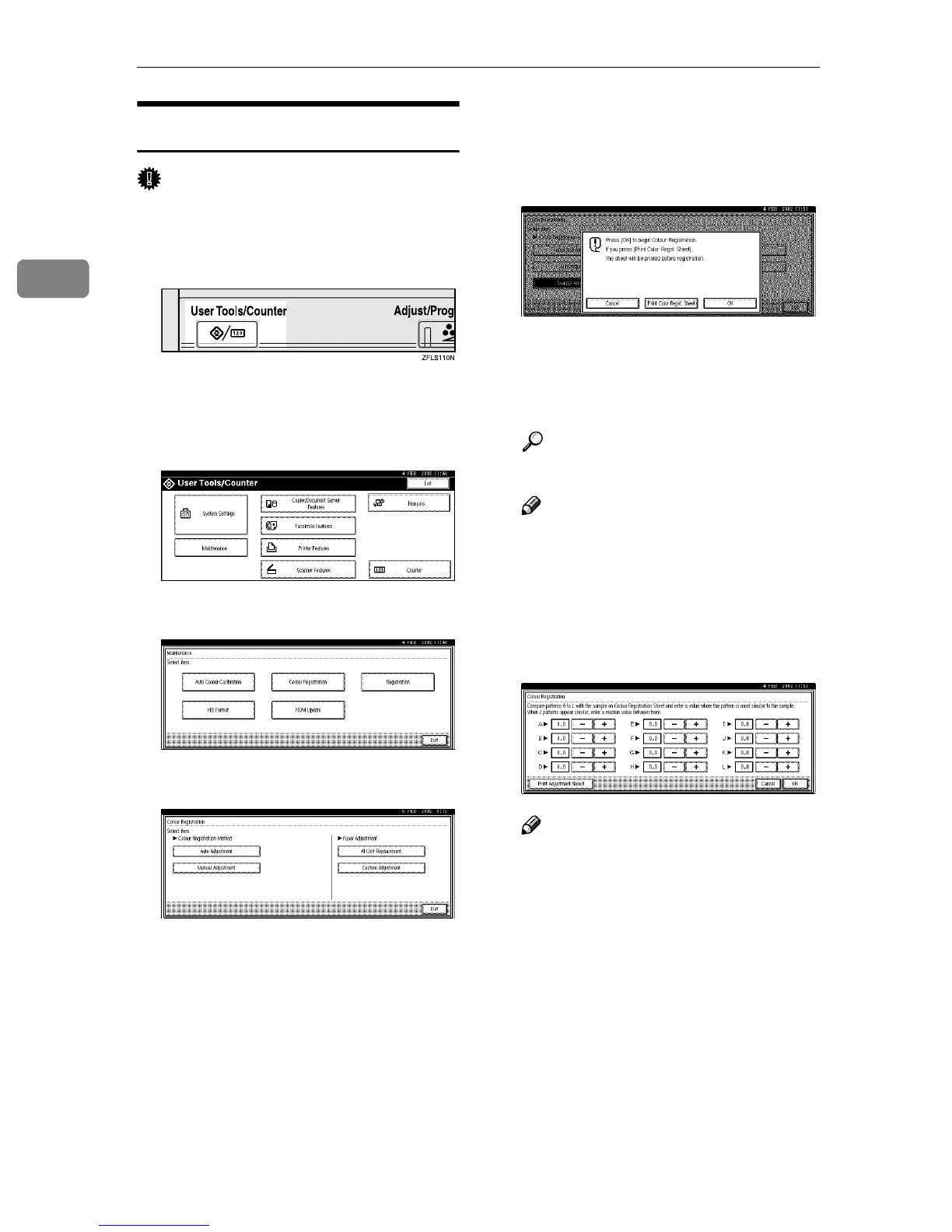
"User Tools/Counter" appears on
the panel display.
B
BB
B
Press [Maintenance].
C
CC
C
Press [Color Registration].
D
DD
D
Press [Manual Adjustment].
E
EE
E
Press [Print Color Registration] to
print the Color Registration Sheet
used for checking color registra-
tion.
The Color Registration Sheet is
printed. When printing finishes,
the "Color Registration" display
appears.
Reference
See p.42 “Test Sheet Samples”.
Note
❒ To print the Color Registration
Sheet, load A4 paper in the stan-
dard tray.
F
FF
F
Set the correct values for boxes A
through L on the printed Color
Registration Sheet.
Note
❒ Use the printed Color Registra-
tion Sheet as a standard for set-
ting the correct values.



 To Next Page