Operating InstructionsFacsimile Reference (option) <Advanced Features>
149
• KK and LL indicate that the message is
split over two pages of paper with the orienta-
tion and size shown.
Limitation
❒ Paper placed in the bypass tray is not usually
selected for printing a received message.
However, you can use this tray if you select
the bypass tray as the main paper tray using
Reception with Specified Senders. ⇒ p.223
“Special Senders to Treat Differently”
❒ The paper size used to print a received mes-
sage may be different from the size of the sent
original.
Note
❒ Widths that this machine can receive are A4,
B4 and A3. Any messages narrower than A4
are sent as A4 width with the length un-
changed.
Reference
❒ p.145 “Page Separation and Length Reduc-
tion”
❒ p.146 “Page Reduction”
❒ p.143 “Image Rotation”
"Just Size" Printing
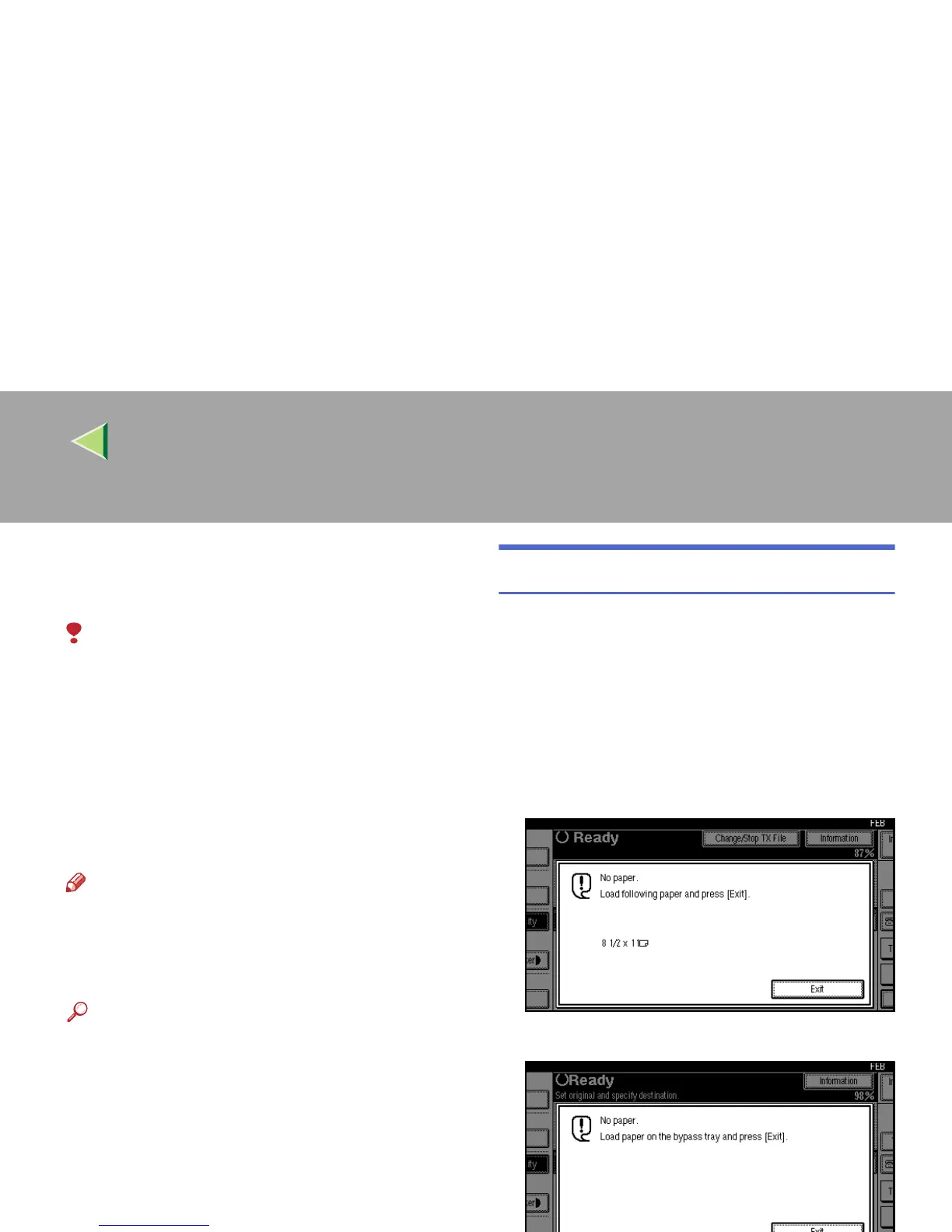
If you turn this feature on and no paper tray is
stocked with paper of a suitable size to print a re-
ceived document, a message will appear on the
display prompting you to load paper of the re-
quired size. When you have loaded the new pa-
per, you can then print the message.
Two messages can appear:
• Paper Cassette
• Bypass Tray



 To Next Page