Canceling a Memory Transmission
27
2
Canceling a Memory Transmission
Canceling the Transmission
Before the Original is Scanned
Canceling a transmission before
pressing the {
{{
{Start}
}}
} key. Use this pro-
cedure to cancel a transmission before
the original has been scanned.
A
AA
A
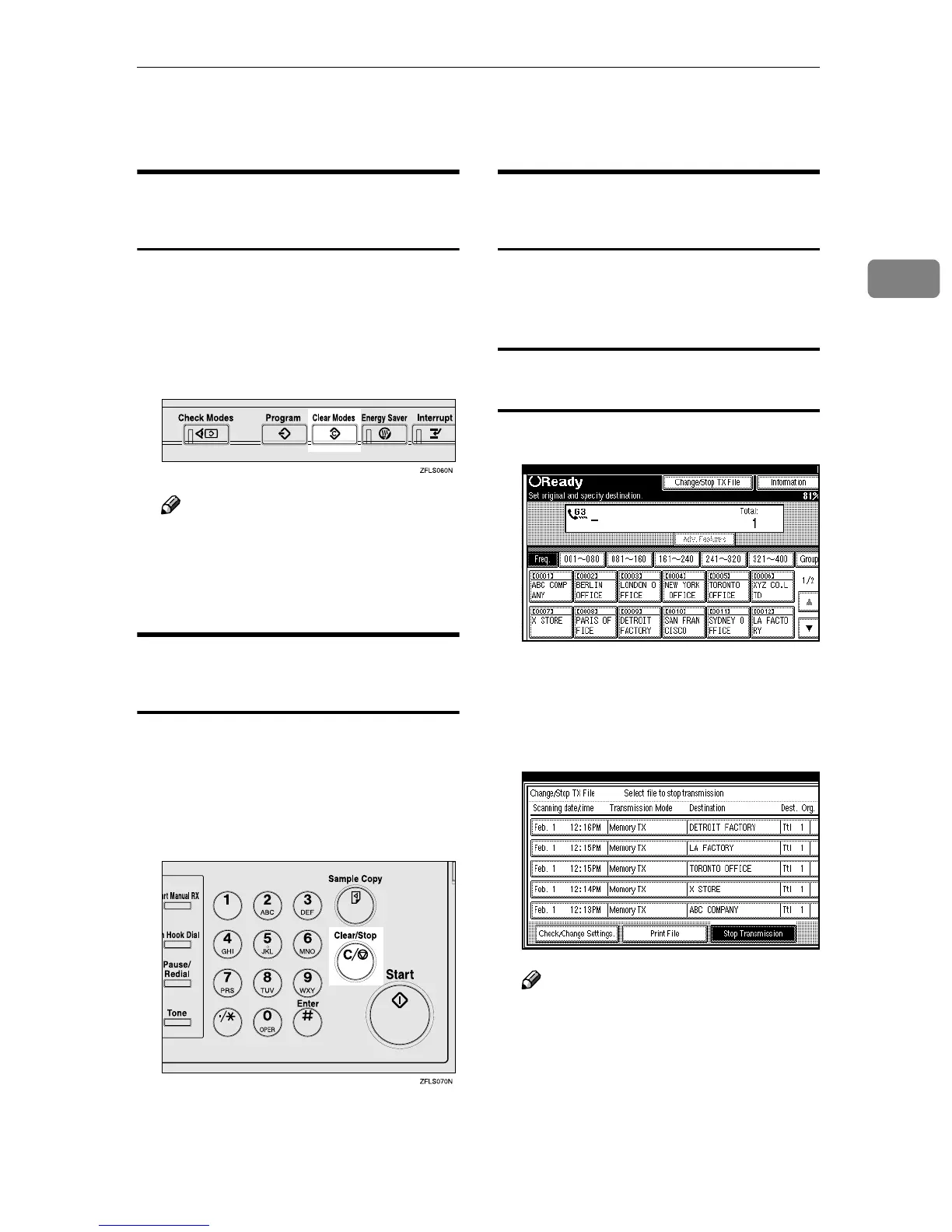
Press the {
{{
{Clear Modes}
}}
} key.
Note
❒ When documents are placed in
the optional Document Feeder
(ADF), you can cancel the trans-
mission by just removing them.
Canceling a Transmission While
the Original is Being Scanned
Canceling a transmission after press-
ing the {
{{
{Start}
}}
} key. Use this proce-
dure to cancel a transmission after the
original has been scanned.
A
AA
A
Press the {
{{
{Clear/Stop}
}}
} key.
The machine will stop scanning the
original and the data will not be sent.
Canceling a Transmission While
the Message is Being Sent
Use this procedure to cancel a trans-
mission after the original has been
scanned.
Canceling a transmission using
[Change/Stop TX File]
A
AA
A
Press [Change/Stop TX File].
The list of programmed files being
transmitted or waiting for trans-
mission is displayed.
B
BB
B
Select the file you want to cancel.
Note
❒ If the desired file is not shown,
press [U
UU
U Prev.] or [T
TT
T Next].



 To Next Page