Operating InstructionsFacsimile Reference (option) <Advanced Features>
183
H
HH
H
Press [Exit].
The initial display is shown.
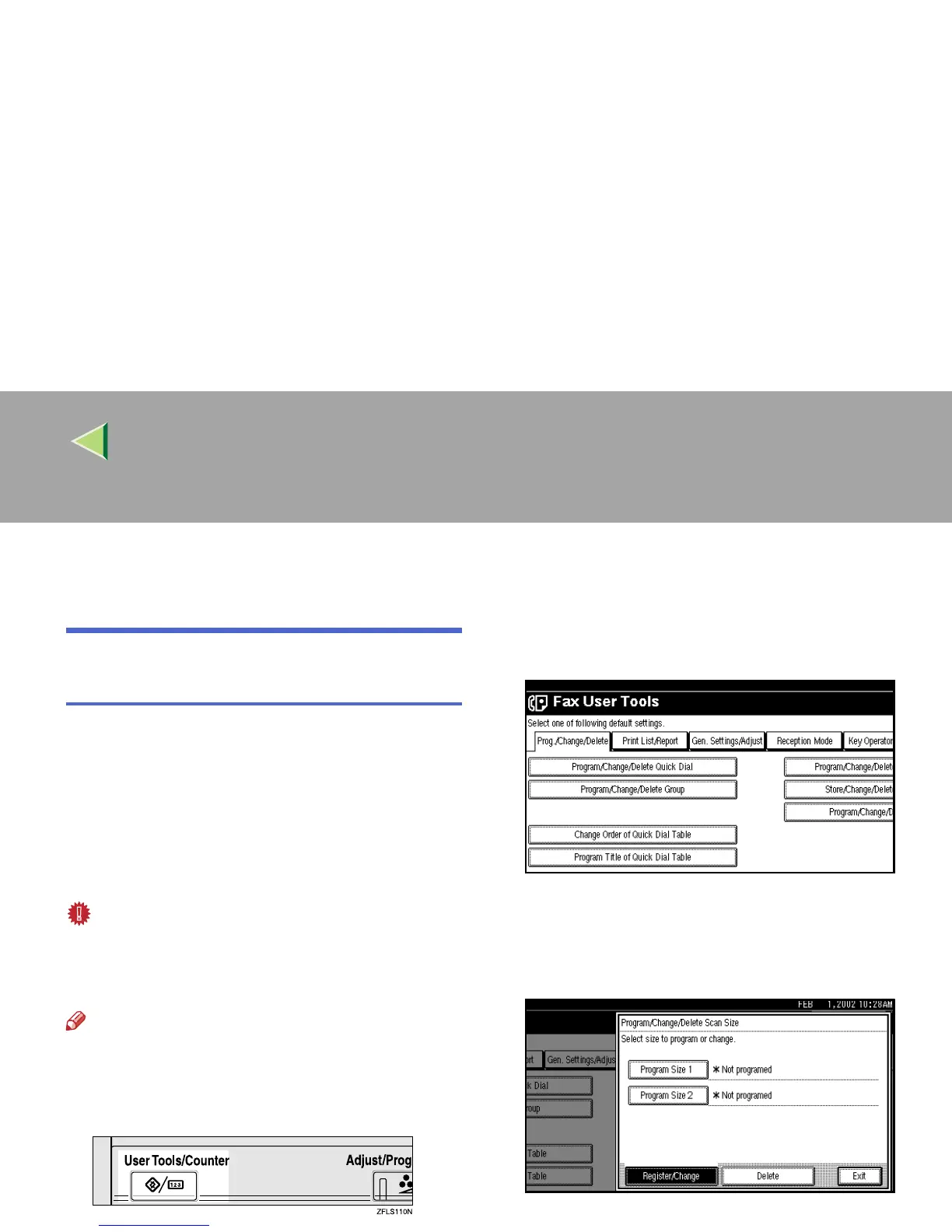
Programming and Changing a
Scan Size
When you select a Scan Size to scan a non-stan-
dard size original, two custom sizes of original
are available (Program Size 1 and Program Size
2). Use these functions to program a custom size
in advance.
To change an existing Scan Size, just use the
same procedure.
Important
❒ When programming or changing a Scan Size,
we recommend that you make a memo of the
new size.
Note
❒ You can specify a horizontal length from 128
to 1,200mm or from 5.5 to 47 inches.
A
AA
A
Press the {
{{
{User Tools/Counter}
}}
} key.
B
BB
B
Select [Facsimile Features].
The Facsimile Features menu is shown.
C
CC
C
Check that the “Prog./Change/Delete” tab
is shown.
D
DD
D
Select [Program/Change/Delete Scan Size].
E
EE
E
After confirming
[
Register/Change
]
is select-
ed, press
[
Program Size 1
]
or
[
Program Size 2
]
.



 To Next Page