Basic Copying
60
1
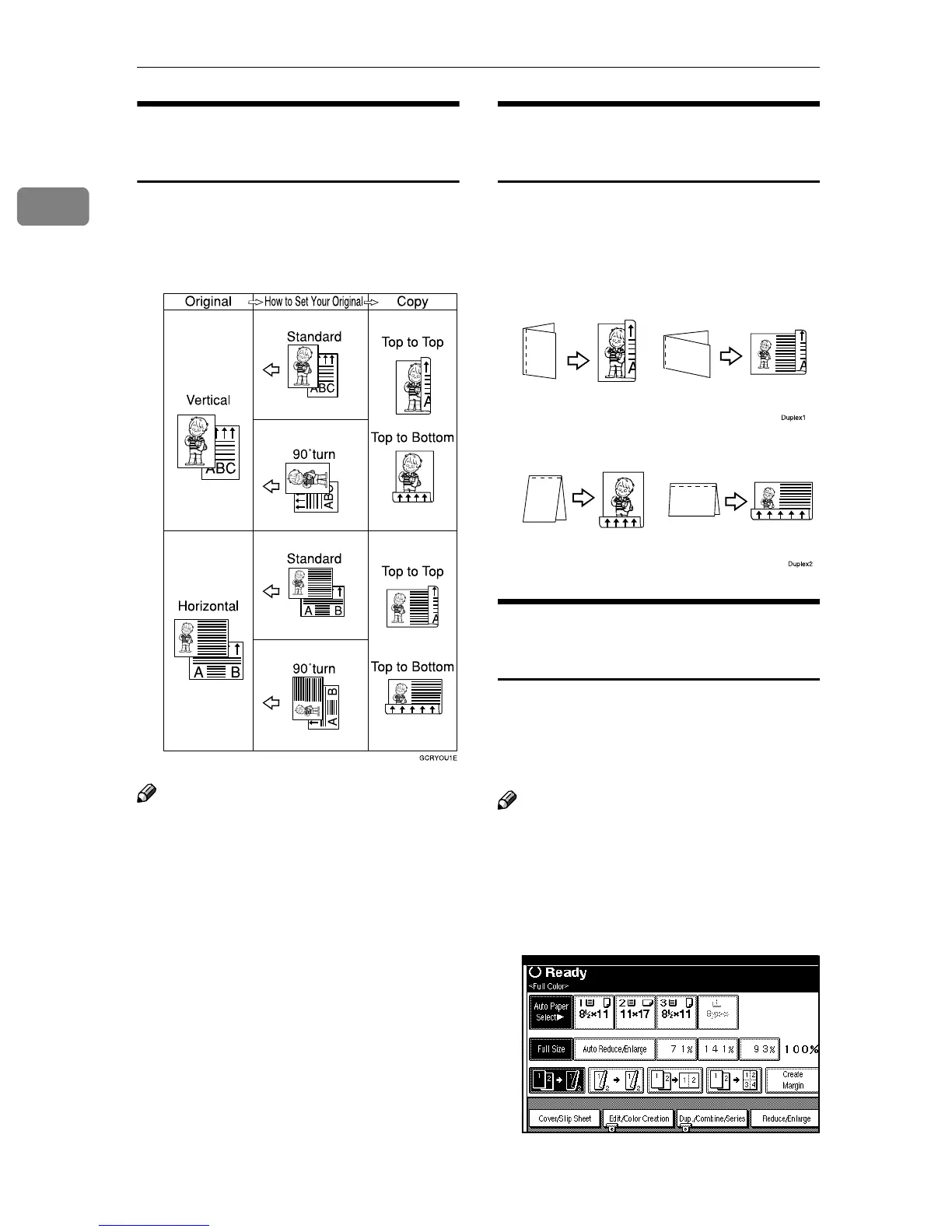
Original Orientation and
Completed Copies
The resulting copy image will differ
according to the orientation in which
you place your original (portrait K or
landscape L).
Note
❒ The table shows the orientation of
images on the front and back of
copies, not the directions of deliv-
ery.
Originals and Copy
Orientation
You can select the orientation ([Top to
Top], [Top to Bottom]). ⇒ p.60 “Specify-
ing the Orientation of Bound Origi-
nals”
• Top to Top
• Top to Bottom
Specifying the Orientation of
Bound Originals
You can specify the orientation of
bound originals (how you turn the
pages). The default setting is [Top to
Top].
Note
❒ You can change the orientation de-
fault with the User Tools. ⇒ “Gen-
eral Features 2/5”, Advanced
Features manual
A
AA
A
Press [Dup./Combine/Series].



 To Next Page