Operating Instructions Maintenance Guide 2 Copier System Edition
35
If you load a paper size that is not
selected automatically
Note
❒ Paper sizes that are not selected automatical-
ly are Paper sizes that are not selected auto-
matically are B4 L, A4K, B5L, 7
1
/
4
×
10
1
/
2
L, 8 × 13L, 8
1
/
2
× 13L, 8
1
/
4
× 13L, 8K
(10
1
/
2
× 15.35)L, 16K (7.68 × 10
1
/
2
)L, 16K
(10
1
/
2
× 7.68)K.
Reference
See p.31 “Loading Paper in Tray 2 and the
Optional Paper Feed Unit” for details about
how to load the paper.
Important
❒ Tray 1 uses 11 × 8
1
/
2
K paper exclusively.
Load only 11 × 8
1
/
2
paper at all times.
❒ Paper Bank PS470 uses 11 × 8
1
/
2
K paper
exclusively. Load only 11 × 8
1
/
2
paper at all
times.
❒ If you want to load A4 K paper in Tray 1 and
optional Paper Bank PS470, contact your
sales or service representative.
A
AA
A
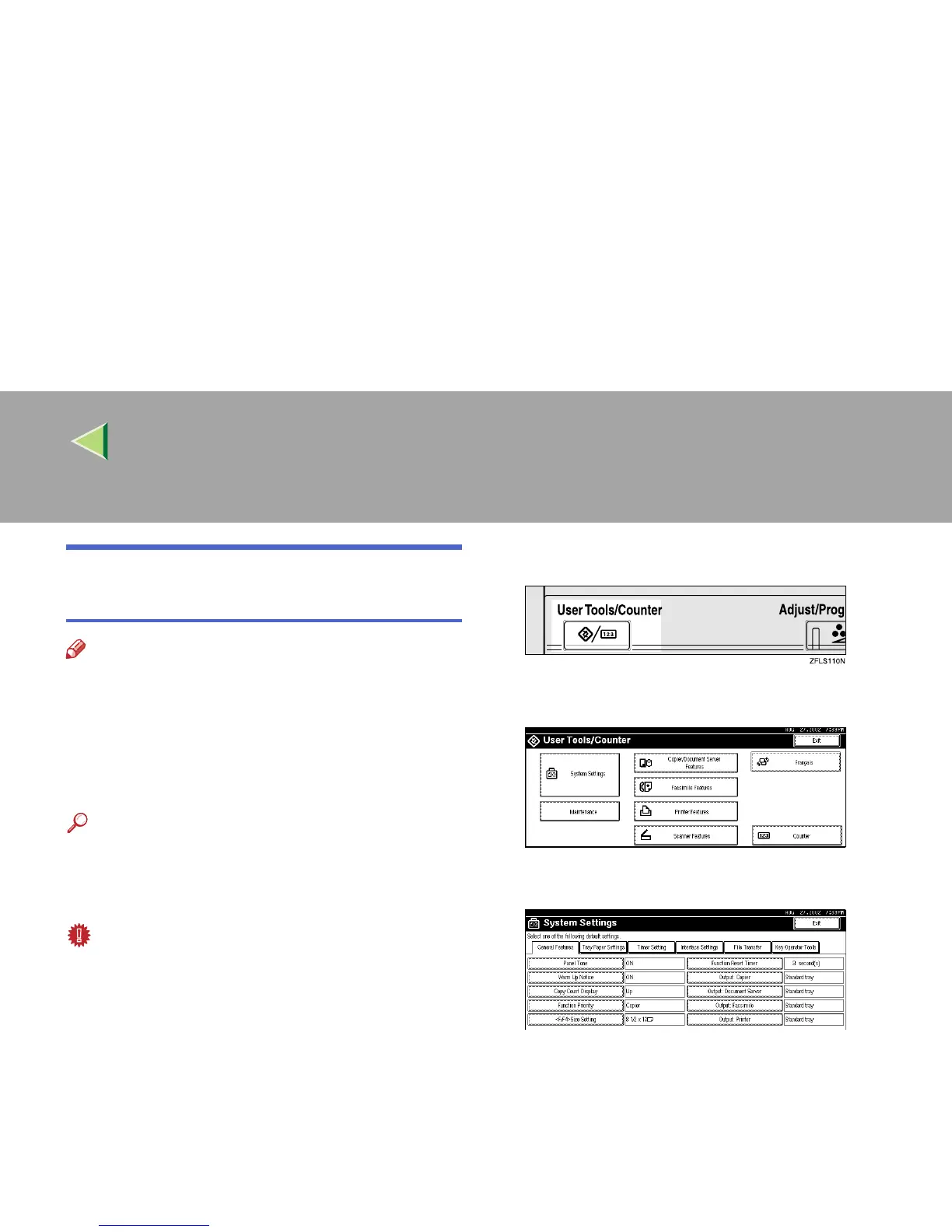
Press the {
{{
{User Tools/Counter}
}}
} key.
B
BB
B
Press [System Settings].
C
CC
C
Press [Tray Paper Settings].



 To Next Page