Operating InstructionsFacsimile Reference (option) <Advanced Features>
146
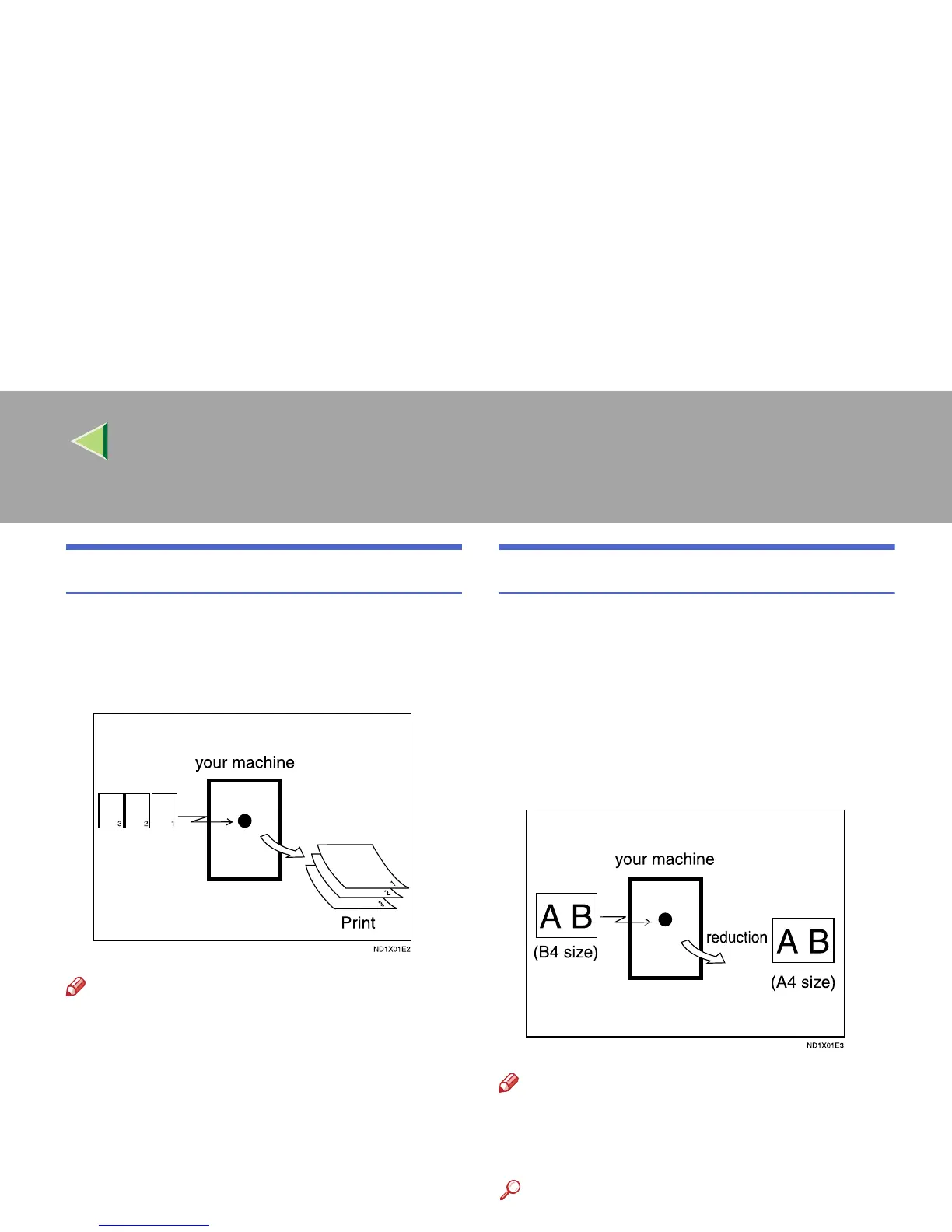
Reverse Order Printing
Normally, received pages are printed and stacked
on the tray in the order they are received. If you
turn this feature on, the machine will start print-
ing the message from the last page received.
Note
❒ You can turn this function on or off with the
Reception Mode. ⇒ p.198 “Reception Mode”
❒ When this feature is on, the first page will be
printed last.
❒ This feature uses Memory Reception.
Page Reduction
If you receive a message that is longer than the
paper in the cassette, usually the machine prints
it on two pages. If you turn this feature on, the
machine reduces the width and length of the re-
ceived image so that it will fit on one page. If
A4L paper size is loaded and a message of
B4L size is received, the machine will reduce
the message to a single A4L sheet.
Note
❒ You can turn this function on or off with the
User Parameters. ⇒ p.216 “Changing the
User Parameters” (Switch10, Bit3)
Reference
❒ ⇒ p.145 “Page Separation and Length Re-
duction”



 To Next Page