Basic Copying
18
1
• Duplex → Duplex unit, hard
disk unit (40 GB)
• Combine (2 Sided) → Duplex
unit, hard disk unit (40 GB)
Reference
⇒ p.19 “Original Orientation”
Placing Originals on the
Exposure Glass
A
AA
A
Lift the optional exposure glass
cover or the optional document
feeder (ADF).
Important
❒ Do not open the optional docu-
ment feeder (ADF) forcefully.
Otherwise, the cover of the op-
tional document feeder (ADF)
can be damaged.
Note
❒ Be sure to open the optional
document feeder (ADF) by
more than 30°. Otherwise the
original size might not be de-
tected correctly.
B
BB
B
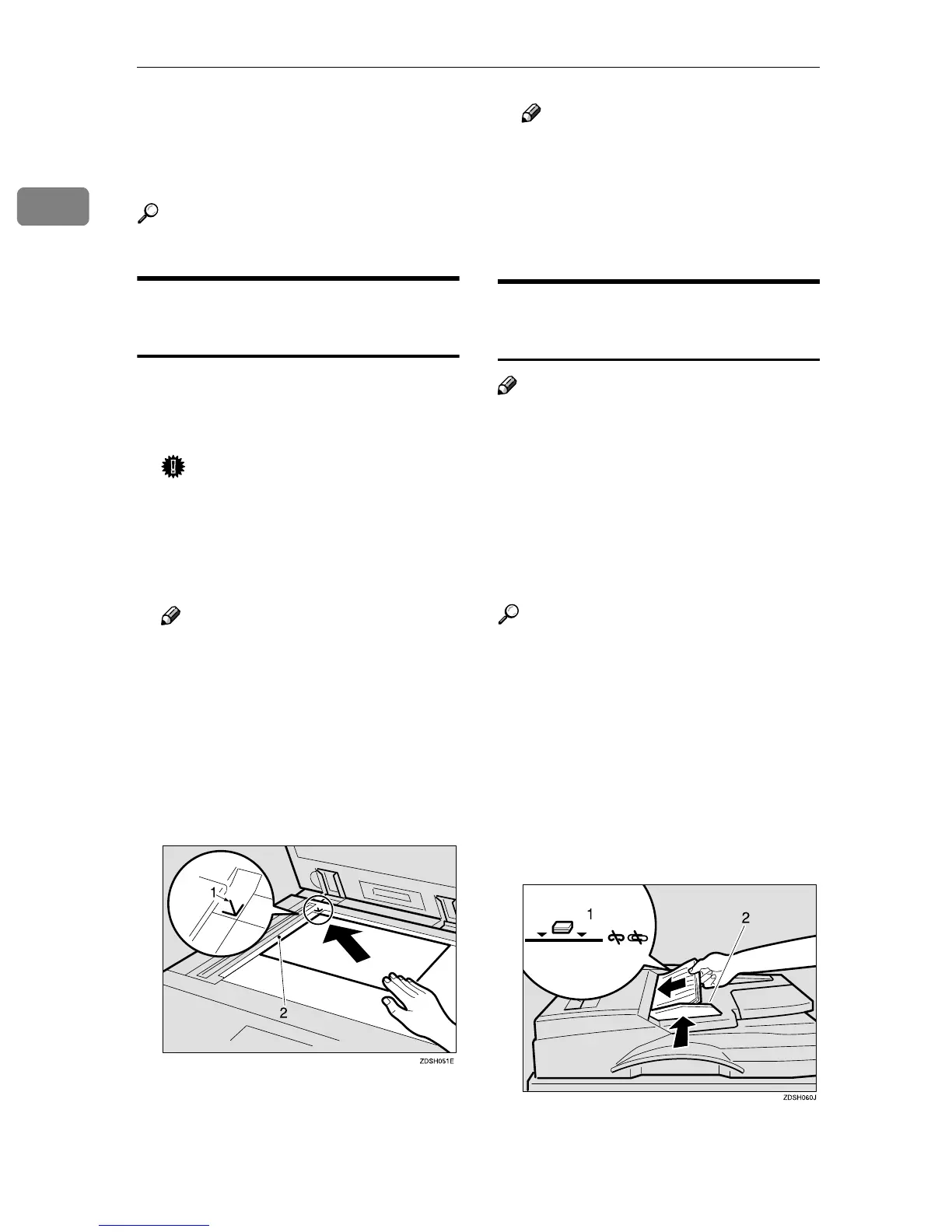
Place the original face down on
the exposure glass. The original
should be aligned to the left scale.
1: Reference mark
2: Left scale
Note
❒ Start with the first page to be
copied.
C
CC
C
Lower the optional exposure
glass cover or the optional docu-
ment feeder (ADF).
Placing Originals in the Optional
Document Feeder (ADF)
Note
❒ The last page should be at the bot-
tom.
❒ Do not stack originals beyond the
limit mark on the side fence of the
optional document feeder (ADF).
❒ The original might become dirty if
it is written in pencil or other writ-
ing equipment.
Reference
Regarding originals that the op-
tional document feeder (ADF) can
handle. ⇒ "Originals", Advanced
Features manual
A
AA
A
Set the document guide to the
original size.
B
BB
B
Place the aligned originals face
up into the optional document
feeder (ADF).
1: Limit mark
2: Document guide



 To Next Page