Turning On/Off the Power
19
2
Turning On/Off the Power
To turn the machine on, press the operation switch.
Note
❒ This machine automatically enters Energy Saver mode or turns itself off if you
do not use the machine for a while. See "Timer Setting" in Administrator Ref-
erence 2 Copier System Edition.
-
--
-Power switches
This machine has two power switches.
❖
❖❖
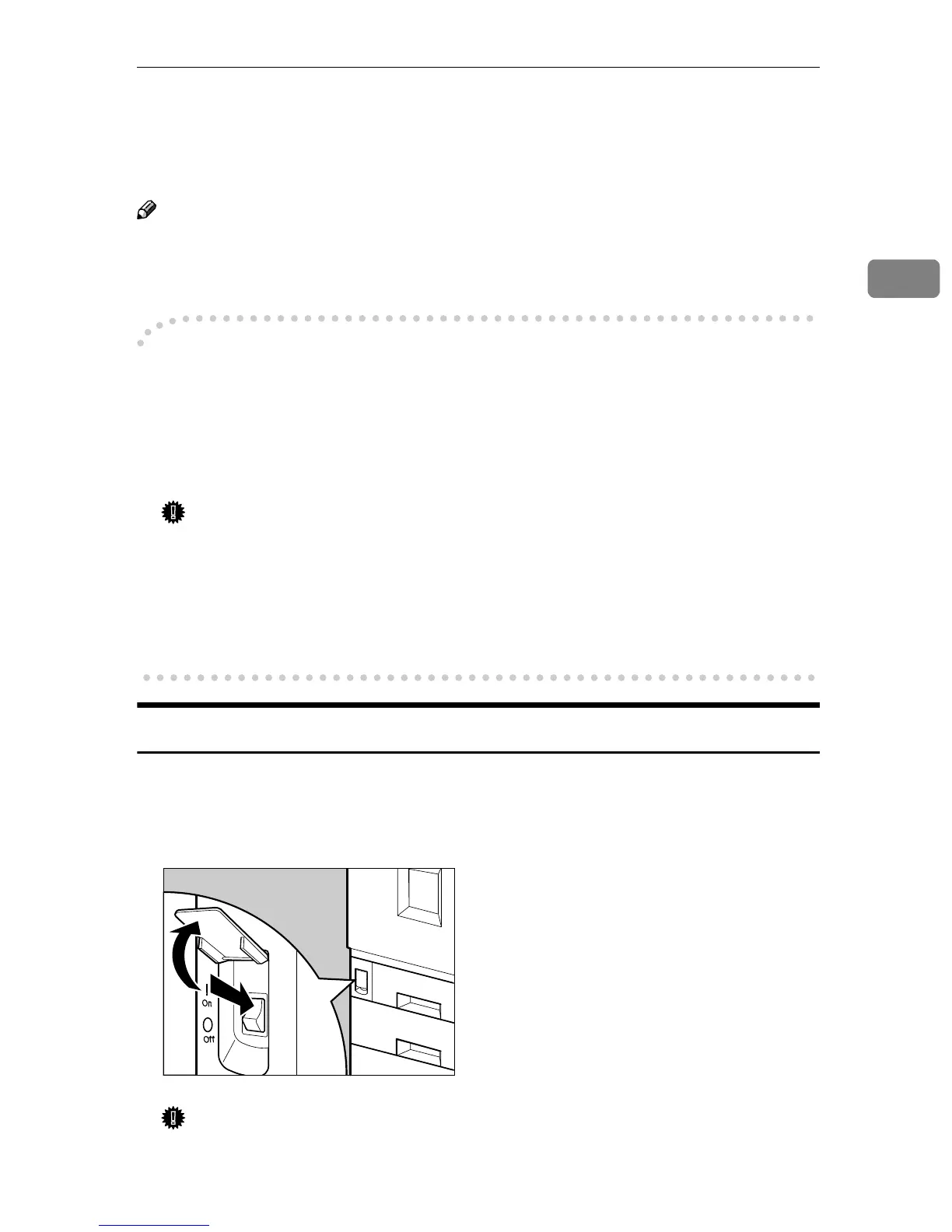
❖ Main power switch (on the front side of the machine)
When the machine is not to be used for an extended period of time, turn off
the main power switch.
Important
❒ If you leave the main power switch off for more than one hour, all fax files
in memory are deleted.
❖
❖❖
❖ Operation switch (on the control panel)
Press this switch to activate the machine. When the machine has warmed up,
you can make copies, send faxes or print.
Turning On the Main Power
A
AA
A
Make sure that the power cord is firmly plugged into the wall outlet.
B
BB
B
Open the switch cover and turn on the main power switch (make sure that
the Main Power indicator goes on).
Important
❒ Do not switch off the main power immediately after it has been switched
on. Failure to observe this may result in damage to the hard disk or mem-
ory, leading to malfunctions.
ZFNH051J



 To Next Page