Dialing
41
2
Limitation
❒ You cannot place a tone before the
first digit of a fax number.
❒ Some services may not be available
when using the {
{{
{Tone}
}}
} key.
Note
❒ A tone is shown as a “•” on the dis-
play.
-
--
-Using the {
{{
{Tone}
}}
} key with On
Hook Dial
A
Press the {
{{
{On Hook Dial}
}}
} key.
B
Enter the fax number with the
number keys.
C
Press the {
{{
{Tone}
}}
} key.
D
Enter the ID number with the
number keys.
-
--
-Sending Tonal Signals by ISDN
(Optional ISDN Unit Required)
You can still send tonal signals to a G3
user even if the machine is only con-
nected to an ISDN line.
Note
❒ This feature can only be used for
Memory or Immediate Transmis-
sion. You cannot dial through
ISDN using On Hook Dial or Man-
ual Dial.
❒ When G4 is selected, the display
shows UUI after a tone indication
“•”.
❒ When G3 is selected on ISDN line,
you can set the indication after a
tone indication “•” in the User Pa-
rameters : BP(tone) or UUI. ⇒
Chapter 8, “Changing the User Pa-
rameters”(Swith11, Bit1) in the
Advanced Features manual
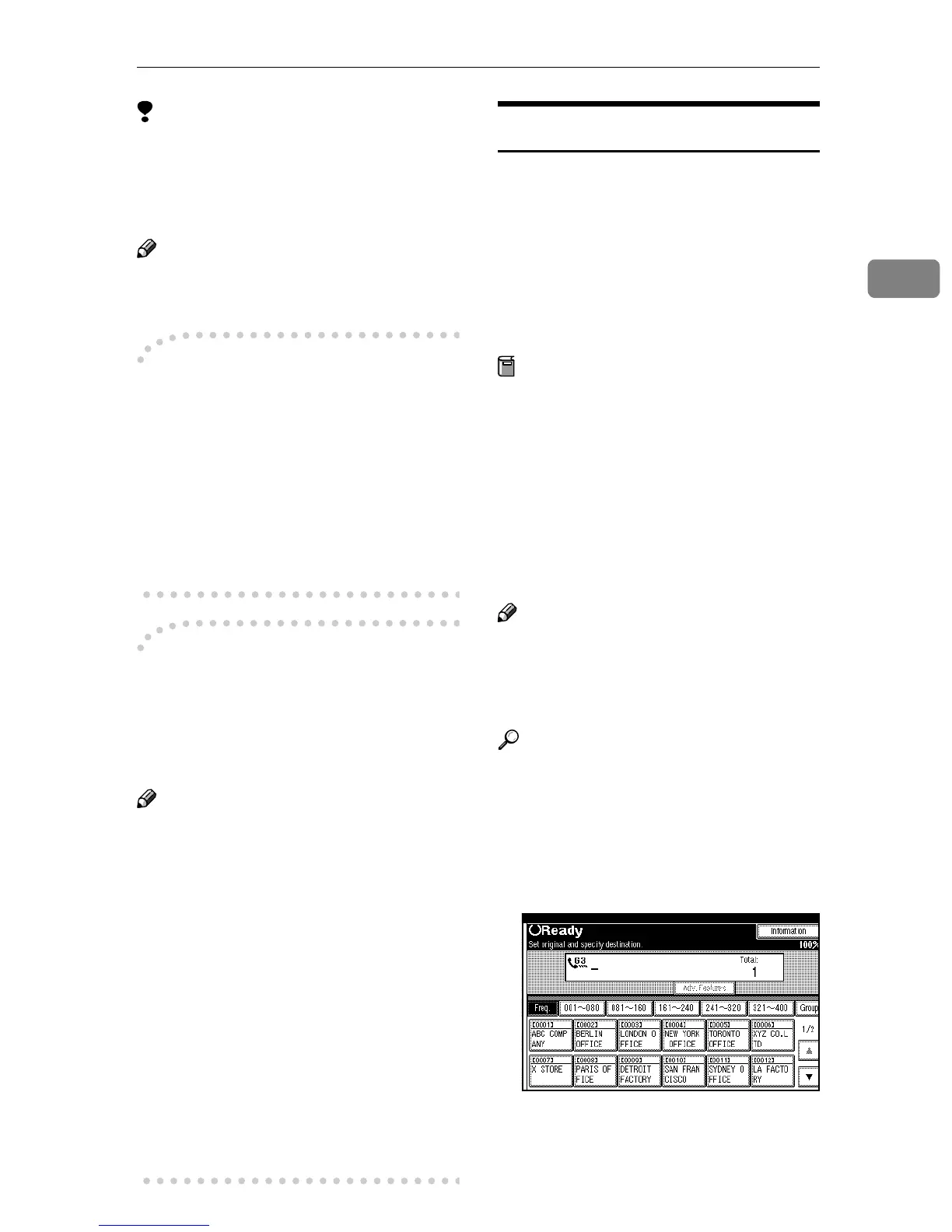
Quick Dials
When you have programmed a desti-
nation's number in a Quick Dial Ta-
ble, you can dial the number by just
selecting the destination from the
Quick Dial Table.
Additionally, you can store a name
that will appear on the display when-
ever you press that Quick Dial.
Preparation
You must program the fax number
of a destination for the Quick Dial
Table prior to using Quick Dials.⇒
p.52 “Quick Dial”
A stored name can be printed out
on the first page of a received fax at
the other end. ⇒Chapter 4, “Trans-
mission Options” in the Advanced
Features manual
Note
❒ To check the contents of Quick Di-
al, print the Quick Dial list. ⇒
Chapter 7, “Reports/Lists” in the
Advanced Features manual
Reference
⇒ p.39 “Dialing”
A
AA
A
Place your original, and then se-
lect any scan settings you require.
B
BB
B
Press the title key for the table
with the desired Quick Dial key.



 To Next Page