1
1. Replacing Consumables
and Maintenance Kit
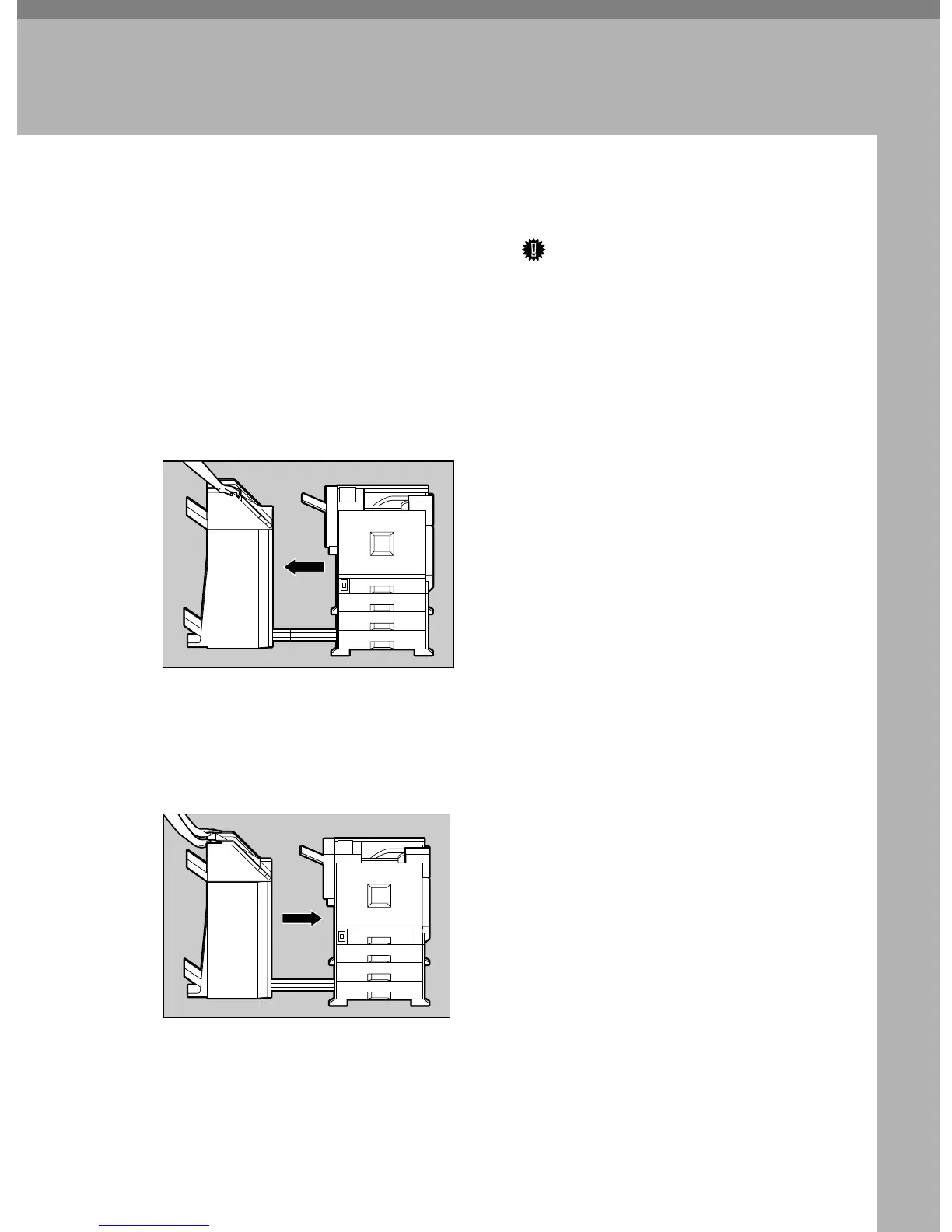
Detaching the SR770 (2 Tray Finisher)
There are times when you might have
to detach the 2 Tray Finisher from the
printer to remove misfed paper. This
section describes how to detach the 2
Tray Finisher.
A
AA
A
Hold the handle at the top of the 2
Tray Finisher firmly with one
hand, and pull the 2 Tray Finisher
straight out, until it stops.
The 2 Tray Finisher is detached
from the printer.
B
BB
B
Use both hands to push it straight
back in, until it clicks into place.
The 2 Tray Finisher is reattached to
the printer.
Important
❒ Be sure to attach the 2 Tray Fin-
isher to the printer after closing
the Duplex Reversal Unit. See
p.3 “Opening and Closing the
Duplex Reversal Unit”.
ZDJP201J
ZDJP202J



 To Next Page