Replacing the Used Toner Bottle
25
1
Replacing the Used Toner Bottle
If "Used Toner Bottle Replacement"
appears on the panel display, replace
the used toner bottle.
A
AA
A
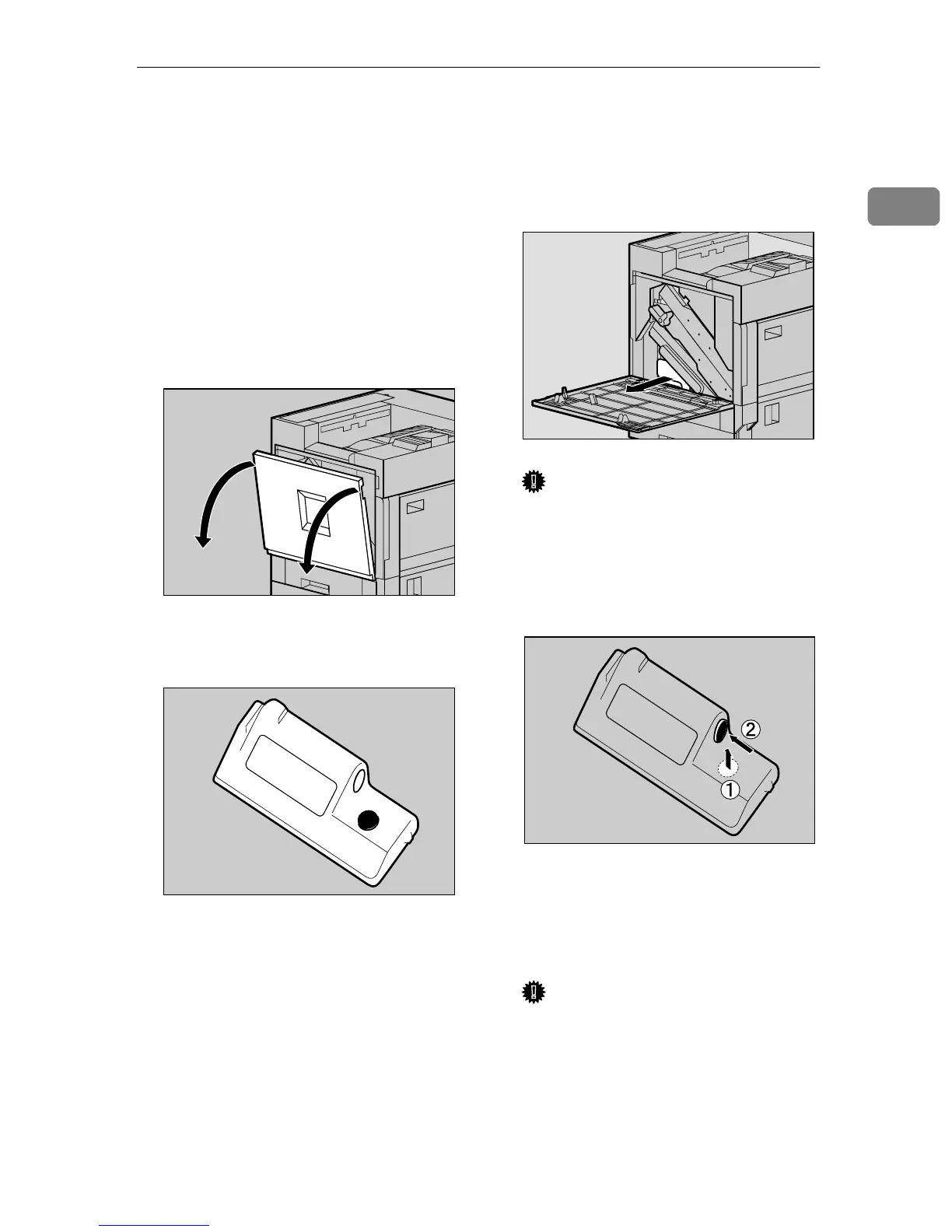
Turn off the power switch, and
then unplug the power cable.
B
BB
B
Open the front cover slowly by
pulling down from the two areas
on the left and right.
C
CC
C
Take out the new used toner bot-
tle from the bag.
D
DD
D
Remove the used toner bottle
slowly from inside the printer.
Important
❒ Be sure to remove the used ton-
er bottle in a level manner.
E
EE
E
Remove the lid (A
AA
A), and then put
it on the place shown in the illus-
tration (B
BB
B).
F
FF
F
Put the used toner bottle into the
bag that contained the new used
toner bottle, and then seal the
bag.
Important
❒ Be sure to handle the bottle
carefully so the waste toner
does not spill.
ZDJH007J
ZDJH228J
ZDJH802J
ZDJH229J



 To Next Page