Replacing Consumables and Maintenance Kit
24
1
E
EE
E
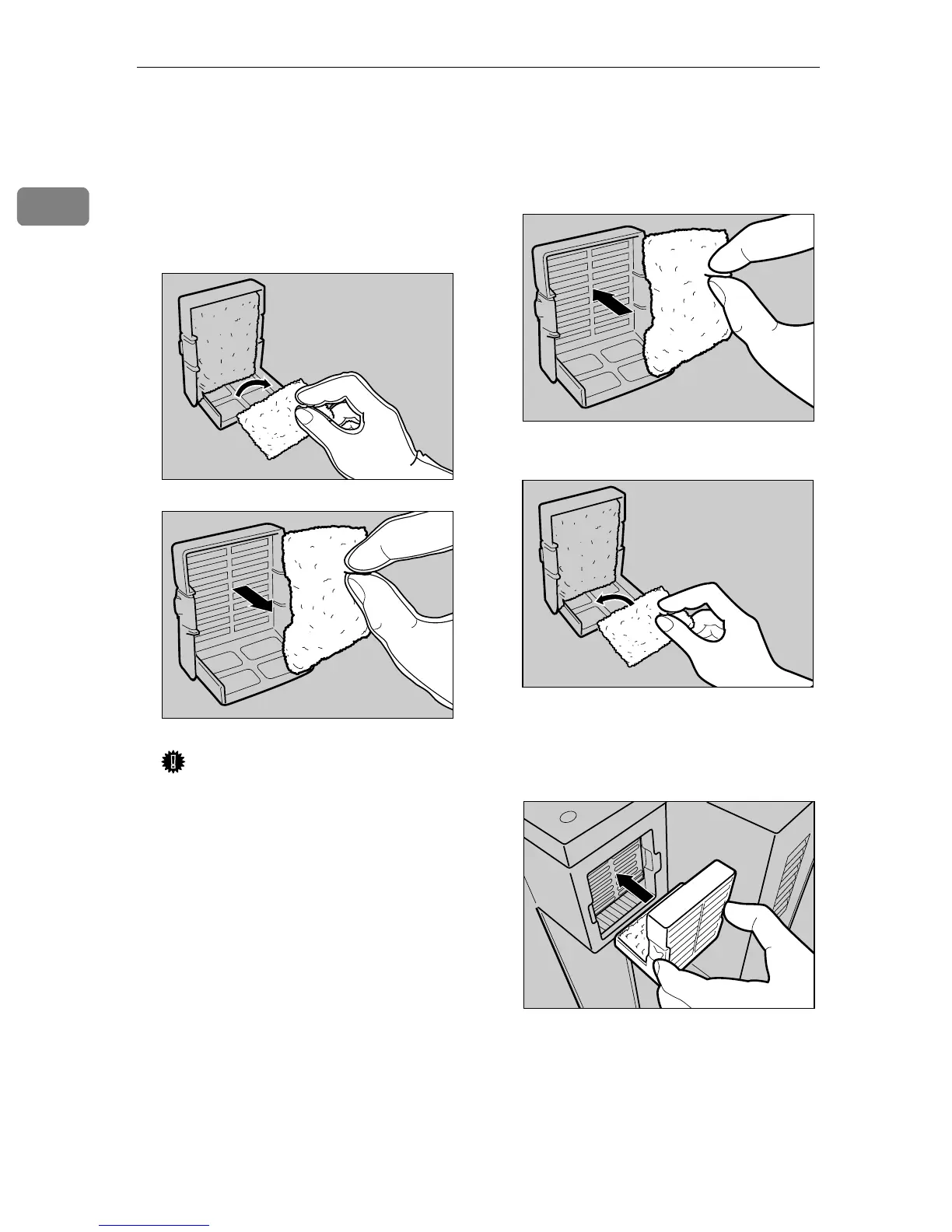
With the hand wearing the glove,
take out the dustproof filters that
are attached to the dustproof filter
cover slowly, one by one, and put
them into the box which con-
tained the black Development
Unit.
Important
❒ Handle the removed dustproof
filters with care. If you shake
them, the attached dust might
scatter.
❒ Be sure to remove the glove to
attach the new dustproof filter.
F
FF
F
Attach the new dustproof filters
to the dustproof filter cover one
by one.
A Attach the large filter.
B Attach the small filter.
G
GG
G
Insert the dustproof filter cover
into the upper left area of the
printer.
H
HH
H
Plug in the power cable, and then
turn on the power switch.
ZDJH213J
ZDJH215J
ZDJH216J
ZDJH217J
ZDJH218J



 To Next Page