Replacing the Fusing Oil Unit
7
1
Replacing the Fusing Oil Unit
CAUTION:
If "Fusing Oil Unit Replacement" ap-
pears on the panel display, replace
the Fusing Oil Unit.
A
AA
A
Turn off the power switch, and
then unplug the power cable.
Important
❒ Be sure to wait about an hour to
prevent a burn.
B
BB
B
If the 2 Tray Finisher is installed,
detach it from the printer.
Reference
See p.1 “Detaching the SR770 (2
Tray Finisher)”.
C
CC
C
If the Duplex Unit is installed,
open the Duplex Reversal Unit.
Note
❒ If the PT460 (Multi-bin) is at-
tached to the Duplex Reversal
Unit, detach it before opening
the Duplex Reversal Unit.
Reference
See p.3 “Opening and Closing
the Duplex Reversal Unit”.
D
DD
D
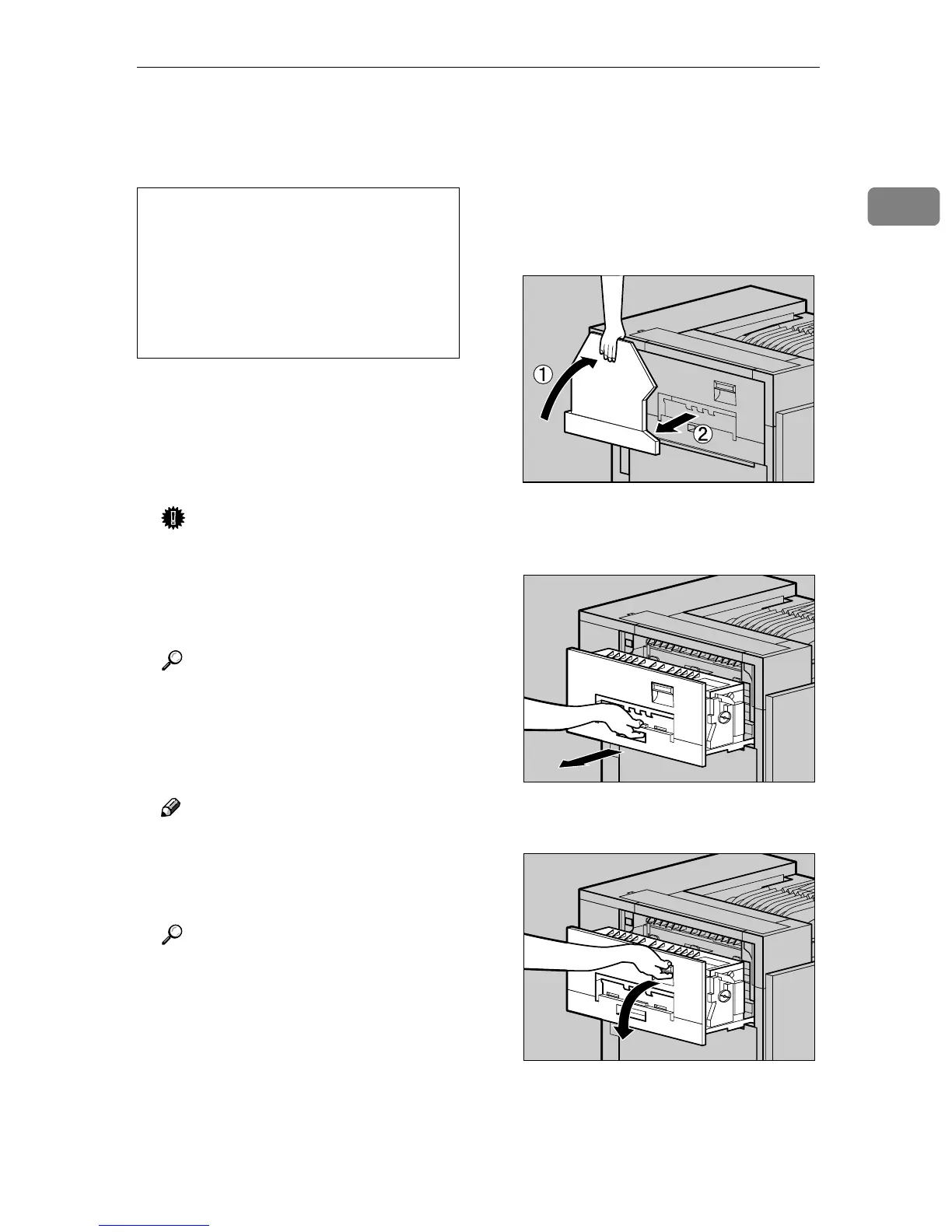
If the External Tray is attached to
the printer, raise it in the direc-
tion of the arrow (A
AA
A), and remove
it (B
BB
B).
E
EE
E
Pull out the left cover of the print-
er slowly.
F
FF
F
Open the upper left cover.
• The Fusing Unit becomes very
hot. When installing the new
Fusing Oil Unit, turn off the print-
er and wait about an hour. After
that, install the new Fusing Unit.
Not waiting for the unit to cool
down can result in a burn.
ZDJP038J
ZDJH047J
ZDJH048J



 To Next Page