Replacing Consumables and Maintenance Kit
6
1
F
FF
F
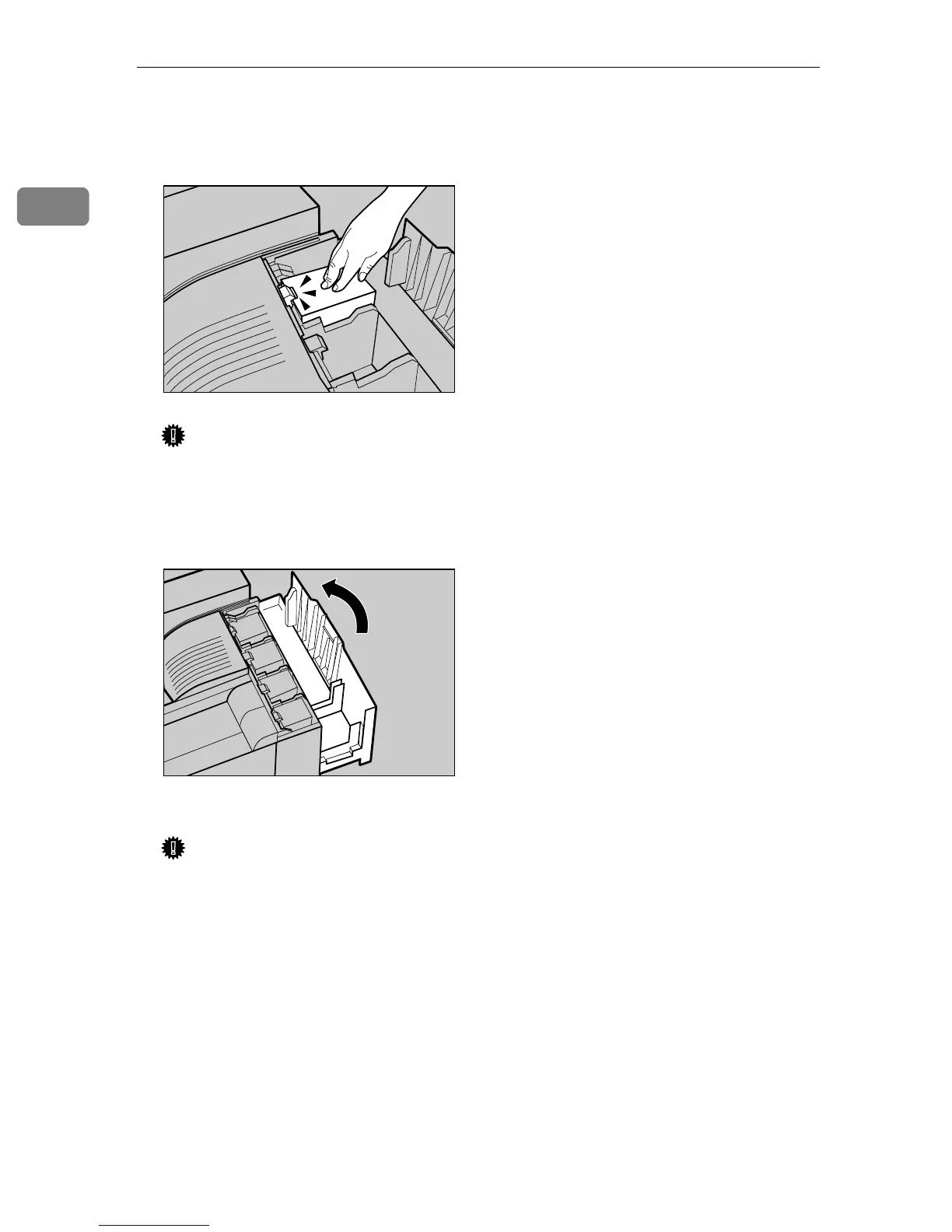
Insert the toner cartridge slowly
until the green hook snaps on the
metal contact area.
Important
❒ Do not install and remove the
toner cartridges over and over.
This could result in a toner leak.
G
GG
G
Close the upper right cover.
Please wait a while.
Important
❒ Do not turn off the power
switch when "Loading Toner" is
shown on the panel display.
This will cause a printer mal-
function.
ZDJT005J
ZDJH042J



 To Next Page