Replacing the Toner Cartridge
5
1
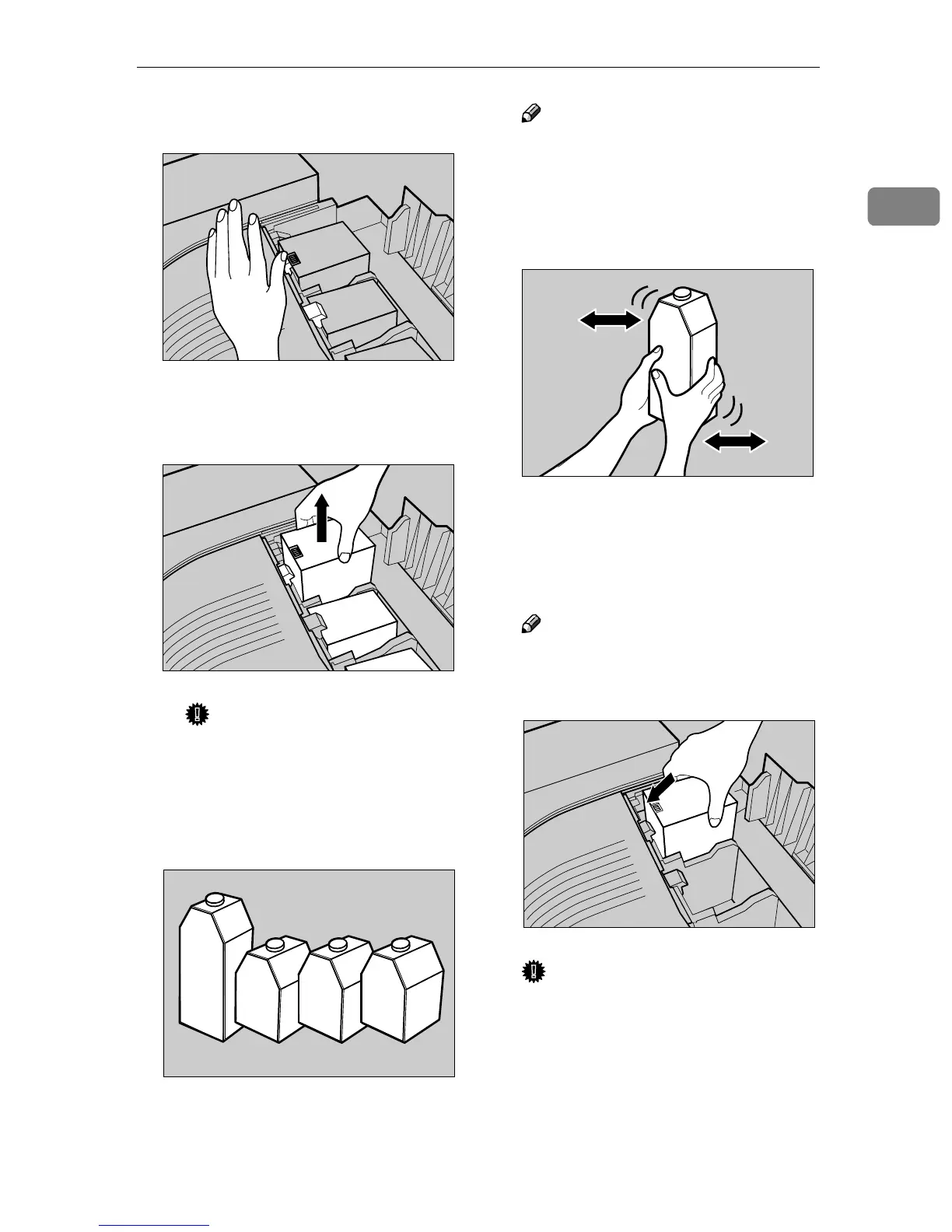
A Unhook the green hook on the
toner cartridge with one hand.
B Holding the toner cartridge
with the other hand, pull out
the cartridge up slowly.
Important
❒ Do not shake the removed
toner cartridge. The remain-
ing toner might scatter.
C
CC
C
Take out the new toner cartridge
from the box.
Note
❒ The black toner cartridge con-
tains more than the other toner
cartridges.
D
DD
D
Shake the toner cartridge back
and forth 5-6 times.
E
EE
E
Holding the toner cartridge with
the metal contact area in front, at-
tach it in the direction of the ar-
row.
Note
❒ The method to replace a toner
cartridge is the same for all four
cartridges.
Important
❒ Do not touch the metal contact
point with your fingers.
ZDJT999J
ZDJT201J
ZDJT202J
ZDJT203J
ZDJT004J



 To Next Page