Operating Instructions Maintenance Guide 2 Copier System Edition
70
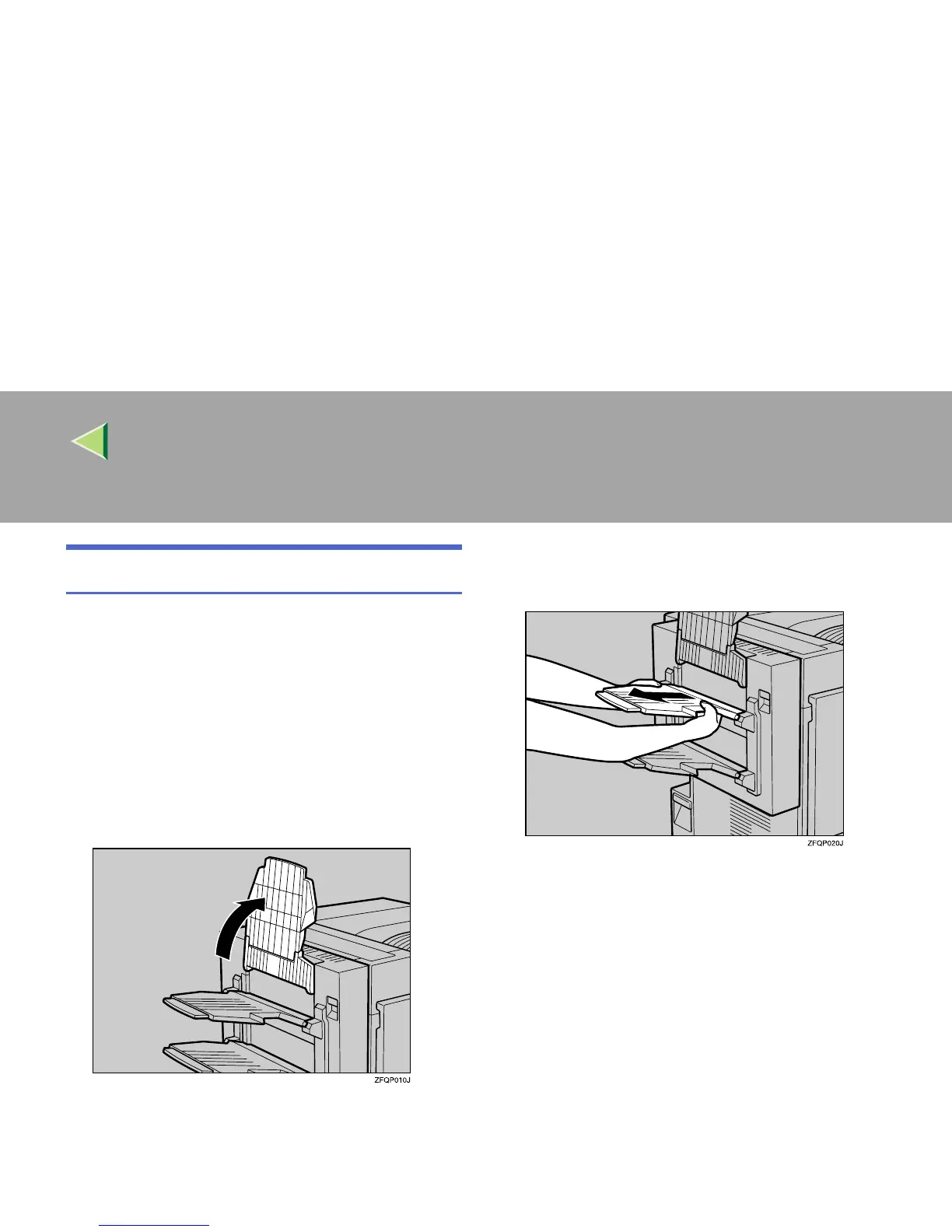
Detaching the PT460 (Multi-bin)
When replacing various units or removing mis-
fed paper, the Duplex Reversal Unit is opened. If
the optional PT460 (Multi-bin) is attached to the
Duplex Reversal Unit, detach it before opening
the Duplex Reversal Unit. After closing the Du-
plex Reversal Unit, reattach the optional PT460
(Multi-bin).
A
AA
A
Raise the External Tray attached to the
Duplex Reversal Unit.
B
BB
B
Pull the upper tray of the PT460 (Multi-
bin) out and up creating a slant.
C
CC
C
Pull the lower tray of the PT460 (Multi-
bin) out and up to detach it as in step
B
.
This completes the detachment of the PT460
(Multi-bin).



 To Next Page