Operating Instructions Administrator Reference 2
195
Going to the Top Page
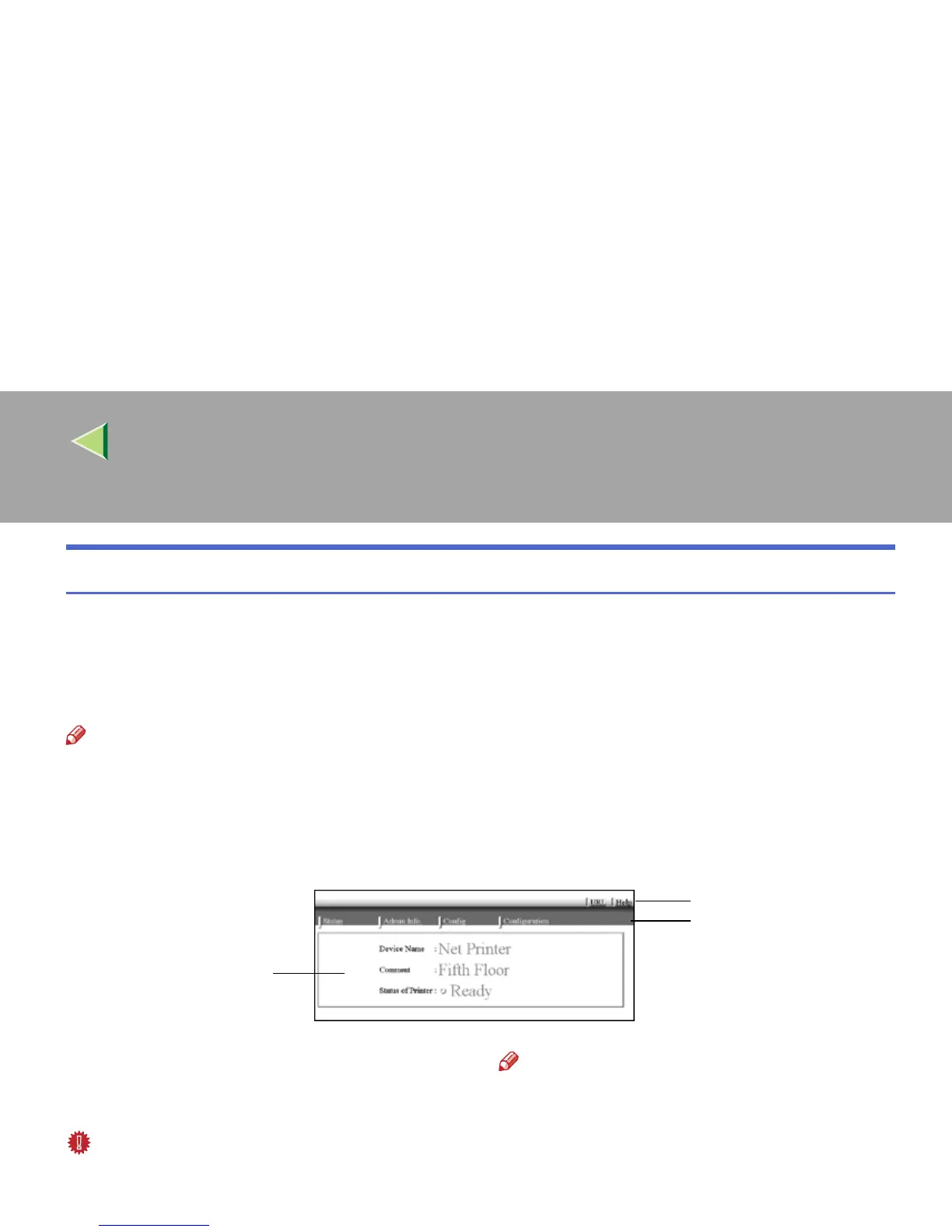
After launching the Web Browser, type the IP address of the printer. See the example below. This ex-
ample is for the English version.
http://192.168.15.16/
(In this example, the IP address of the Network Interface Board is 192.168.15.16.)
Note
❒ If a DNS server is used on the network, you can type the host name as an URL. For example, ht-
tp://webmonitor.netprinter.com/. In order to do this, you must the register the IP address and host
name of the Network Interface Board with the DNS server. Consult the network administrator for in-
formation about how to do this.
❒ If the network uses proxy servers, the browser may run slowly.
1.
Header Buttons
You can register favorite URLs with [URL]. To
view the Help section, click [Help].
Important
❒ It costs to use the browser to access a web-
site.
Note
❒ The Help file is stored in the following folder
on the CD-ROM in HTML format. The third
folder, "(Language)" may be substituted by
an appropriate language name.
\HELP\WSMHLP\(Language)\
1



 To Next Page