Basic Functions
31
1
-
--
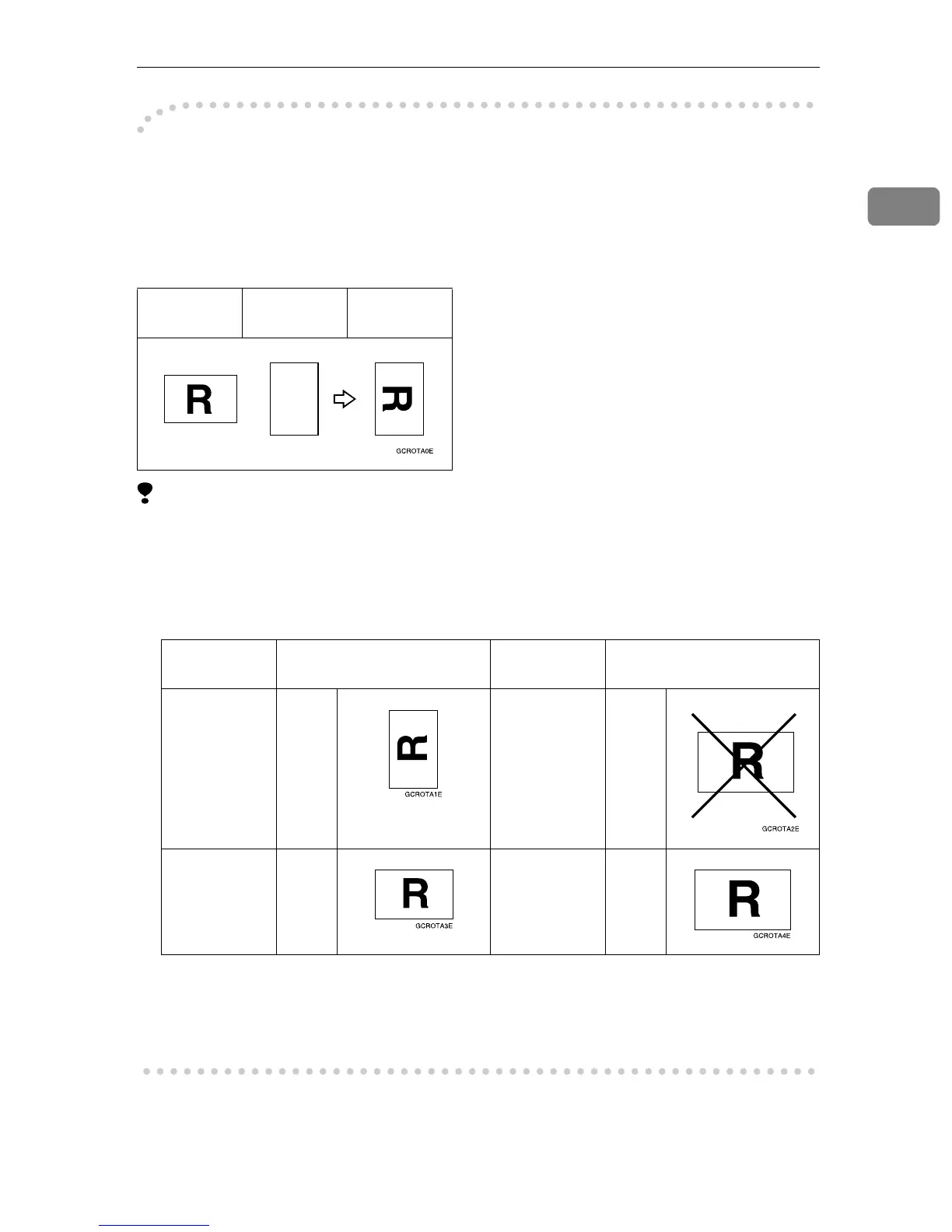
-Rotated copy
If the direction in which your original is placed (landscape or portrait) is differ-
ent from that of the paper you are copying onto, this function rotates the original
image by 90° and fits it on the copy paper. This function works when Auto Paper
Select or Auto Reduce/Enlarge is selected. ⇒ “Auto Paper Select” on p.29 “Se-
lecting Copy Paper” and ⇒ p.43 “Auto Reduce/Enlarge”
Limitation
❒ The default setting for “Auto Tray Switching” is “With Image Rotation”.
“Without Image Rotation” or “Off”, Rotated Copy function cannot be used.
⇒ “General Features
1
/
5
”, Advanced Features manual
❒ You cannot use the Rotated Copy function when enlarging onto B4 or A3 size
paper. In this case, place your original in the landscape direction.
❒ You cannot use the Rotated Copy function when “Top Slant”, “Left 2” or
“Top 2” is selected for stapling or if the Punch, Cover, Slip Sheet function is
selected when using the optional 2 Tray Finisher. ⇒ p.49 “Staple” , p.55
“Punch” and ⇒ “Cover”, “Slip Sheets”, Advanced Features manual
Original
Orientation
Paper
Orientation
Copy
Orientation
Original Size and Direction Copy Paper Size and
Direction
You cannot
rotate:
A4, B5,
or A5
por-
trait
When enlarg-
ing to →
B4, A3
You can ro-
tate:
A4, B5,
or A5
land-
scape
When enlarg-
ing to →
B4, A3



 To Next Page