Getting Started
6
1
Note
❒ If nothing happens when you
turn on the operation switch,
make sure the main power
switch is turned on.
❒ The machine will be ready to
copy in less than 119 seconds af-
ter turning on the main power
switch.
❒ If “Ready” is not displayed, see
“How To Make Basic Copies” in
the Basic Features manual,
Copy Reference.
❒ You can set the Facsimile screen
to appear right after the power
has been turned on or when the
System Auto Clear has been
performed. ⇒ “General Fea-
tures
1
/
2
-- Function Priority” in
Administrator Reference 2
Copier System Edition
D
DD
D
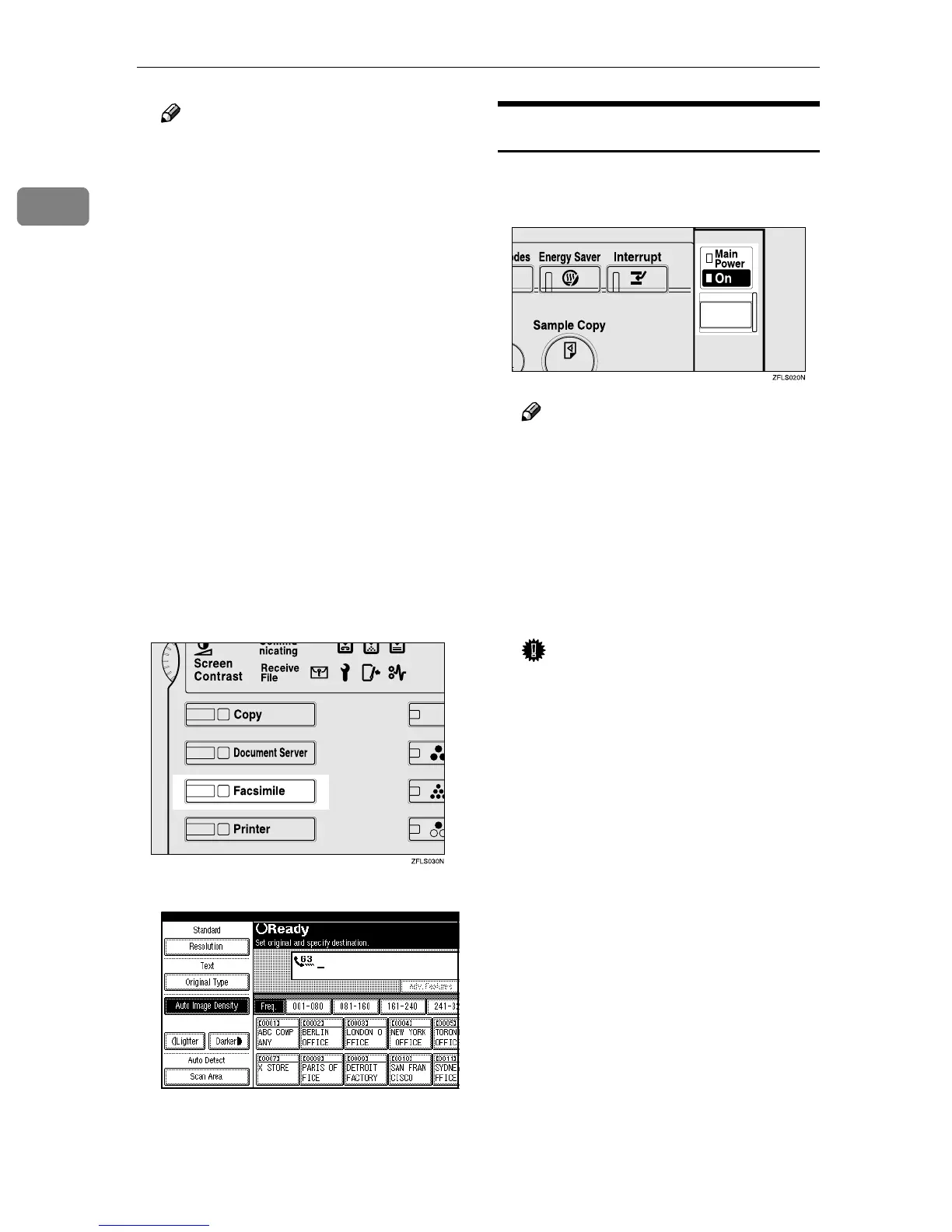
Press the {
{{
{Facsimile}
}}
} key.
The Facsimile screen is displayed.
Turning Off the Power
A
AA
A
Turn off the operation switch.
The On indicator will go out.
Note
❒ The On indicator blinks when:
• The optional exposure glass
cover or optional Document
Feeder (ADF) is open.
• The machine is communicat-
ing with other destination
machines.
• The hard disk is running.
Important
❒ Fax files stored in memory will
be deleted 1 hour after you turn
the main power switch off or
you unplug the power cord. ⇒
Chapter 10, “Power Failure Re-
port” in the Advanced Features
manual



 To Next Page