Operating Instructions Scanner Reference
79
G
GG
G
Press [File Information] to set file informa-
tion.
Reference
❒ For more information, see p.85 “Specifying
file information”.
H
HH
H
Press [OK].
I
II
I
Press the {
{{
{Start}
}}
} key.
The original is scanned, and the file is deliv-
ered to the destination and stored in the Doc-
ument Server.
Delivering Stored Files
Files stored in the Document Server which
scanned in the scanner function are delivered.
Note
❒ This section explains mainly how to select
files to be delivered. For more information
about the delivery procedure, see p.71 “Deliv-
ery Procedure”.
❒ When the stored files are delivered, scan set-
tings cannot be made. The files are delivered
with the specified scan settings when they are
stored in the Document Server.
A
AA
A
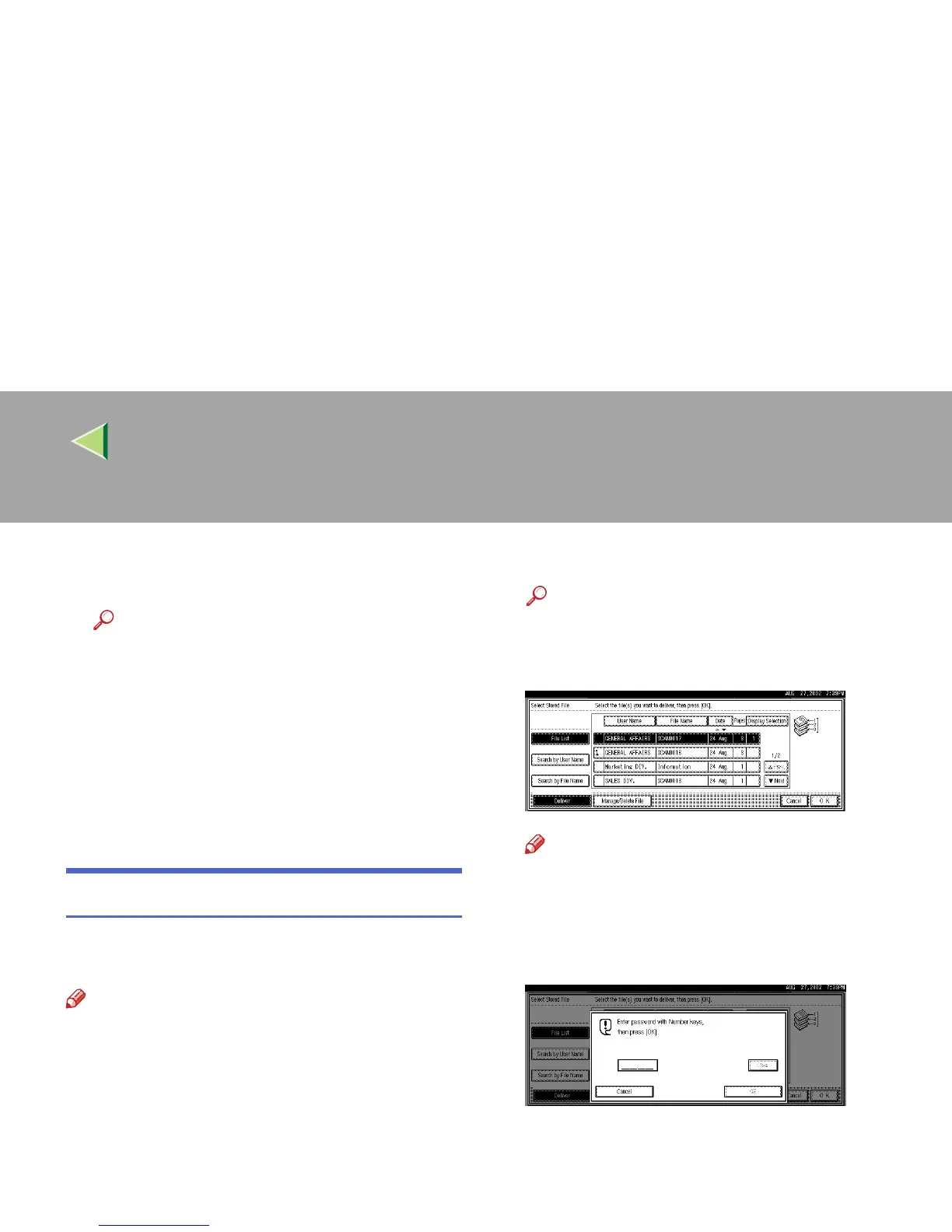
Display the list of stored files.
Reference
❒ ⇒ p.88 “Viewing a List of Stored Files”
B
BB
B
Select a file to be delivered.
Note
❒ When you select a file protected pass-
word, the Password Entry screen appears.
After you have entered the correct pass-
word and pressed [OK], the file will be se-
lected.



 To Next Page