Operating InstructionsFacsimile Reference (option) <Advanced Features>
165
C
CC
C
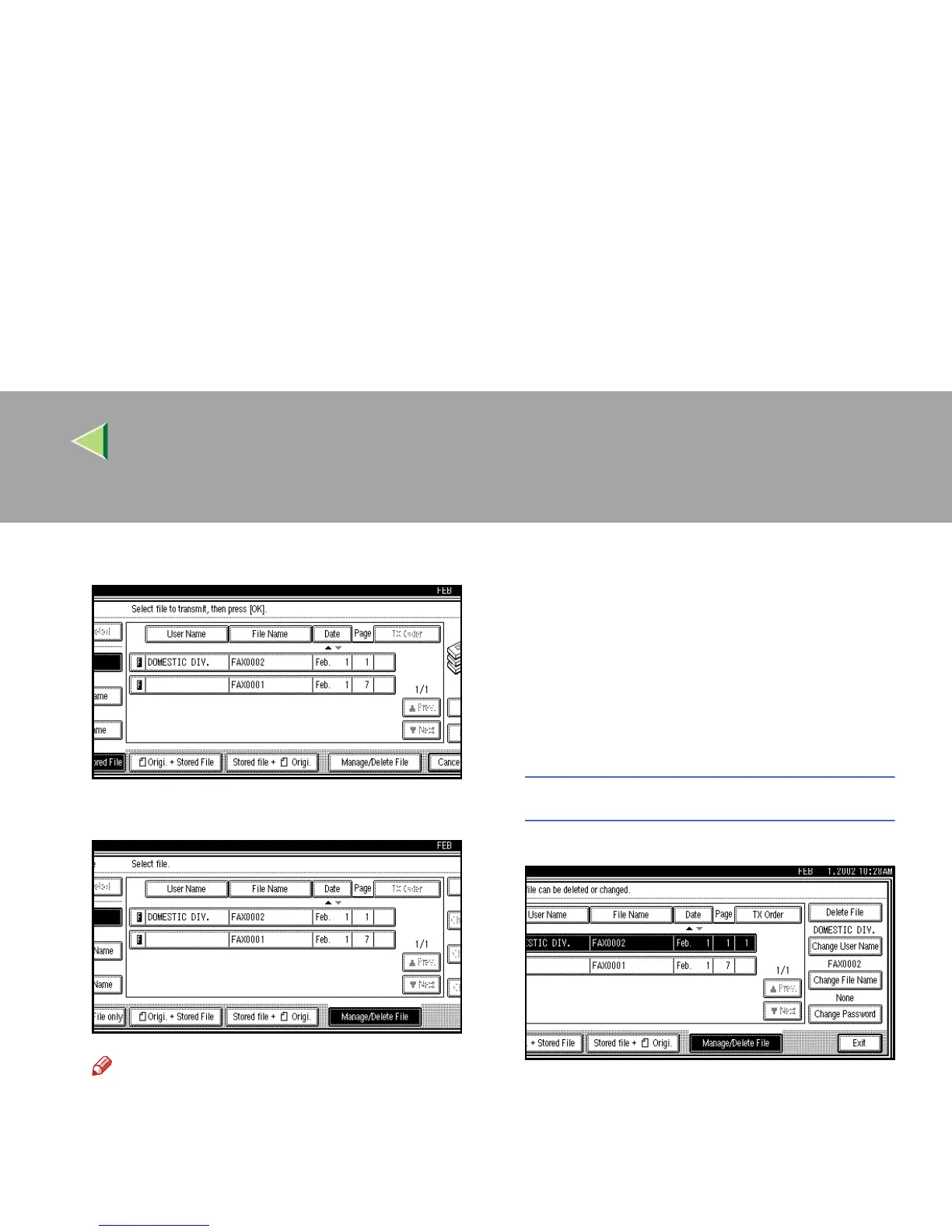
Select [Manage/Delete File].
D
DD
D
Press the document to be changed.
Note
❒ You can specify multiple documents at
one time.
❒ Press [U
UU
U Prev.] or [T
TT
T Next] to search for the
file to be changed when it is not displayed.
E
EE
E
If you select a document for which a pass-
word is set, enter the password. When a se-
lected file does not have a password, go to
step
G
GG
G
.
F
FF
F
Press [OK].
G
GG
G
Change the information of the stored docu-
ment. Change the desired items.
Changing a User Name
A
AA
A Press [Change User Name].



 To Next Page