Clearing and Adjusting the Machine
32
2
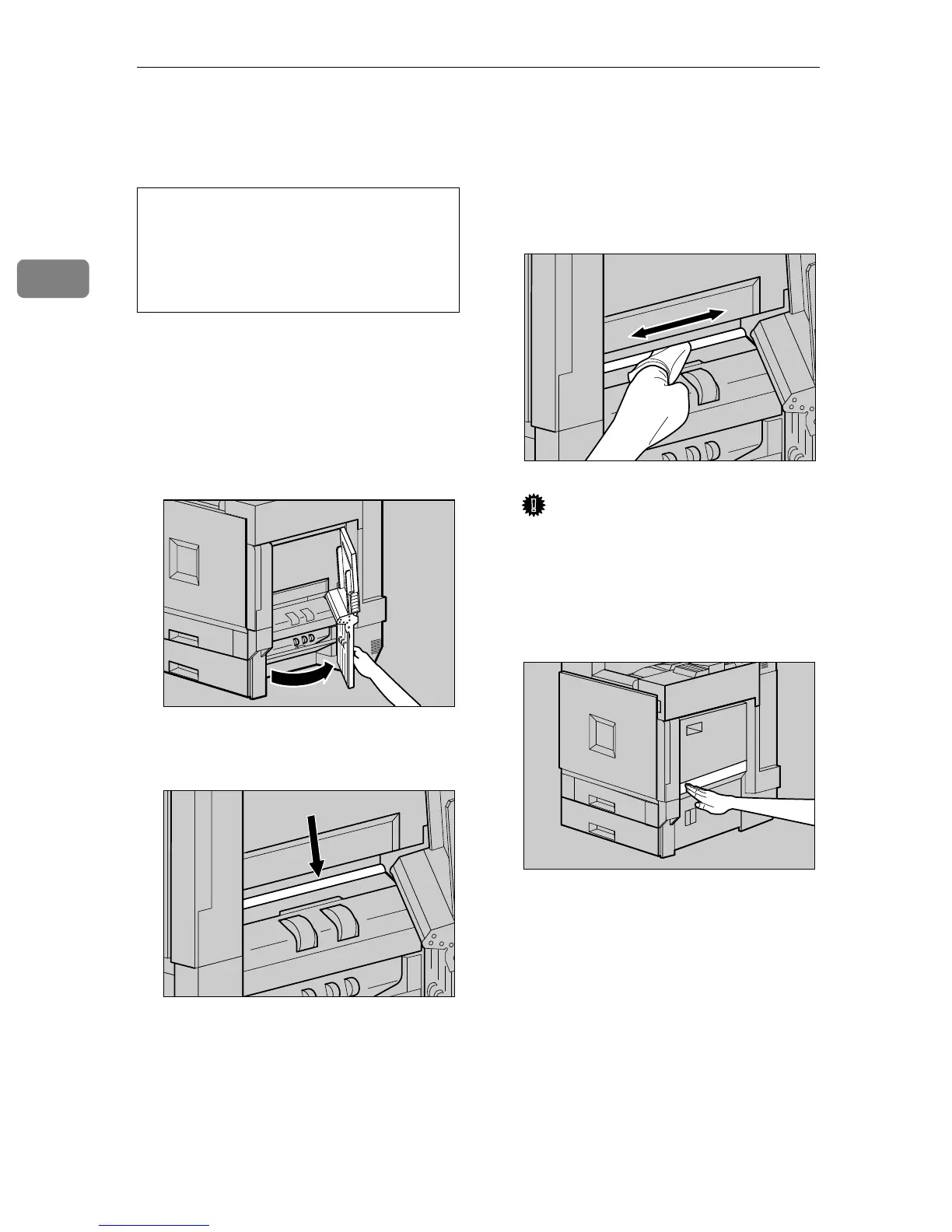
Cleaning the Registration Roller
CAUTION:
Clean the roller when replacing the
black Development Unit.
A
AA
A
Turn off the power switch, and
then unplug the power cable.
B
BB
B
Open the right cover as shown in
the illustration.
The registration roller is set as
shown in the illustration.
C
CC
C
Wipe around the registration roll-
er by turning with a soft damp
cloth.
Important
❒ Do not use chemical cleaner or
organic solvent such as thinner
or benzene.
D
DD
D
Close the right cover by pushing
the area labeled "PUSH".
E
EE
E
Plug in the power cable, and then
turn on the power switch.
• The inside of the printer be-
comes very hot. Do not touch the
parts with a label indicating the
"hot surface", otherwise it could
cause a burn.
ZDJH206J
ZDJH703J
ZDJH704J
ZDJP708J



 To Next Page