Operating Instructions Copy Reference <Advanced Features>
17
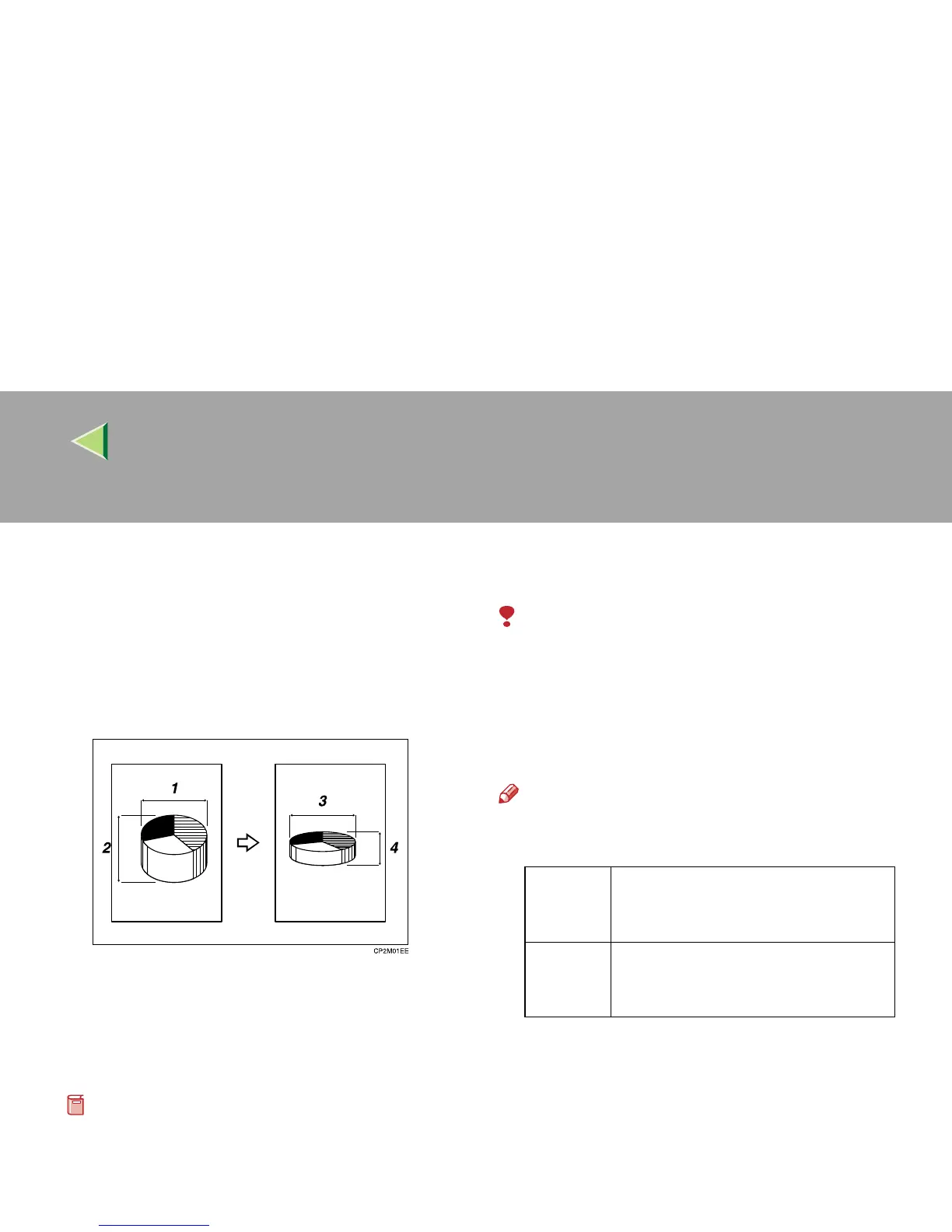
Directional Size Magnification (Inch)
The suitable reproduction ratios will be automat-
ically selected when you enter the horizontal and
vertical lengths of the original and copy image
you require.
1: Horizontal original size
2: Vertical original size
3: Horizontal copy size
4: Vertical copy size
Preparation
Specify the vertical and horizontal sizes of the
original and those of the copy, as shown in the
illustration.
Limitation
❒ If the calculated ratio is over the maximum or
under the minimum ratio, it is adjusted to with-
in the available range of ratios automatically.
However, with some ratios, parts of the image
might not be copied or margins will appear on
copies.
Note
❒ You can enter sizes within the following rang-
es:
❒ The following ratios can be selected:
• Metric version: 25 – 400%
• Inch version: 25 – 400%
Metric
version
Vertical: 1 – 999mm (in 1mm steps)
Horizontal: 1 – 9999mm (in 1mm
steps)
Inch
version
Vertical: 0.1" – 99.9" (in 0.1" steps)
Horizontal: 0.1" – 999.9" (in 0.1"
steps)



 To Next Page